AkshayaJune 10, 2026
In manufacturing industries, production processes often generate secondary products along with the main finished product. These secondary outputs are known as by-products. Properly managing by-products is essential for maintaining accurate inventory records, tracking production costs, and improving operational efficiency.
With Odoo 19 Manufacturing, businesses can easily configure and manage by-products within Manufacturing Orders (MOs). This feature enables manufacturers to automatically record additional products generated during production, ensuring accurate stock management and streamlined manufacturing workflows.
In this blog, we'll explore how to configure and handle by-products in Manufacturing Operations in Odoo 19.
A by-product is a secondary product that is produced during the manufacturing process of a primary product. Unlike waste or scrap, by-products often have economic value and can be sold, reused, or processed further.
To make use of by-products in Odoo 19, open the Manufacturing module and go to Configuration → Settings. In the Operations section, enable the By-Products feature by checking the corresponding option.
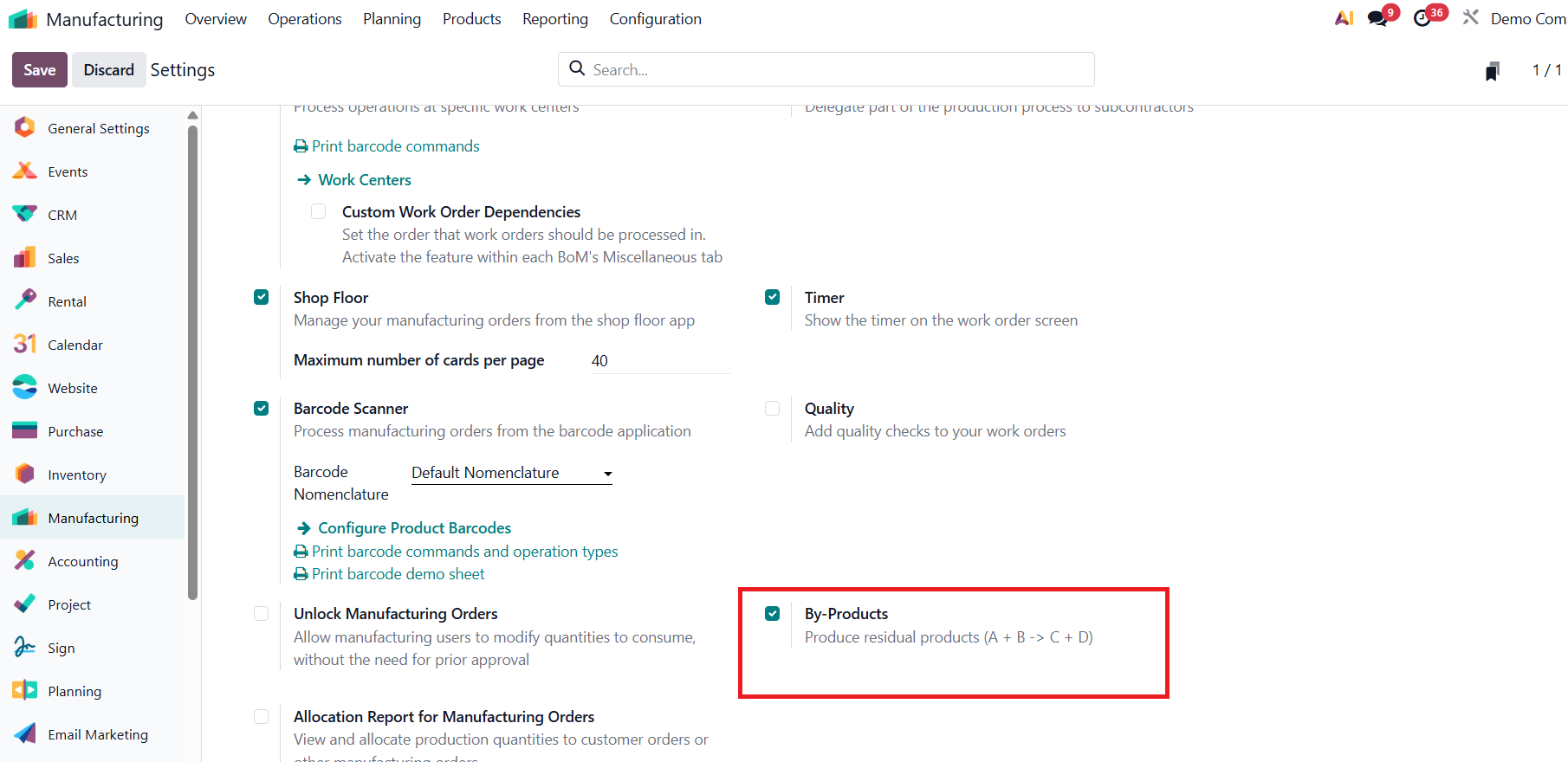
Once activated, Odoo allows you to define secondary products within a Bill of Materials (BoM). These by-products are automatically generated and added to inventory when the related manufacturing order is completed, helping businesses maintain accurate stock records and efficiently manage production outputs
After enabling the By-Products feature, navigate to
Manufacturing → Products → Products and create the products required for the manufacturing process. Configure the finished product, the raw materials to be consumed, and the by-product that will be generated during production. Set the Product Type to Storable Product for each item to enable inventory tracking. In this example, Table is the finished product, Wood Plank is the component, and Wood Scraps is the by-product produced during manufacturing.
If the Replenish on Order (MTO) route is enabled under the Inventory tab of the product, Odoo will automatically generate a Manufacturing Order whenever there is a demand for that product. To define how the product should be manufactured, create a Bill of Materials (BoM) for the finished product. The BoM specifies the components, quantities, and by-products involved in the manufacturing process.
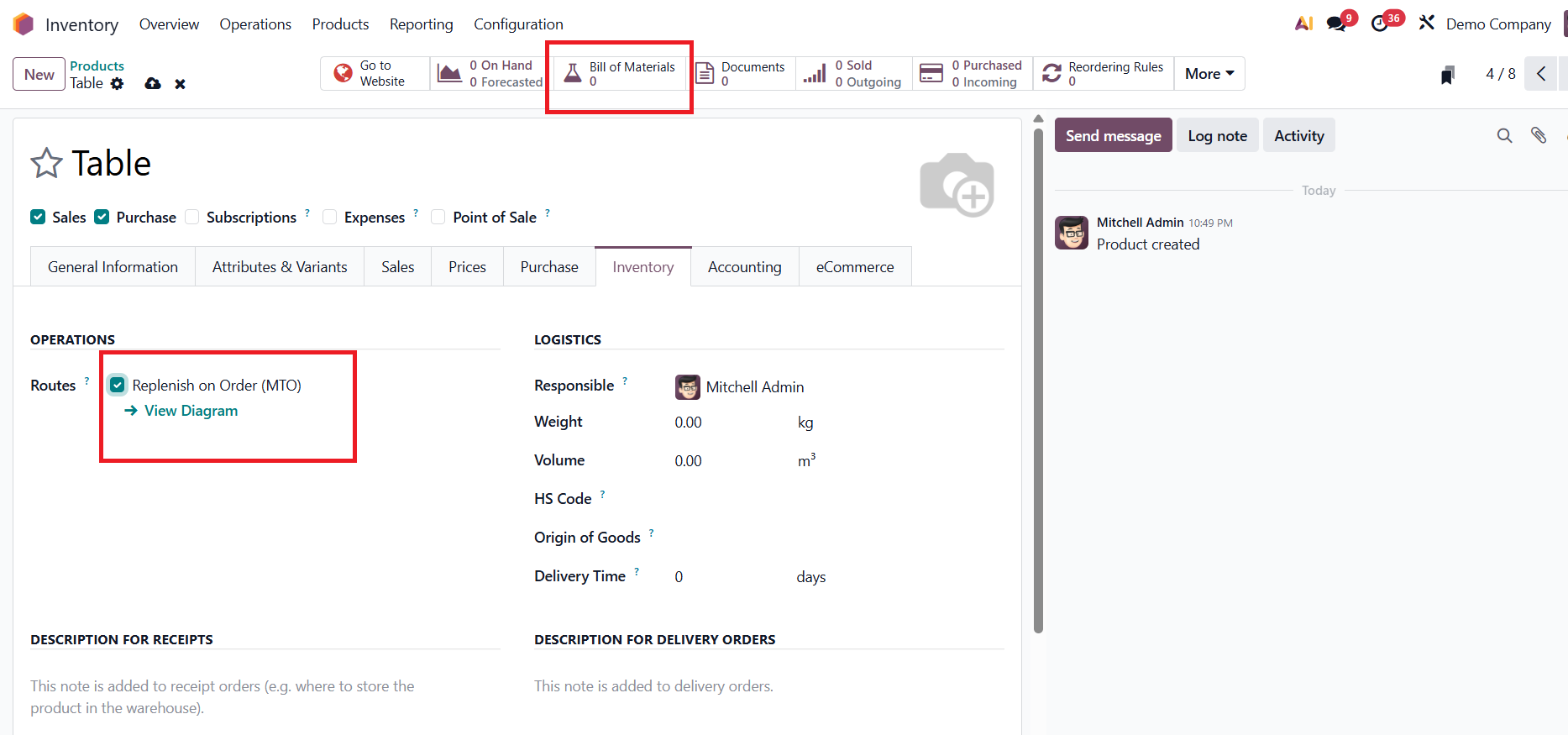
add the required raw materials under the Components tab
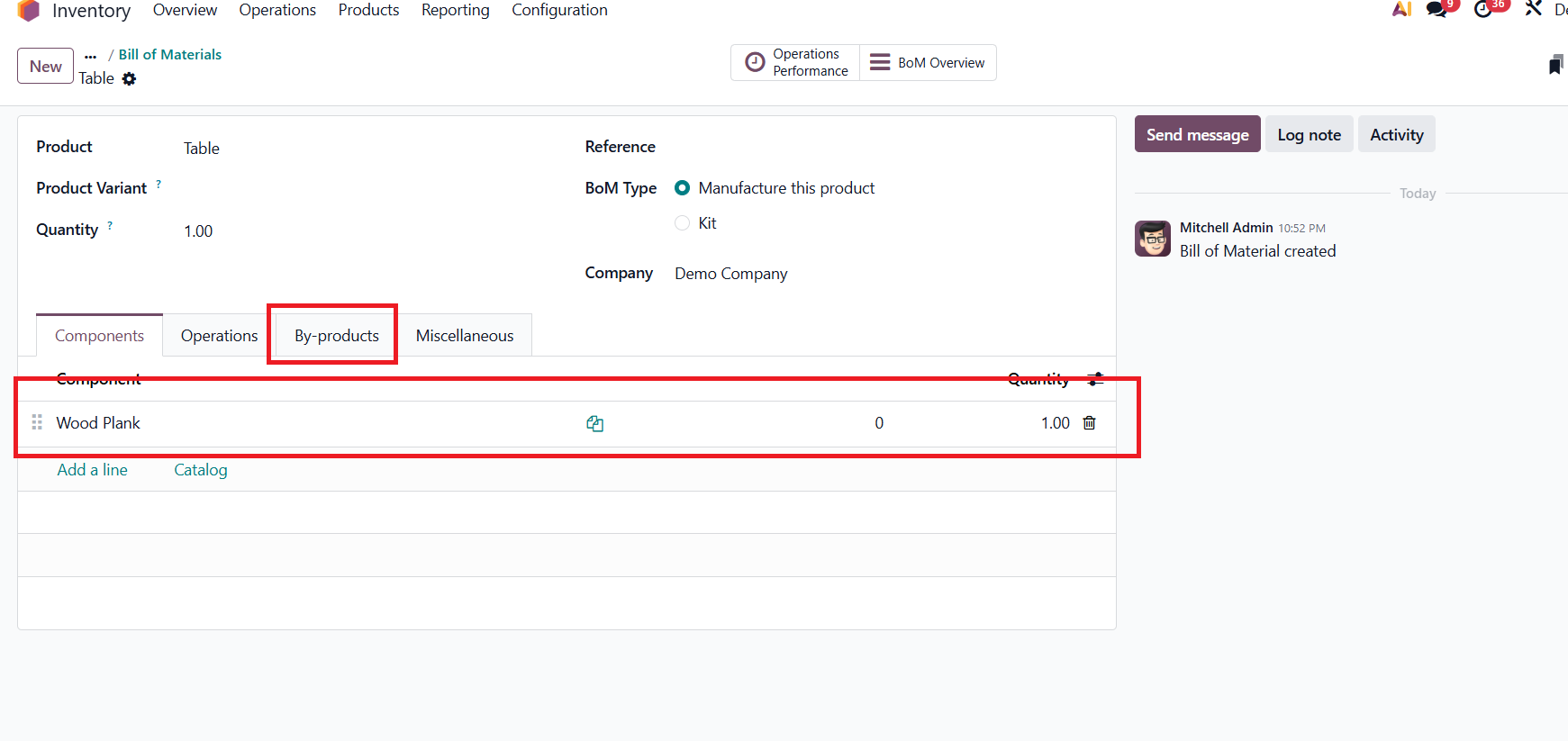
Once the required components have been added to the Bill of Materials, open the By-Products tab and specify any secondary products generated during the manufacturing process. Here, Wood Scraps is configured as a by-product of the Table.
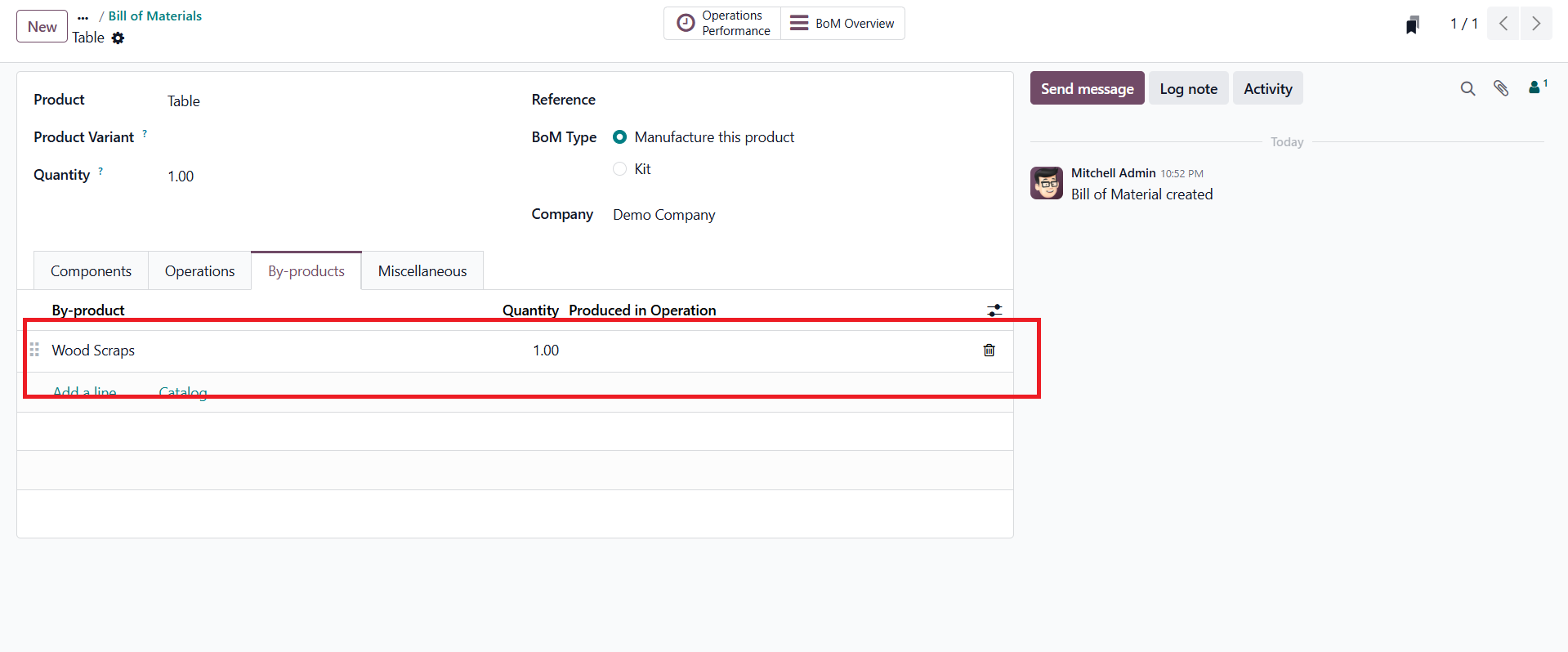
At this stage, neither the finished product (Table) nor the configured by-product (Wood Scraps) is available in stock. Since the Replenish on Order (MTO) route is enabled, Odoo automatically generates a Manufacturing Order whenever there is demand for the finished product.
To trigger the manufacturing process, create a Sales Order for the Table by navigating to the Sales module. Once the sales order is confirmed, Odoo automatically creates the corresponding Manufacturing Order, ensuring that the required product is produced to fulfill the customer demand.
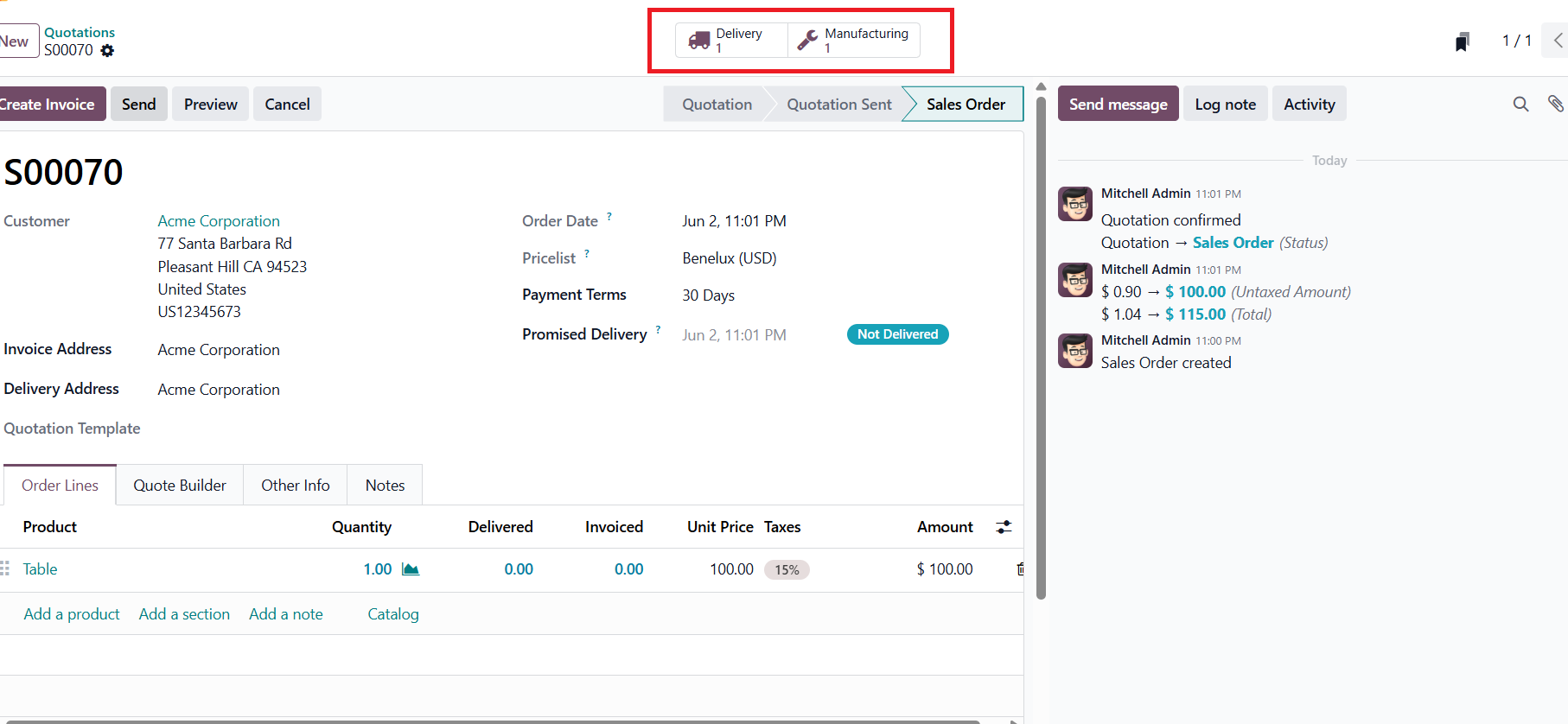
The Manufacturing Order displays all the details required for production, including the components to be consumed and the by-products to be generated. Under the By-Products tab, Odoo shows Wood Scraps as the secondary output that will be produced alongside the Table. Once the manufacturing process is completed using the Produce All button, Odoo automatically consumes the required raw materials, adds the finished product to inventory, and records the by-product in stock. This automated workflow ensures accurate inventory tracking and eliminates the need for manual stock adjustments.
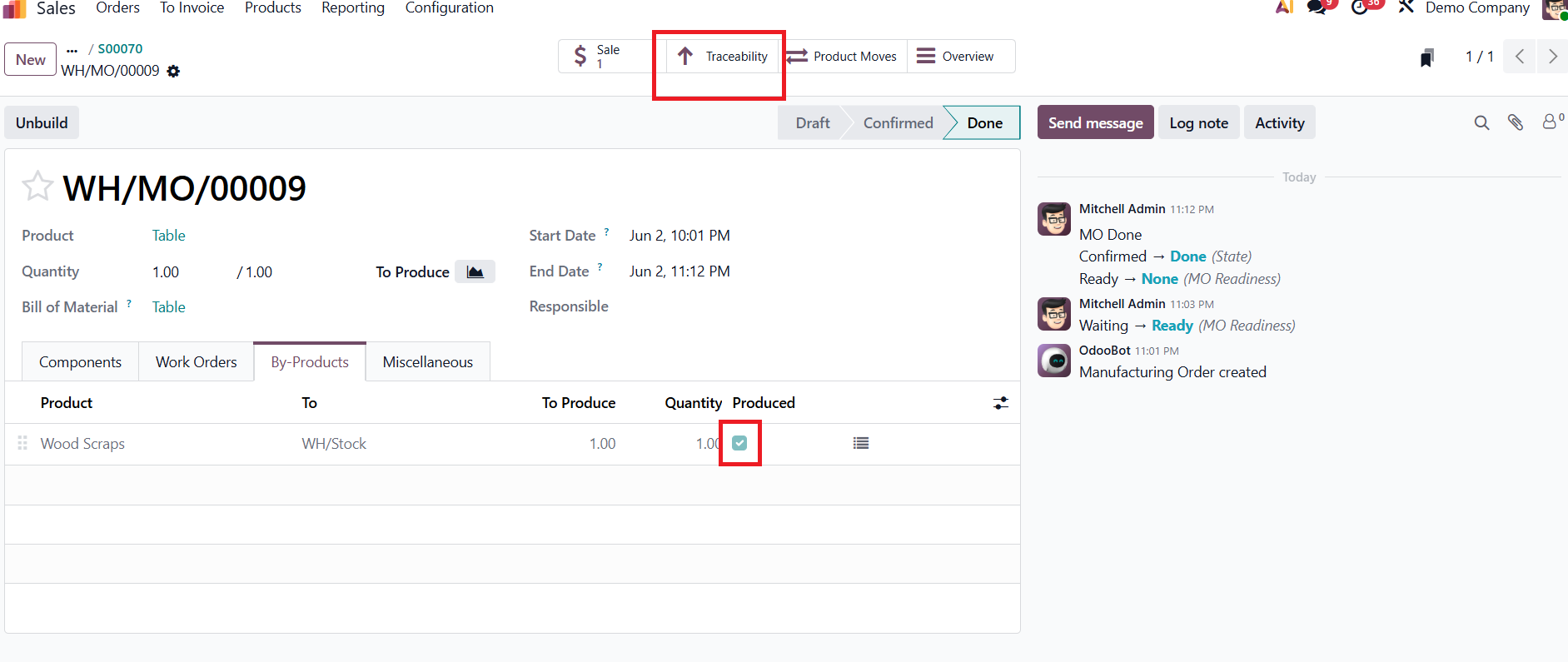
After clicking Produce All, the Manufacturing Order moves to the Done stage, indicating that the production process has been successfully completed. Odoo consumes the required raw materials, produces the finished product (Table), and automatically generates the configured by-product (Wood Scraps).
As shown in the By-Products tab, the Produced checkbox is now selected, confirming that the by-product has been created and added to inventory.
To further analyze the manufacturing process, users can access the Traceability smart button, which provides a detailed record of the movement of raw materials and finished products throughout production.
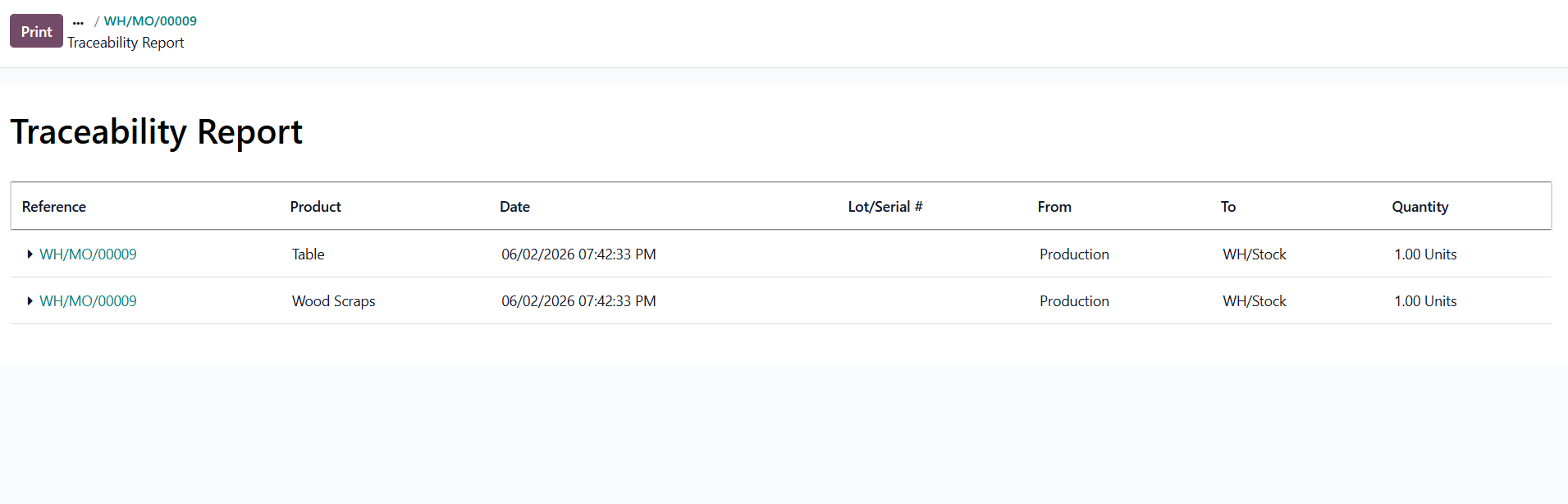
Managing by-products effectively is essential for maintaining accurate inventory records and improving production visibility. Odoo 19 simplifies this process by allowing manufacturers to define by-products directly within the Bill of Materials and automatically generate them during production. From configuring products and creating manufacturing orders to tracking inventory movements through traceability reports, Odoo provides a seamless workflow for handling both finished goods and secondary outputs. This automation reduces manual effort, enhances traceability, and ensures greater accuracy across manufacturing operations.





0