ArchanaAug. 10, 2026
The Maintenance application in Odoo 19 provides a centralized platform for managing company equipment, maintenance teams, repair requests, and maintenance schedules. It helps organizations keep their assets in good working condition while ensuring maintenance activities are planned and tracked efficiently.
Corrective maintenance plays an important role in asset management by enabling businesses to respond quickly when equipment breaks down unexpectedly. With Odoo 19, maintenance requests can be recorded, assigned to the appropriate technicians, monitored throughout the repair process, and stored as part of the equipment's maintenance history. Having all maintenance information in one place makes it easier to reduce equipment downtime, improve reliability, and make better maintenance decisions based on past records.
This guide walks you through the process of configuring and managing corrective maintenance in Odoo 19.
Navigate to Equipment and choose the appropriate equipment category, such as Machines & Equipment or Production Work Centers, depending on how your organization manages its assets.
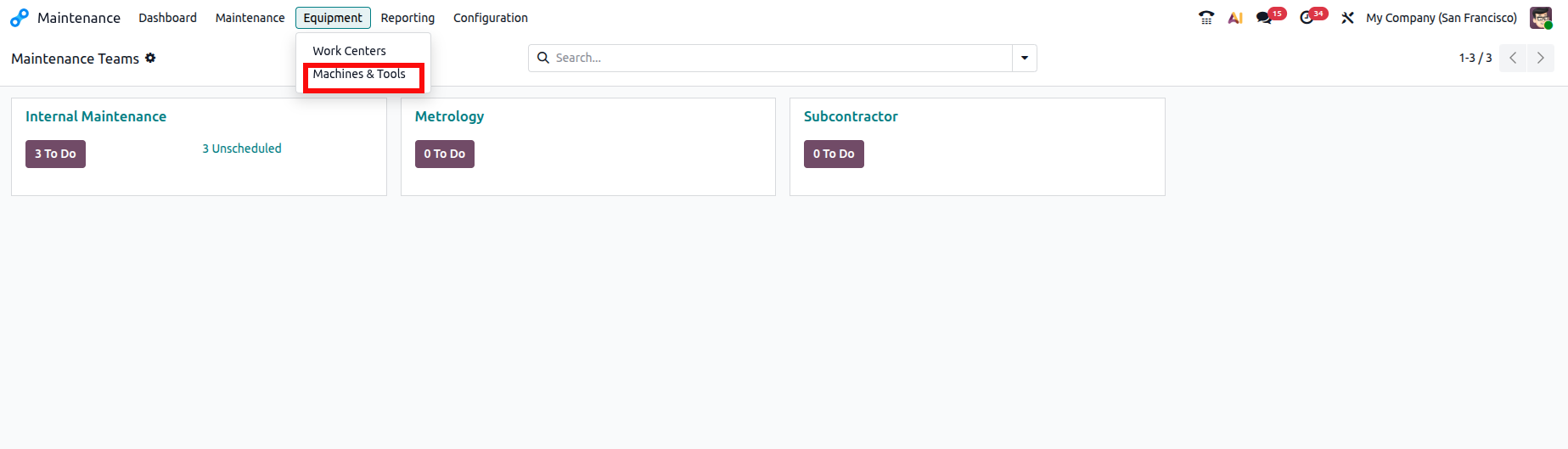
Equipment records represent physical assets that require regular servicing or occasional repairs. Examples include production machines, compressors, generators, laboratory instruments, or industrial tools.
Click New to create a new equipment record.
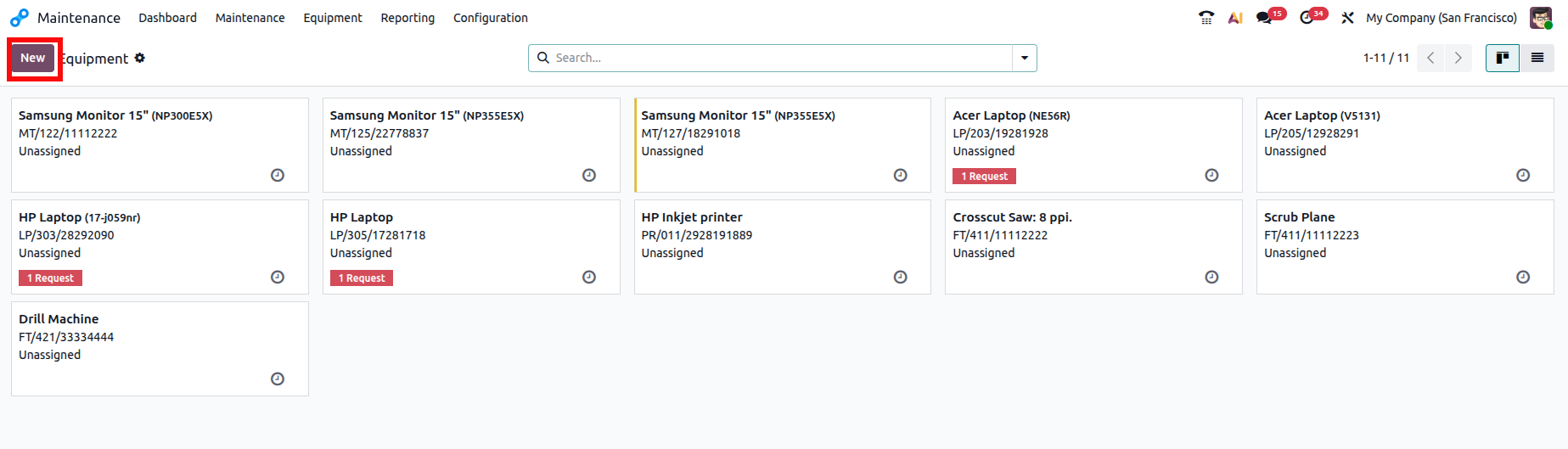
Create a new equipment record by entering the equipment name and selecting the appropriate equipment category. Specify who the equipment is assigned to, choose the relevant department, assign the responsible maintenance team and technician, and provide the location where the equipment is installed. If the equipment is associated with a manufacturing operation, select the corresponding work center before saving the record.
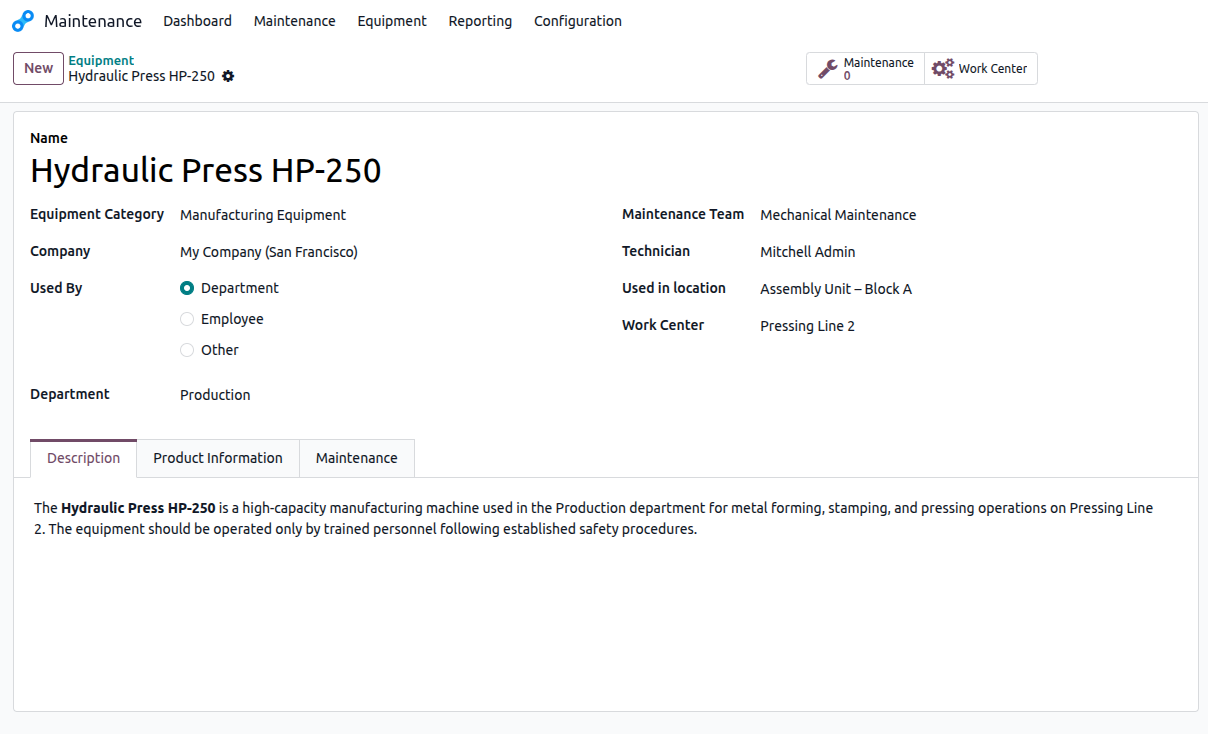
The Description tab can be used to document additional details about the equipment, including operational notes, installation instructions, or special maintenance procedures.
Open the Product Information tab and enter the equipment's product details. Provide information about the supplier, supplier reference, manufacturer, model number, and serial number for identification and tracking.
Next, specify the Effective date, purchase cost, and warranty expiration date to maintain accurate asset records and support warranty and maintenance management.
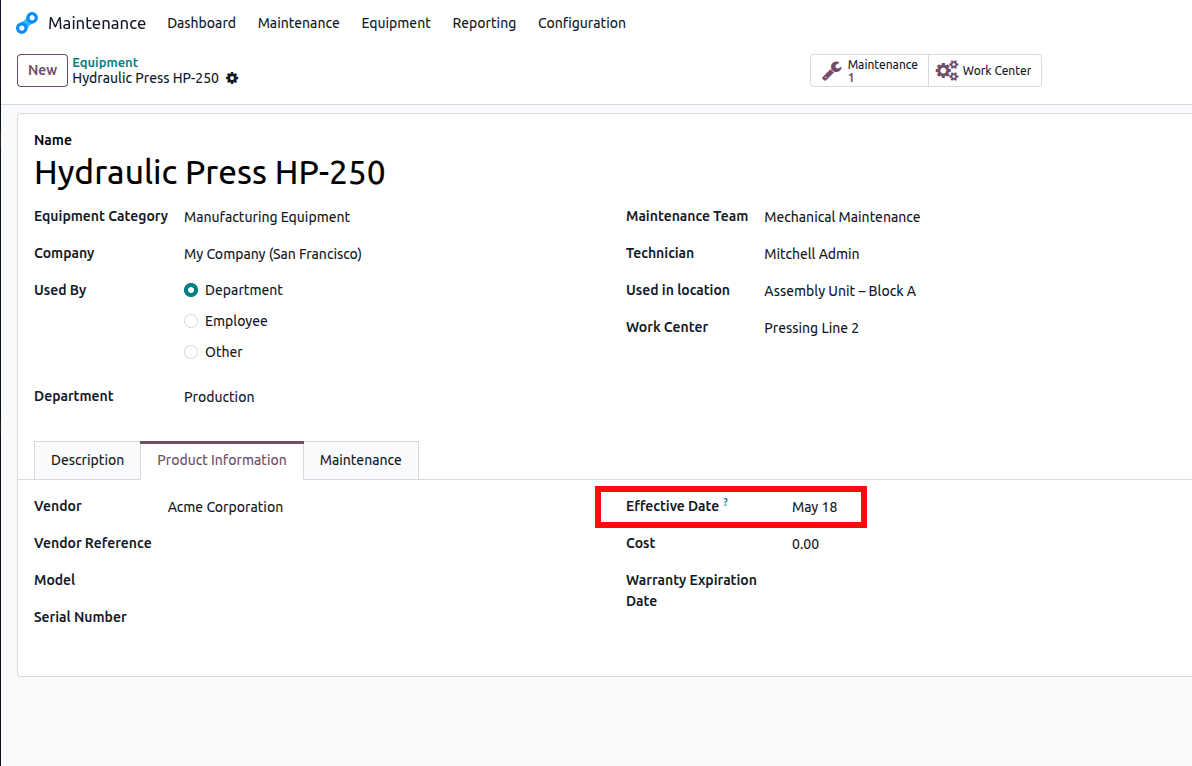
The Effective date serves as the starting point for calculating maintenance performance metrics such as the Mean Time Between Failures (MTBF).
Open the Maintenance tab to configure maintenance-related settings for the equipment.
This section contains several important maintenance indicators:
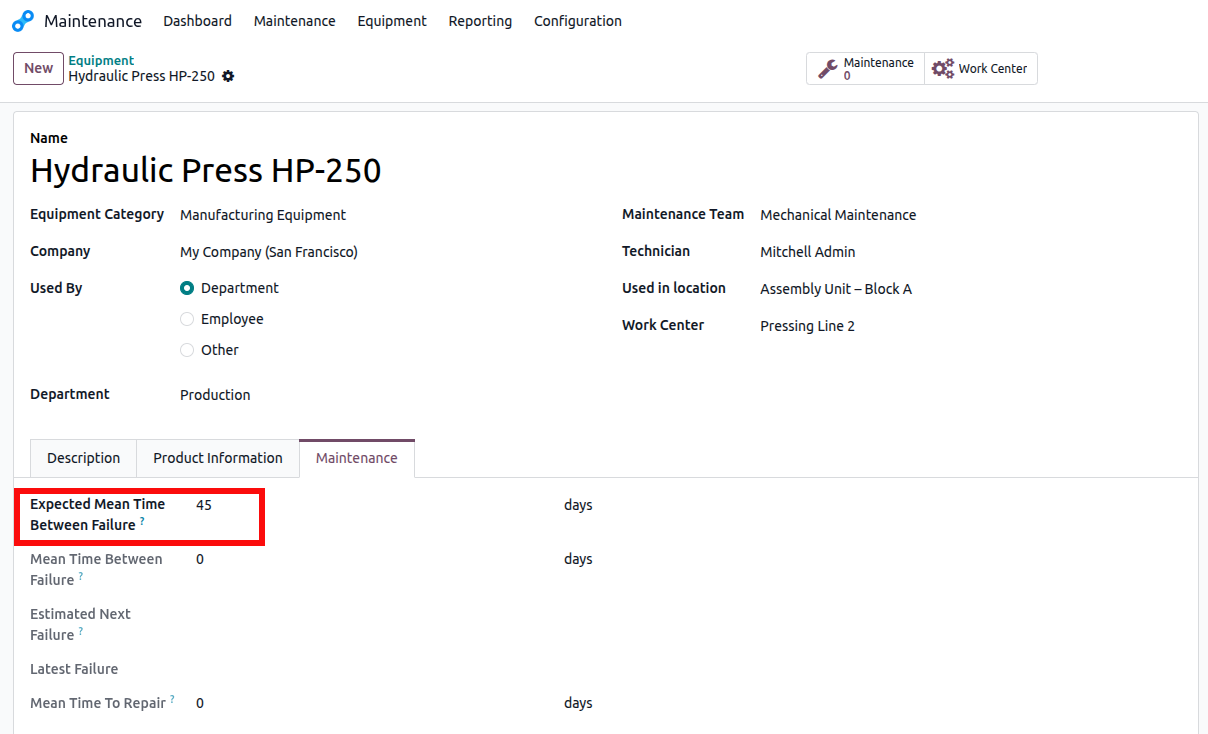
Save the equipment record.
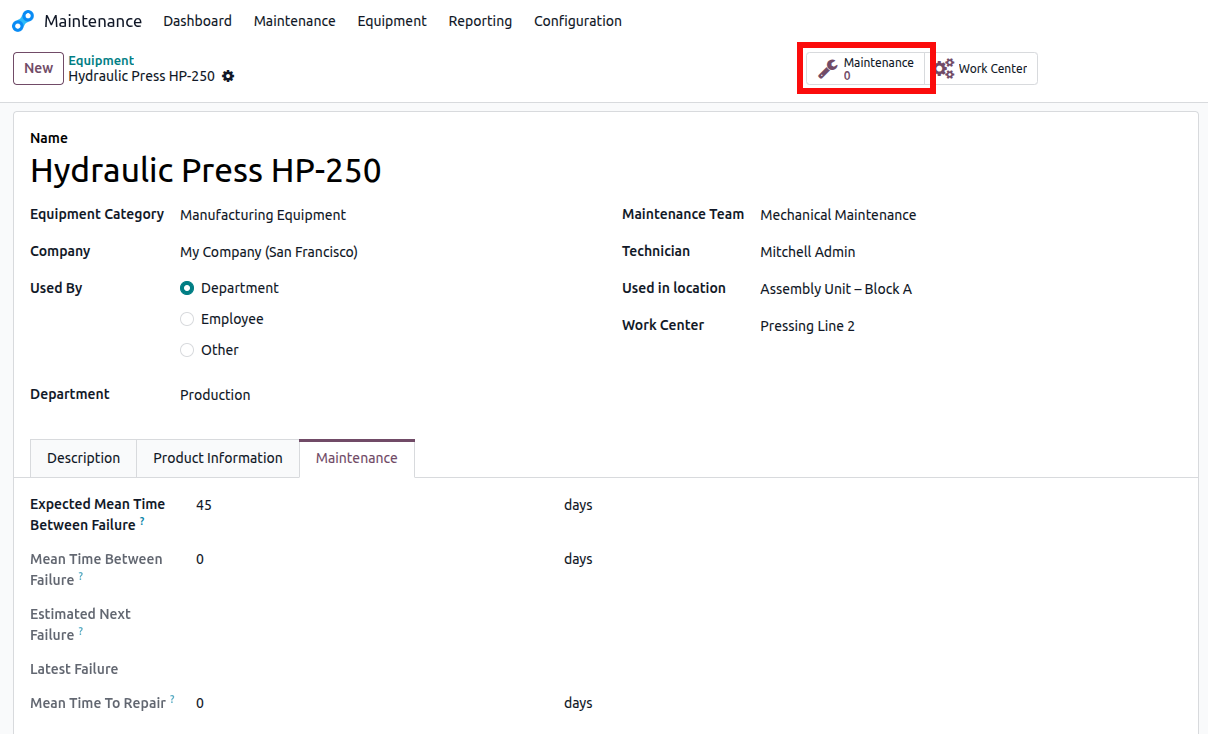
From the equipment form, click the Maintenance smart button to view all maintenance requests associated with the equipment.
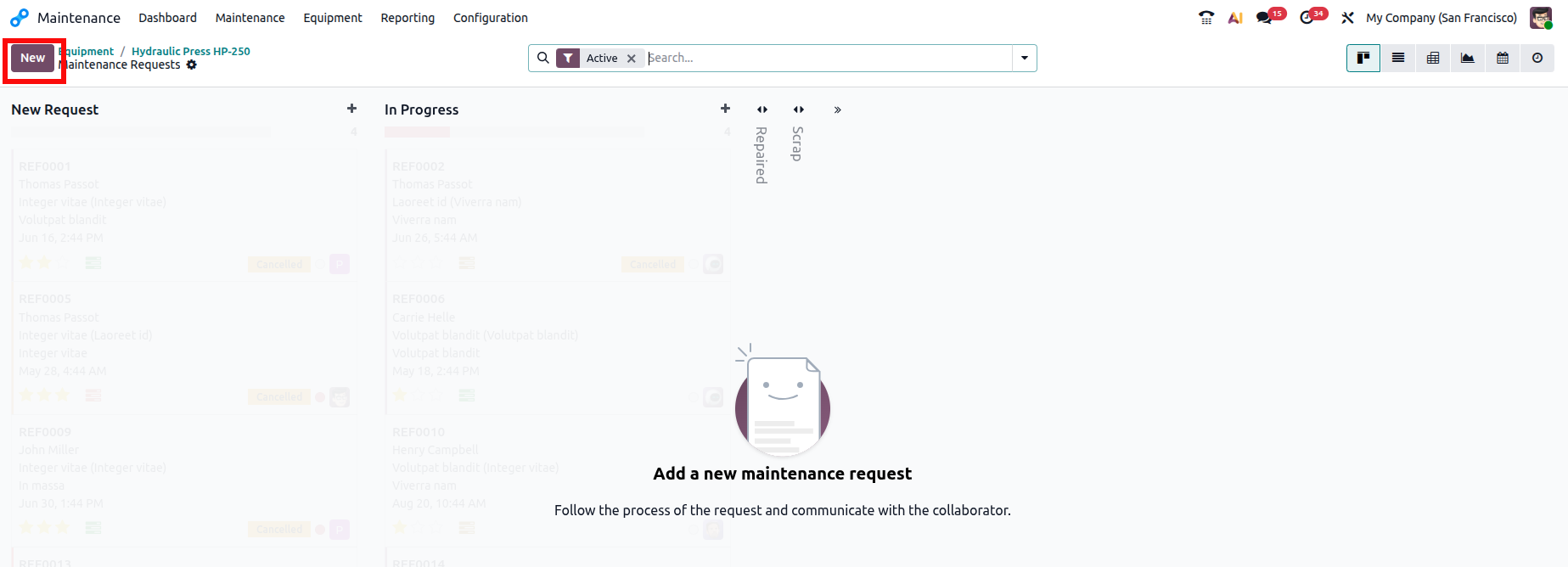
Select New to create a maintenance request.
Enter a descriptive request title, select the related equipment and its category, specify the request date, and choose Corrective as the maintenance type. Assign the appropriate maintenance team and responsible technician, set the priority level based on the urgency of the issue, and select the relevant company before saving the maintenance request.
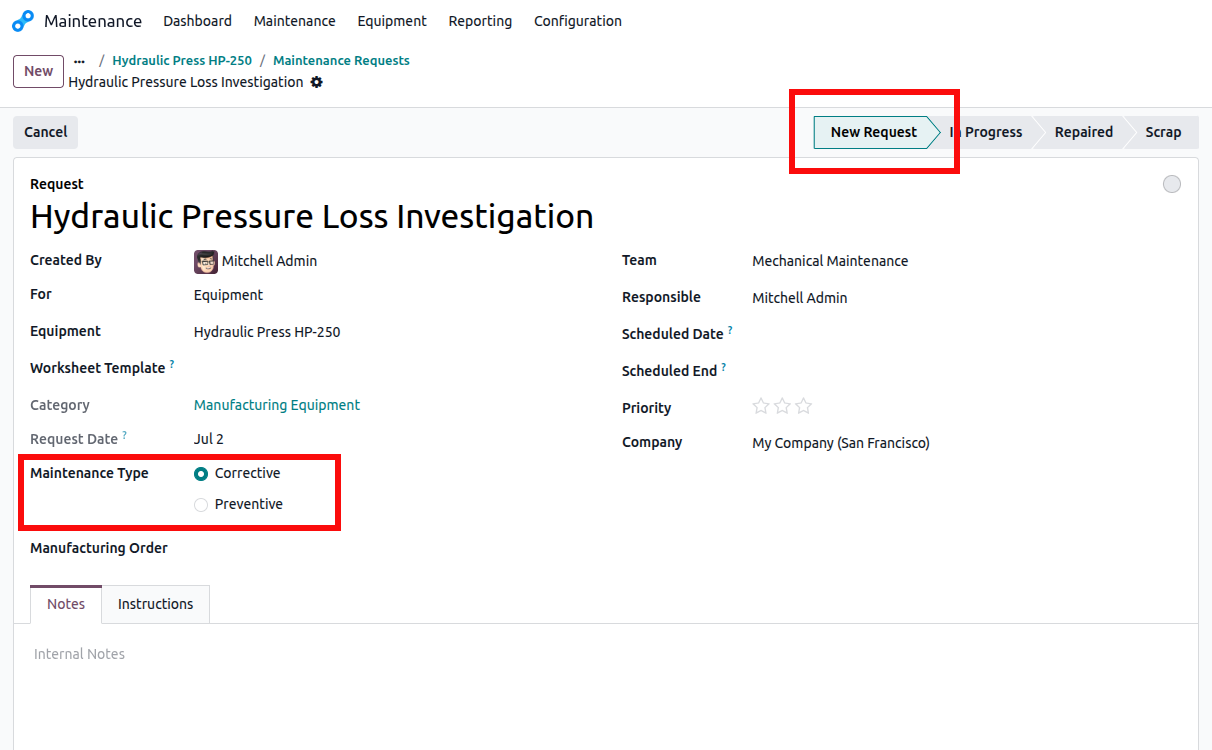
When the request is created, it will initially appear in the New Request stage.
As repair work begins, move the maintenance request to In Progress.
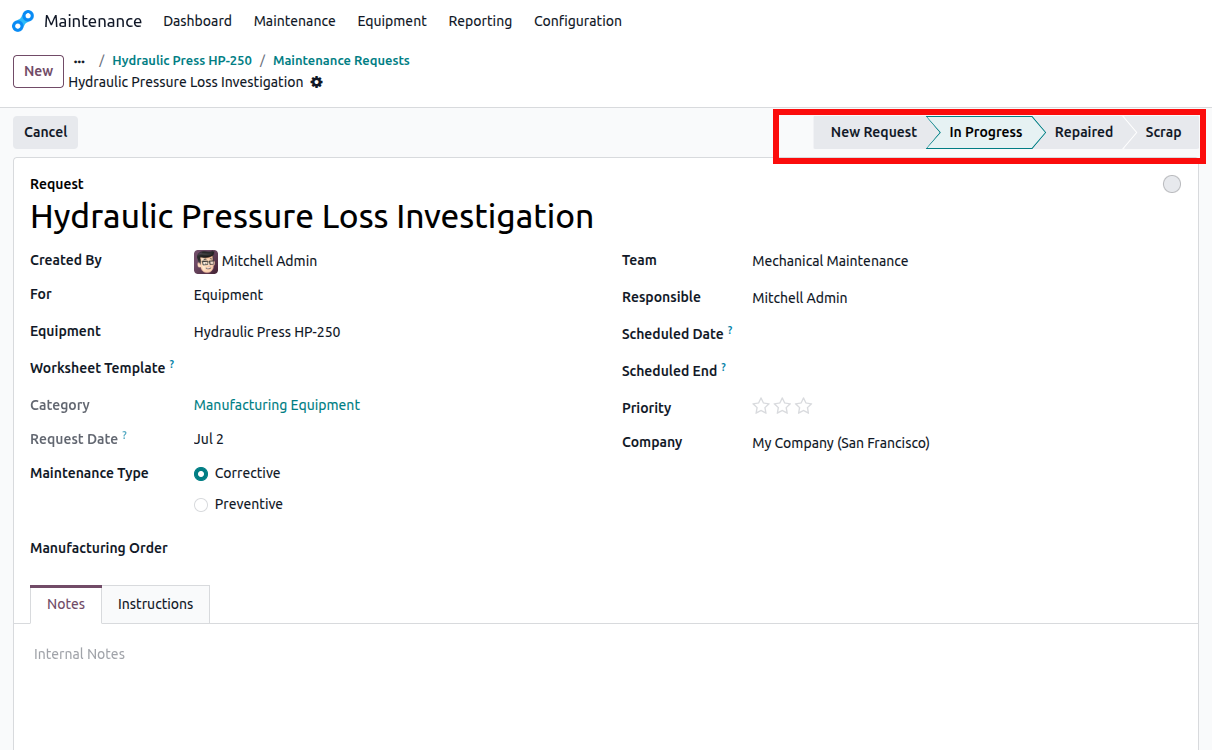
Once the technician completes the repair and verifies that the equipment is functioning correctly, update the request status to Repaired.
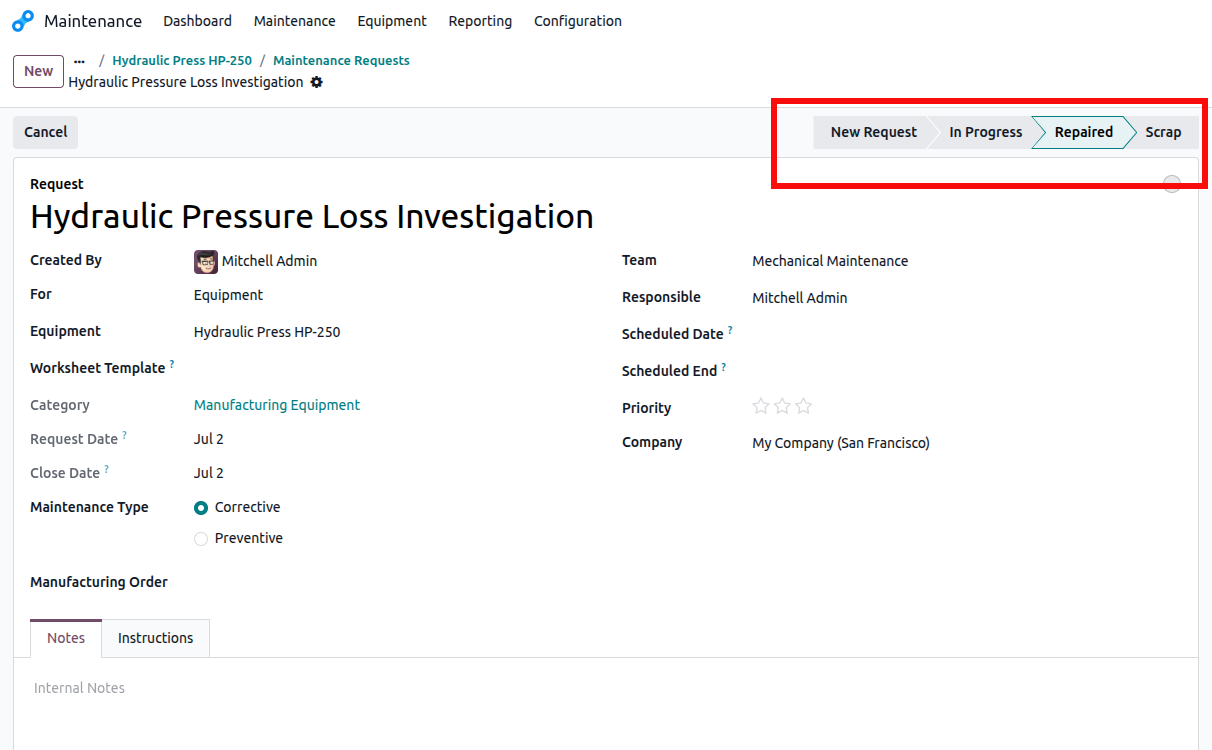
Each stage provides visibility into the repair lifecycle and allows maintenance teams to monitor current workloads efficiently.
After the maintenance request has been completed, return to the equipment record and open the Maintenance tab.
The system automatically recalculates maintenance metrics based on the completed repair history.
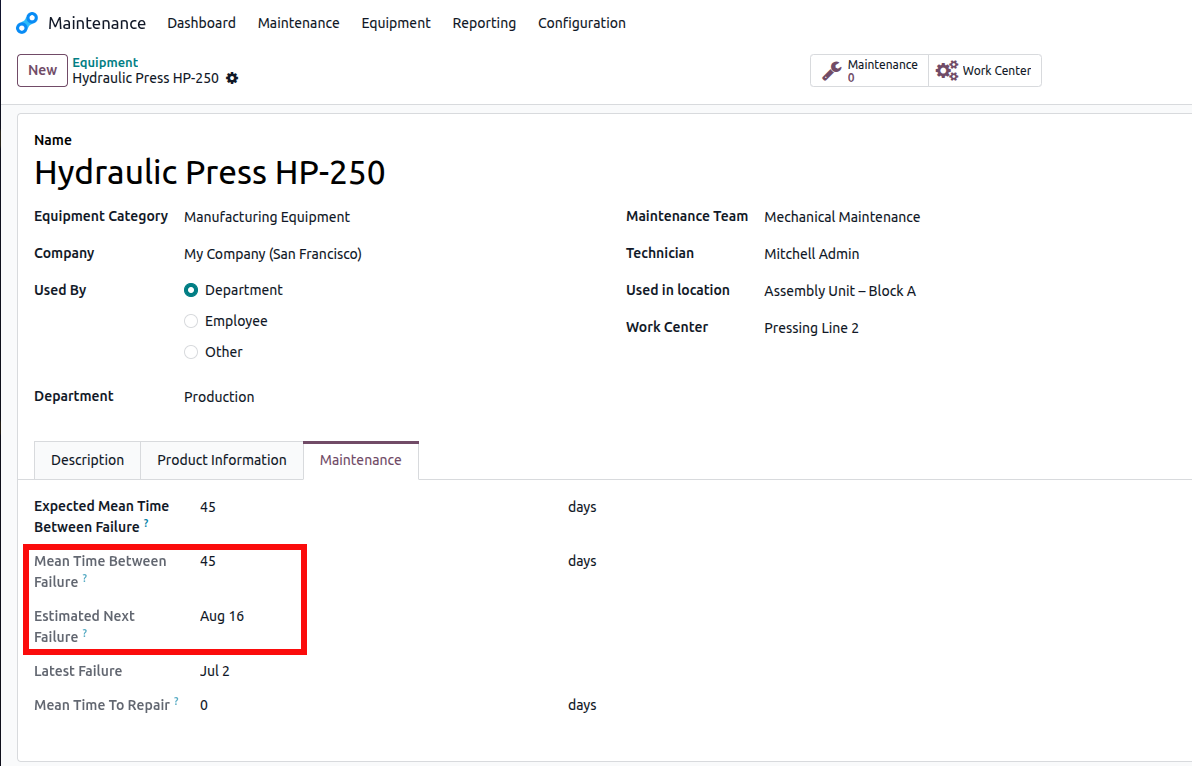
Using the example values:
MTBF is calculated using the formula:
MTBF = Total operating days ÷ Number of recorded failures
In this example, the equipment was commissioned on 18 May 2026 and experienced its first recorded failure on 2 July 2026. The equipment therefore operated for 45 days before the failure occurred.
Therefore:
MTBF = 45 ÷ 1 = 45 Days
This indicates that the Hydraulic Press HP-250 operates for an average of 45 days between recorded failures.
The estimated next failure date is calculated by adding the Expected Mean Time Between Failure to the Latest Failure date.
Estimated Next Failure = Latest Failure + Expected MTBF
Using the example values:
2 July 2026 + 45 Days = 16 August 2026
Therefore, the Estimated Next Failure is 16 August 2026.
These maintenance metrics help maintenance managers evaluate equipment reliability, monitor equipment performance, and schedule preventive maintenance activities before the next expected failure, minimizing unplanned downtime and improving operational efficiency.
Implementing corrective maintenance in Odoo 19 enables organizations to manage unexpected equipment failures through a structured workflow. Maintenance teams can record issues, assign responsibilities, monitor repair progress, and maintain a complete service history for every asset.
The built-in performance indicators, including MTBF, MTTR, and estimated failure dates, provide valuable insights into equipment reliability. By analyzing this information, organizations can identify recurring issues, optimize maintenance planning, improve resource utilization, and minimize production interruptions.
A well-managed corrective maintenance process not only reduces operational downtime but also extends equipment lifespan, lowers repair costs, and supports more reliable day-to-day business operations.





0