ArchanaMarch 10, 2026
In today’s fast-moving e-commerce and retail environment, customer satisfaction depends on quick and simple solutions, especially when products arrive defective, damaged, or not as expected.
Earlier, support teams had to move between different sections of Odoo. They would open the ticket in Helpdesk, then switch to Sales to create a new order, and sometimes check Inventory as well. This process took extra time, required entering the same information again, and made customers wait longer than necessary.
Odoo 19 introduces a dedicated replacement workflow directly accessible from helpdesk tickets. The replacement feature is controlled per helpdesk team. That means you decide which teams are allowed to handle replacements.
Go to Configuration → Helpdesk Teams
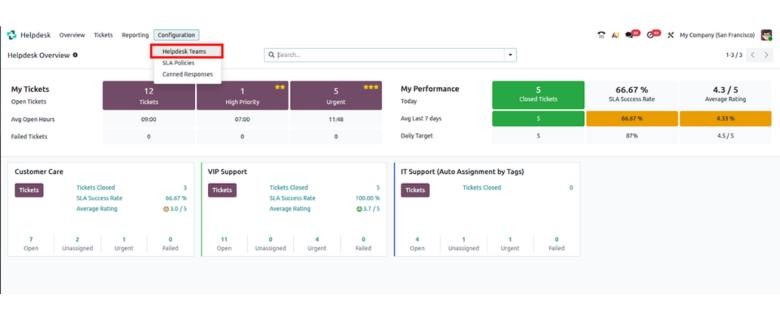
Select an existing team or create a new one.

In the form view, scroll to the After Sales section. Enable the option Replacements then save.
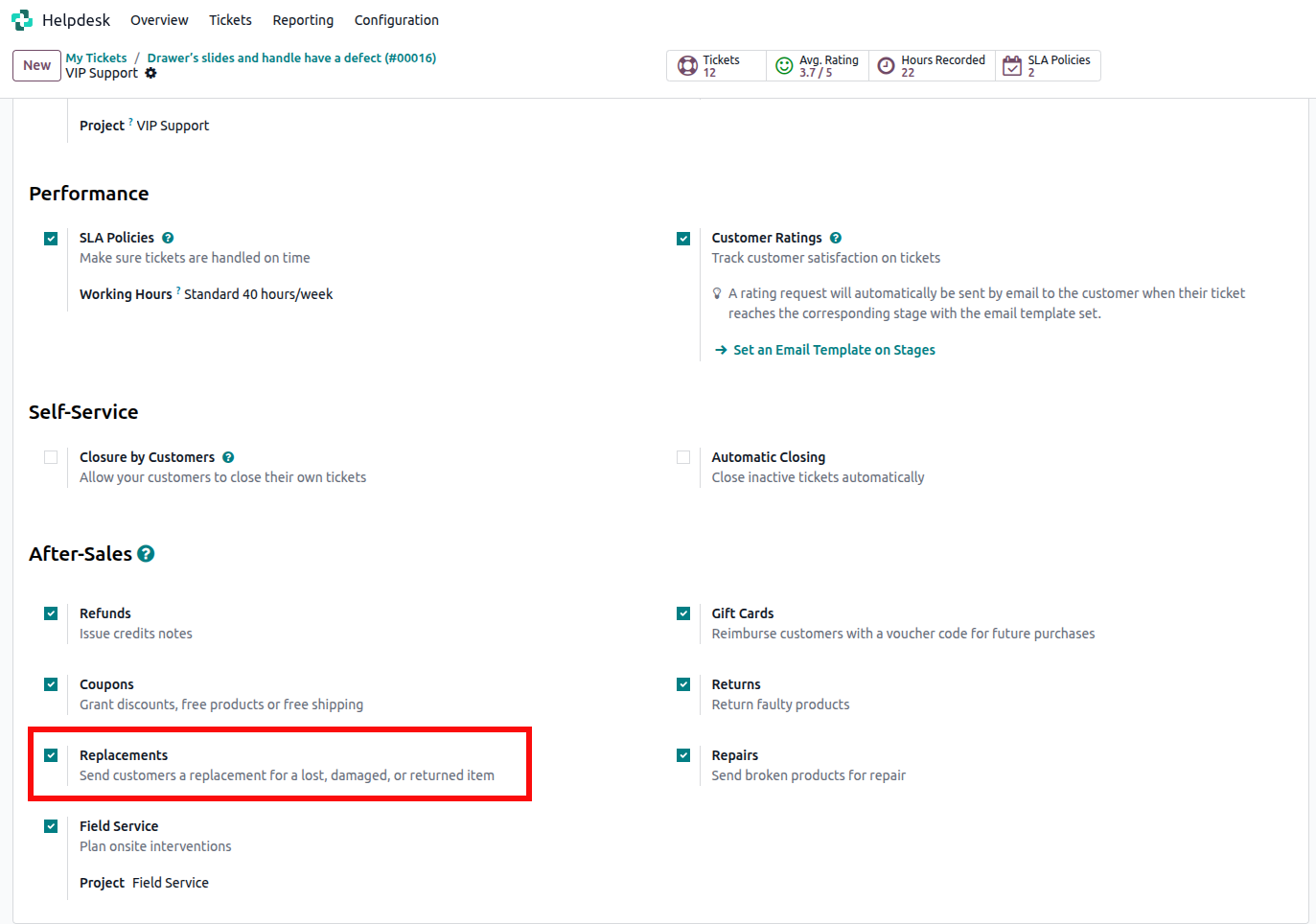
That’s all you need to activate the feature.
Now, open a helpdesk ticket that belongs to the team where replacements are enabled.
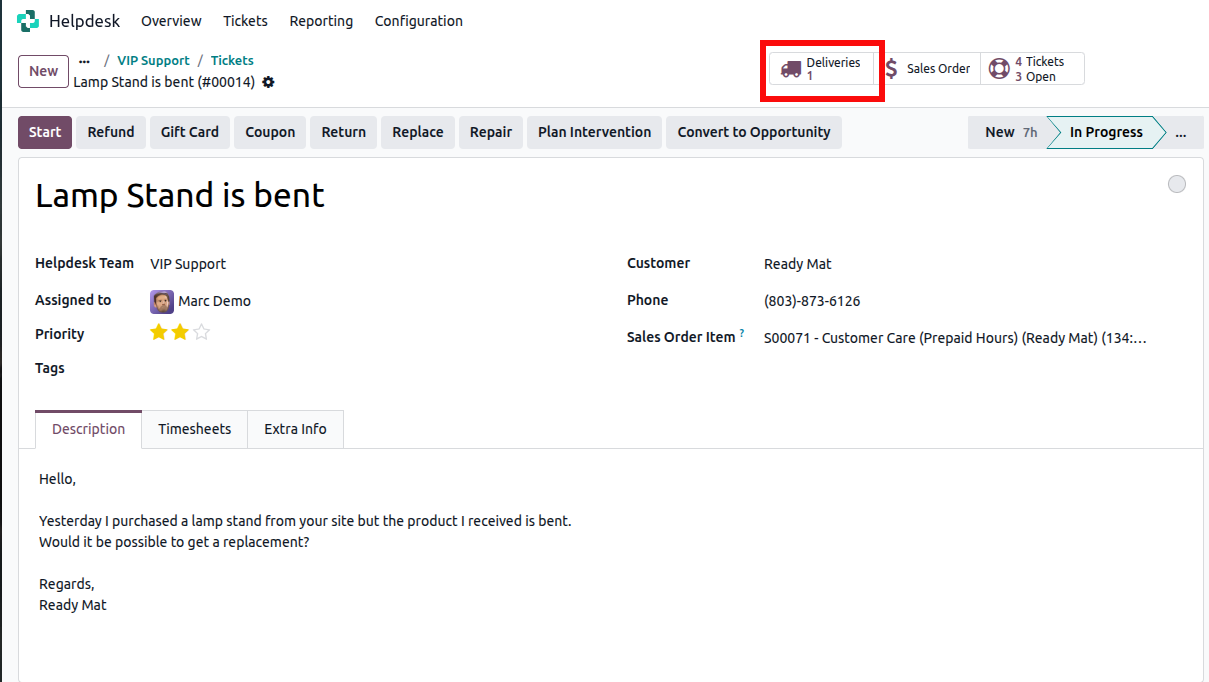
You will see a Replace button appear inside the ticket.
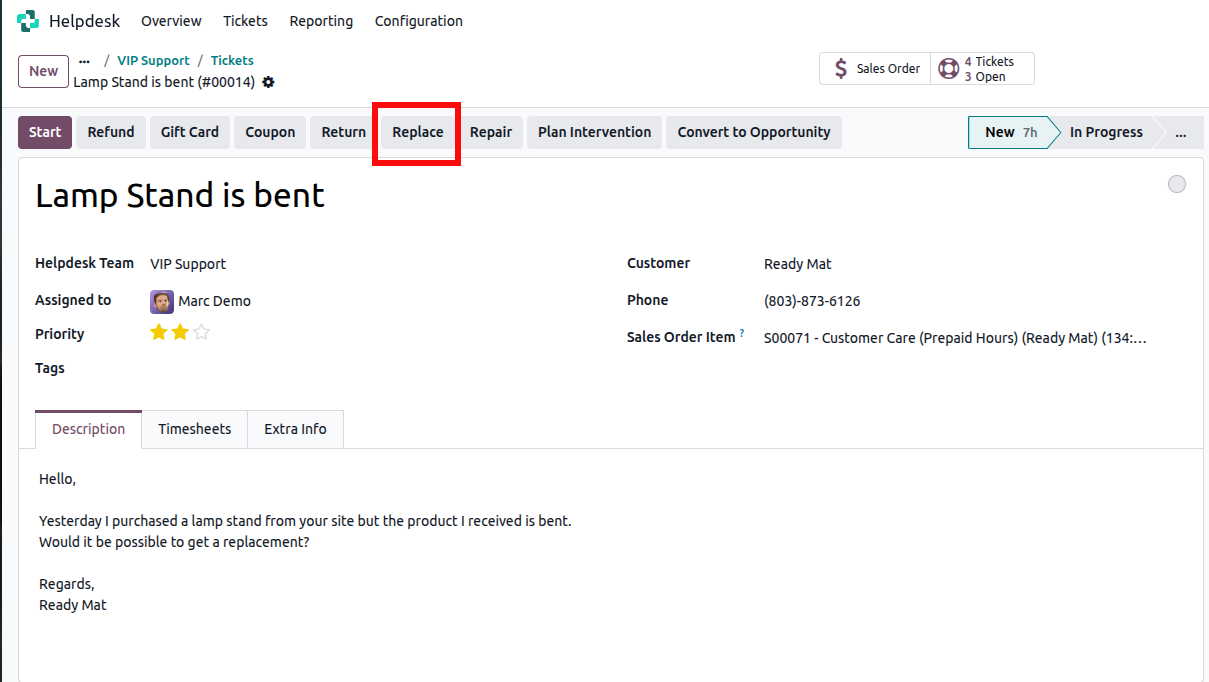
When you click the Replace button on a Helpdesk ticket in Odoo 19, a delivery form is automatically created for the replacement shipment.
In this form, enter the product that needs to be replaced and specify the desired quantity.
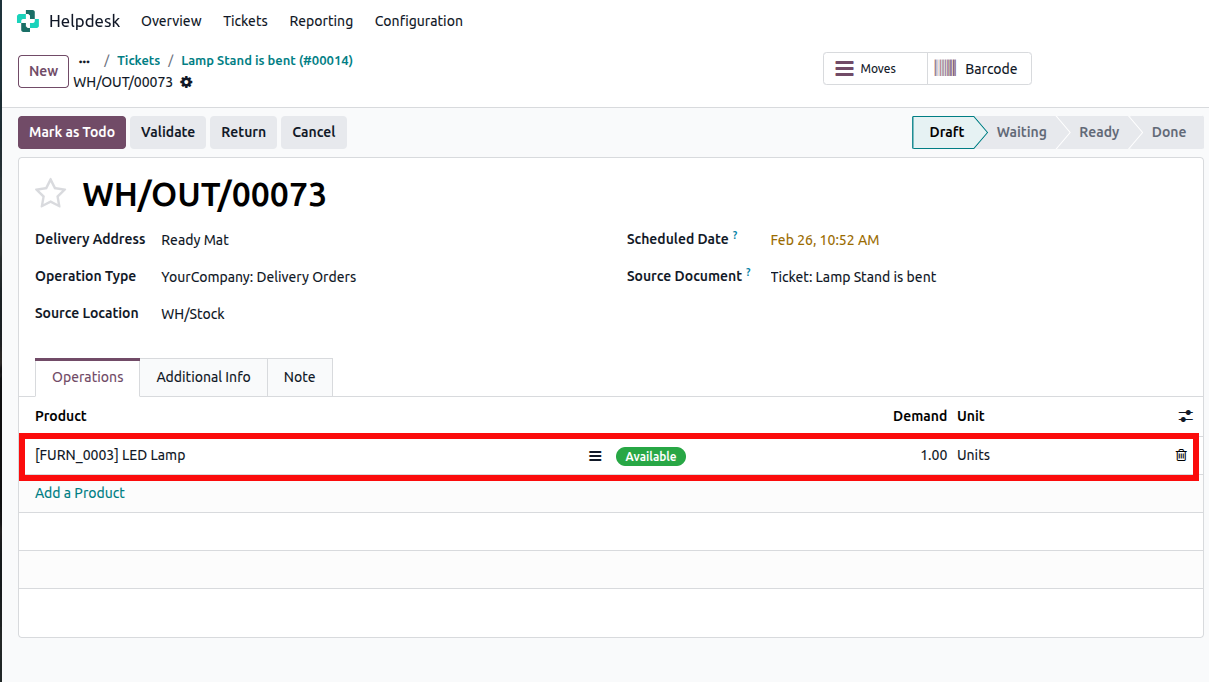
Then, validate it to confirm and process the shipment.
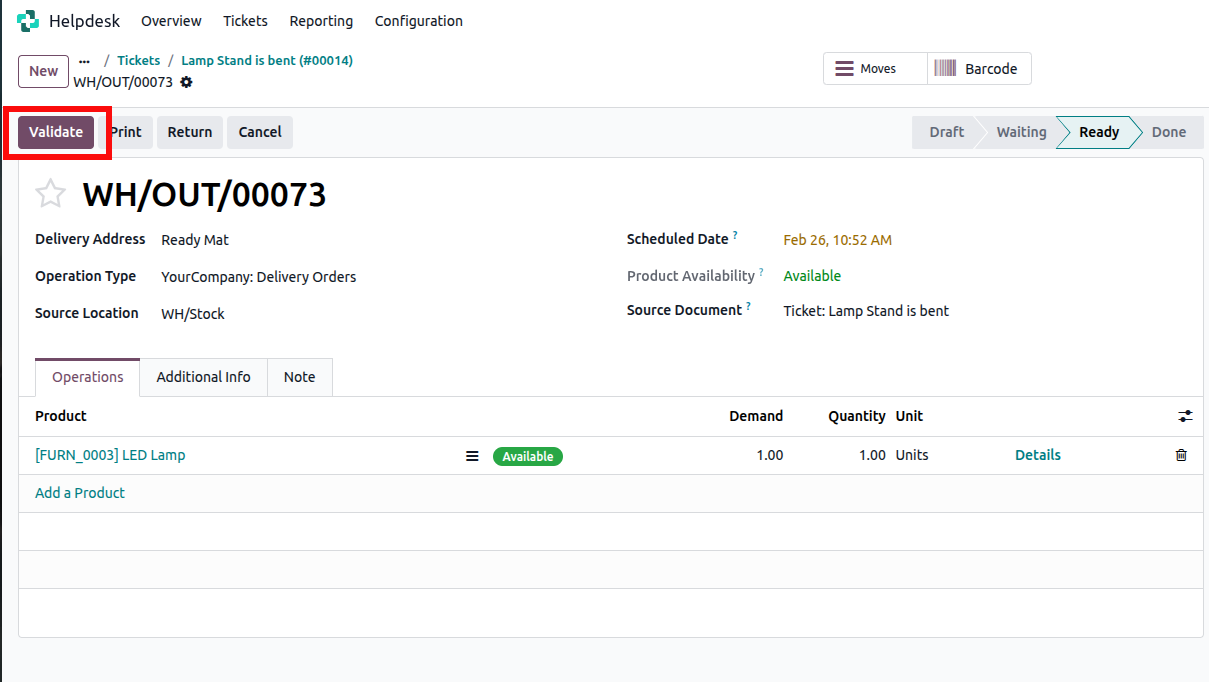
Once created, the delivery is linked to the ticket.
You can see it using the smart button inside the helpdesk ticket.
With this update, support teams can handle their daily tasks more smoothly.






0