SreeragMarch 11, 2026
Managing statutory taxes such as Tax Deducted at Source (TDS) and Tax Collected at Source (TCS) is a critical part of financial compliance for businesses operating in India. For companies using Odoo 19 Accounting, properly configuring these tax mechanisms ensures accurate deductions, transparent tax tracking, and compliance with Indian Income Tax regulations.
Odoo provides built-in support for TDS and TCS through Indian localization, allowing businesses to automate tax calculations directly within vendor bills and customer invoices. Instead of handling tax deductions manually, organizations can configure TDS for vendor payments and apply TCS on sales transactions while maintaining clear accounting records.
In this guide, we will walk through how to configure TDS and TCS in Odoo 19, including enabling the required settings, setting up tax accounts, creating TDS and TCS taxes, and applying them within accounting transactions. By the end of this blog, you will understand the complete workflow for managing TDS and TCS in Odoo, helping your business stay compliant while reducing manual accounting effort.
TDS is a tax deducted by the buyer at the time of making payment to a vendor for certain services or goods.
Examples:
The deducted amount is deposited with the government and reflected against the vendor’s PAN.
TCS is a tax collected by the seller from the customer at the time of sale of specified goods or services.
Examples:
The seller collects extra tax and deposits it with the government.
Before setting up TDS or TCS, ensure the following:
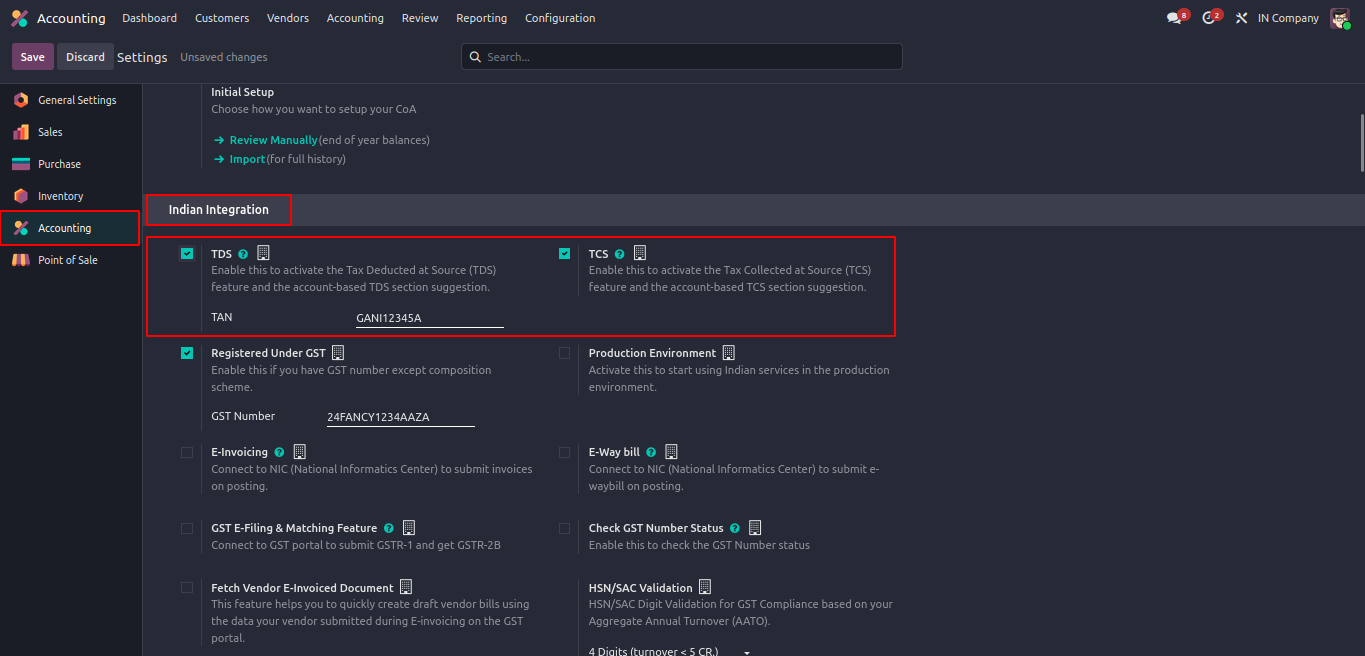
TDS and TCS must be enabled from the Indian Localization settings in the Accounting module.
Accounting → Configuration → Settings
Scroll to the Indian Integration section.
The TAN number is required for statutory compliance and will be used in TDS-related reporting and accounting entries.
In the same Indian Integration section:
Enabling TCS allows Odoo to apply tax collection logic on sales invoices as per Indian tax regulations.
Create dedicated liability accounts for proper tracking.
Accounting → Configuration → Chart of Accounts

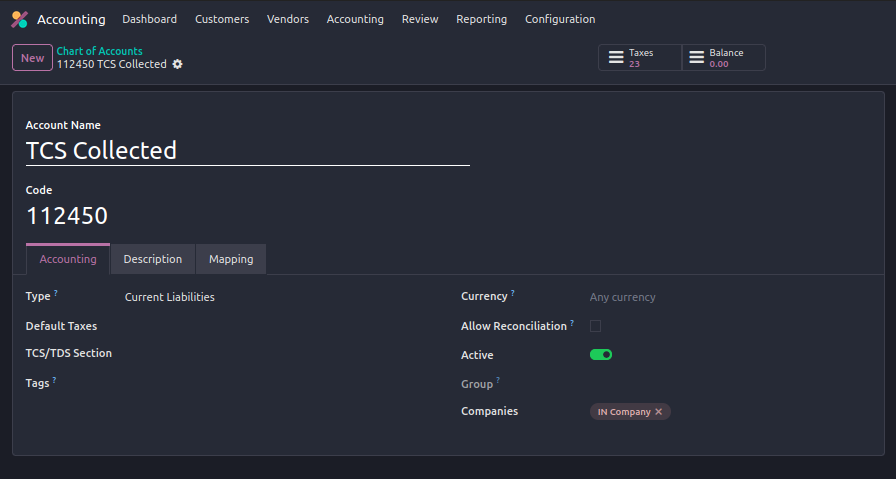
These accounts will hold the tax amounts until paid to the government.
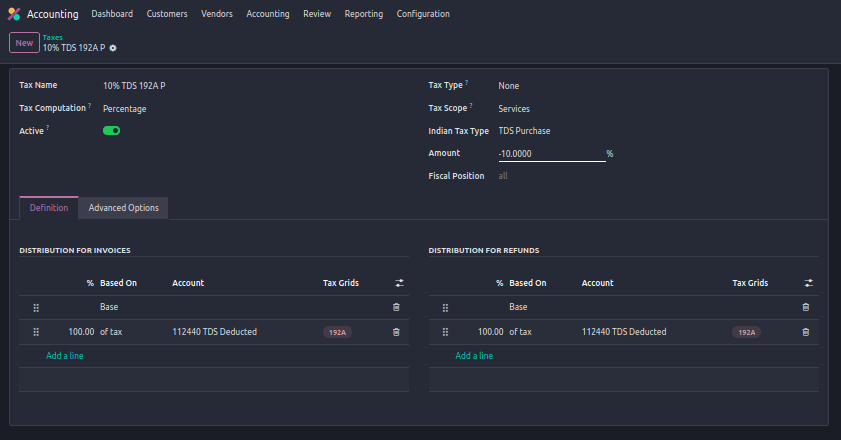
Once TDS is enabled and configured, Odoo allows TDS to be applied directly from the vendor bill itself.
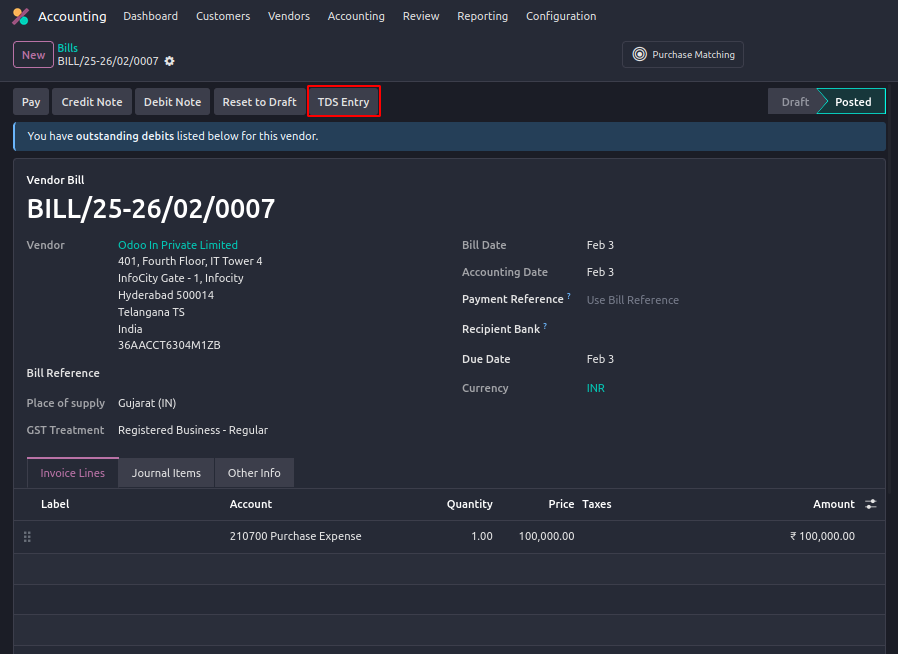
After a Vendor Bill is created and confirmed a TDS Entry button becomes visible in the header of the bill form. This button allows users to apply TDS manually based on the applicable tax and base amount.
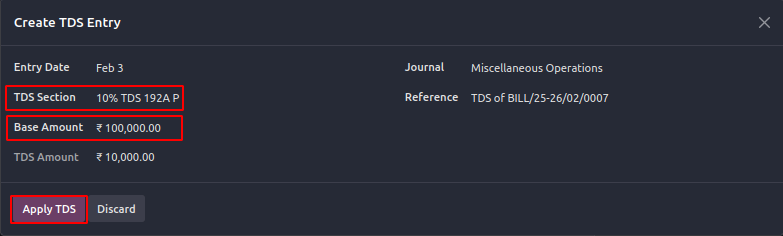
In the pop-up form:
This ensures accurate deduction as per statutory rules.
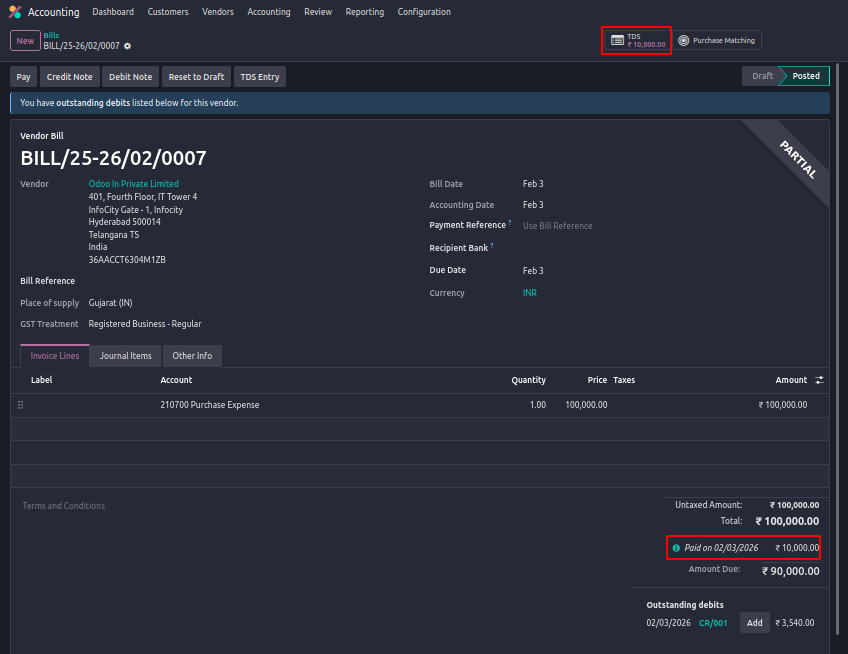
Once applied, a TDS smart button appears at the top of the vendor bill. Clicking this button allows you to View the applied TDS entry and Review tax details and accounting impact.
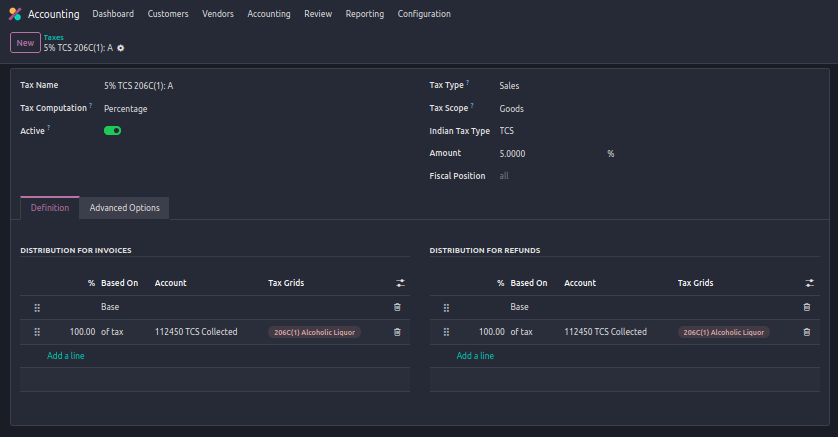
TCS can be applied directly on the invoice by selecting the appropriate TCS tax in the invoice line itself.
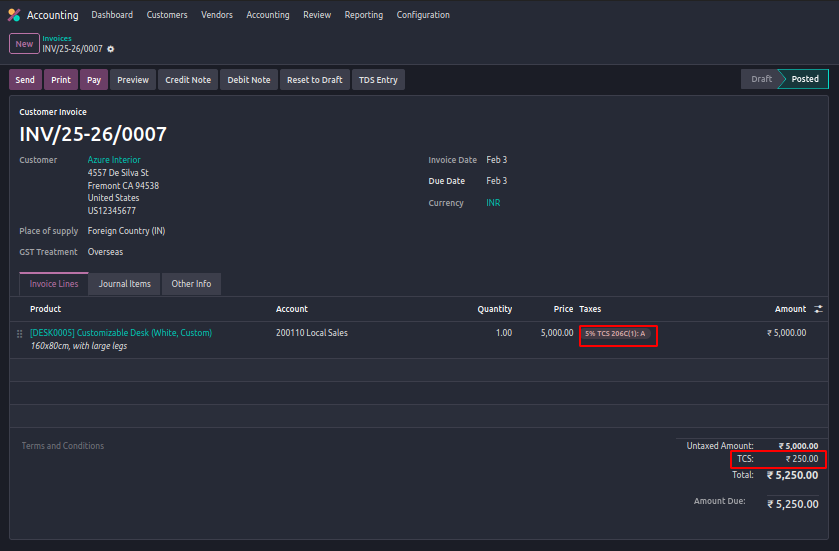
Once the invoice is confirmed, the calculated TCS amount is automatically reflected on the invoice.
From enabling TDS and TCS in Indian Localization to applying taxes directly on vendor bills and customer invoices, Odoo handles the calculations and accounting impact automatically. This not only reduces manual effort but also minimizes errors and improves transparency in tax tracking. With proper configuration and regular reconciliation, businesses can confidently manage their TDS and TCS obligations in Odoo while staying audit-ready and compliant with statutory requirements.






0