DevikaJuly 22, 2026
The Core Idea
Imagine a supplier delivers 500 units to your warehouse at the same moment a customer order arrives for those exact 500 units. The traditional approach — unpack, shelve, pick, dispatch — wastes time on steps that add no value. Cross docking eliminates that wasted motion entirely.
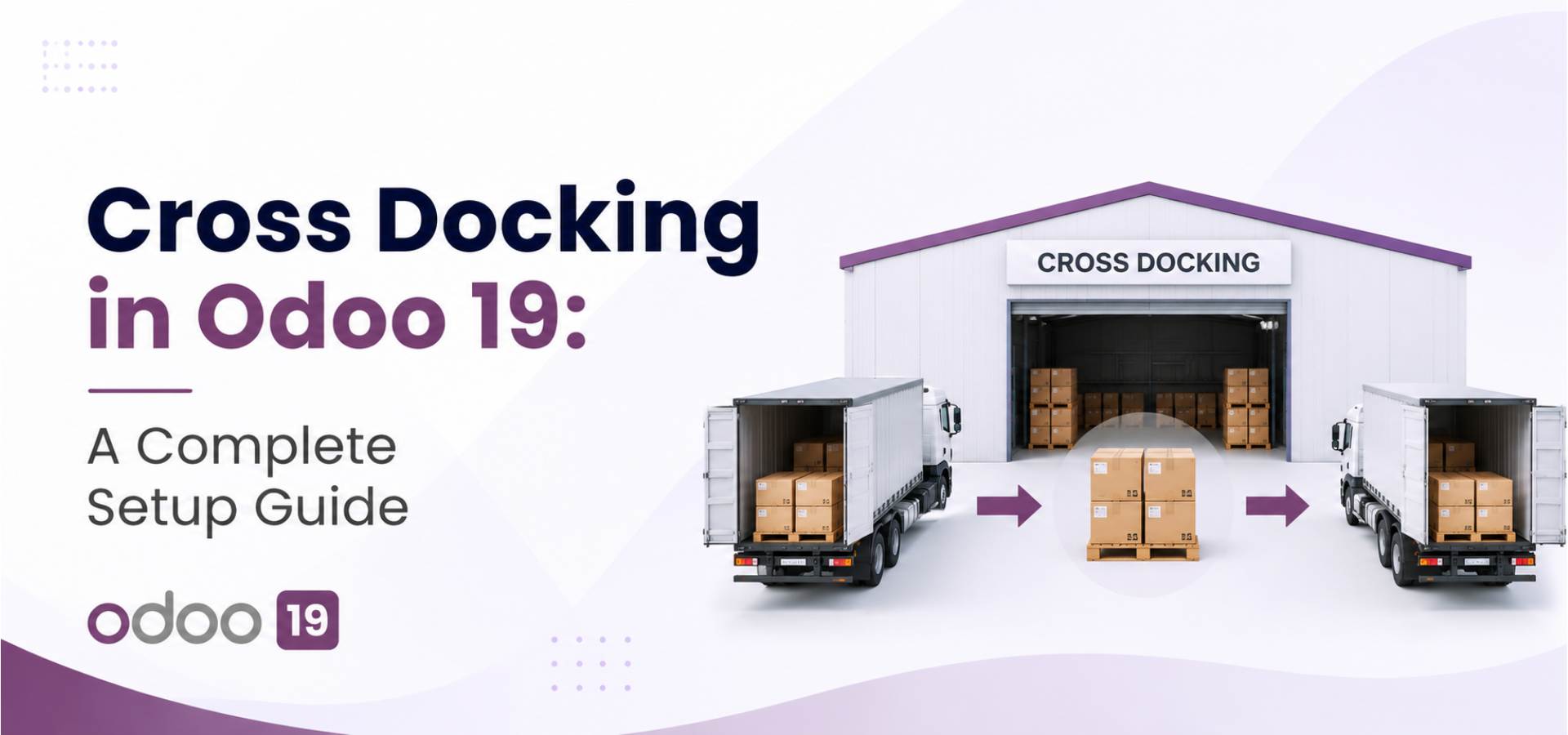
In Odoo 19, cross docking is a native inventory route that channels goods from an incoming receipt straight to an outgoing delivery, bypassing storage altogether. It's widely adopted by retailers, distributors, and logistics operators who need to fulfill orders at speed.
Cross docking is a warehouse logistics process where products from a supplier are received, sorted if needed, and loaded directly onto outbound vehicles — all without going into long-term storage. The goods spend minimal time at the facility.
In the Odoo context, it works like this:

Rather than routing an incoming shipment from the input location to your main stock and then back out to a customer, the cross-dock route chains directly from receipt to delivery. Odoo creates two linked transfers automatically when you confirm the sale order.
How to Configure Cross Docking in Odoo 19: Step-by-Step
Here's the full setup process, broken down so you can follow along even if this is your first time working with warehouse routes in Odoo.
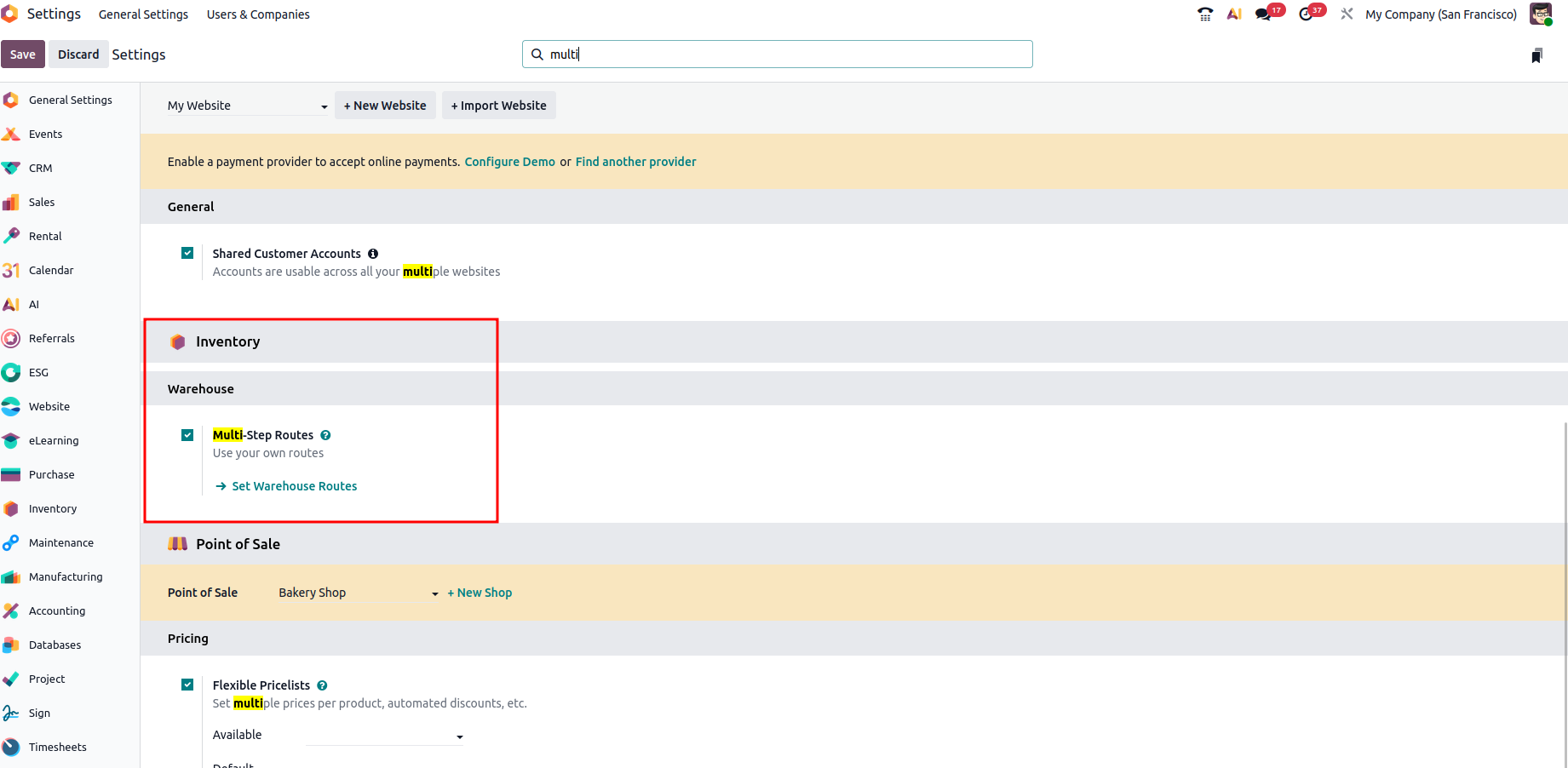
Go to Inventory → Configuration → Settings. Under the Warehouse section, turn on Multi-Step Routes and click Save. This also activates Storage Locations, which is required for the cross-dock area to function.
Inventory → Configuration → Settings → Multi-Step Routes ✓
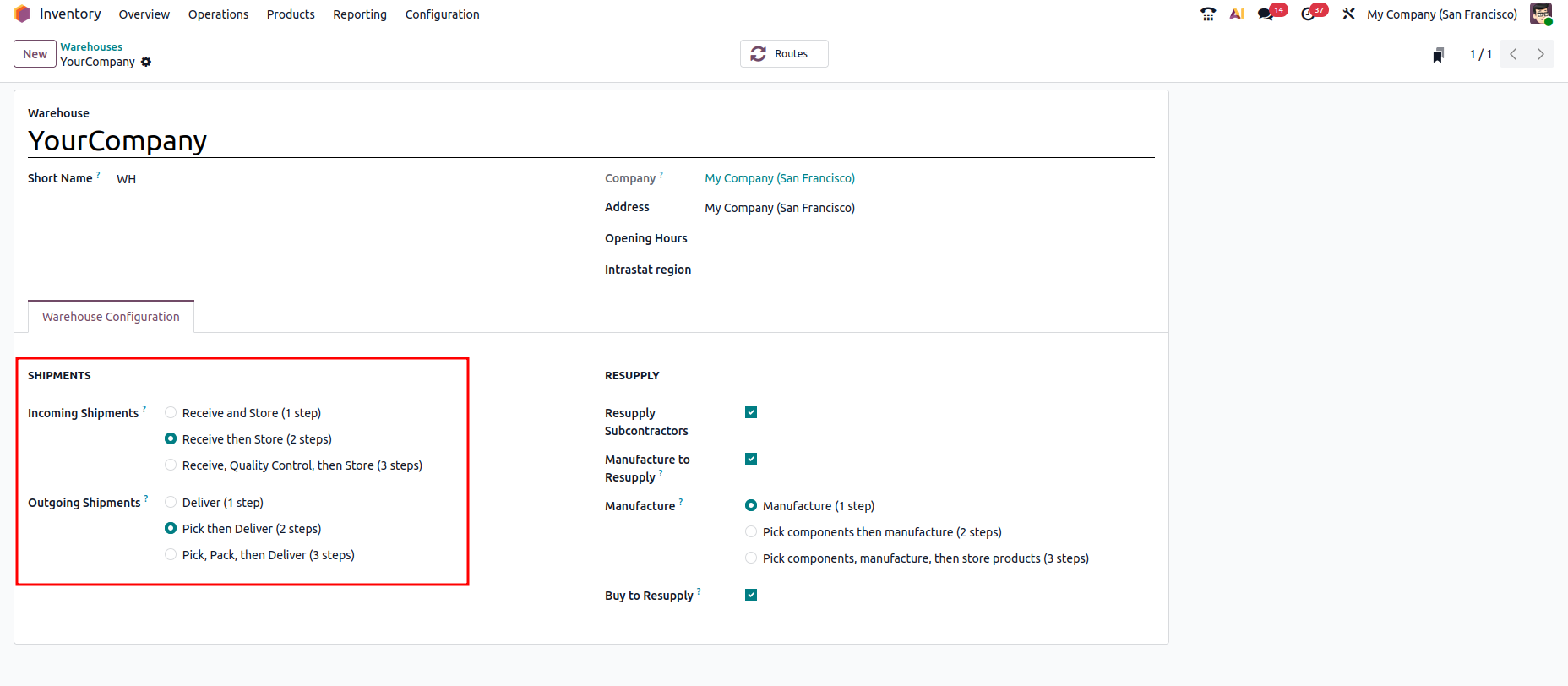
Navigate to Inventory → Configuration → Warehouses and open your warehouse. In the Warehouse Configuration tab, set Incoming Shipments to "Receive goods in input and then stock (2 steps)". This creates an input location that serves as the cross-dock staging area.
Incoming Shipments → 2 steps (Input → Stock)
In the same warehouse settings, set Outgoing Shipments to "Send goods in output and then deliver (2 steps)". Then click Save. Once both options are set to 2 steps, Odoo automatically generates a Cross-Docking route for this warehouse.
Outgoing Shipments → 2 steps (Pick → Ship)
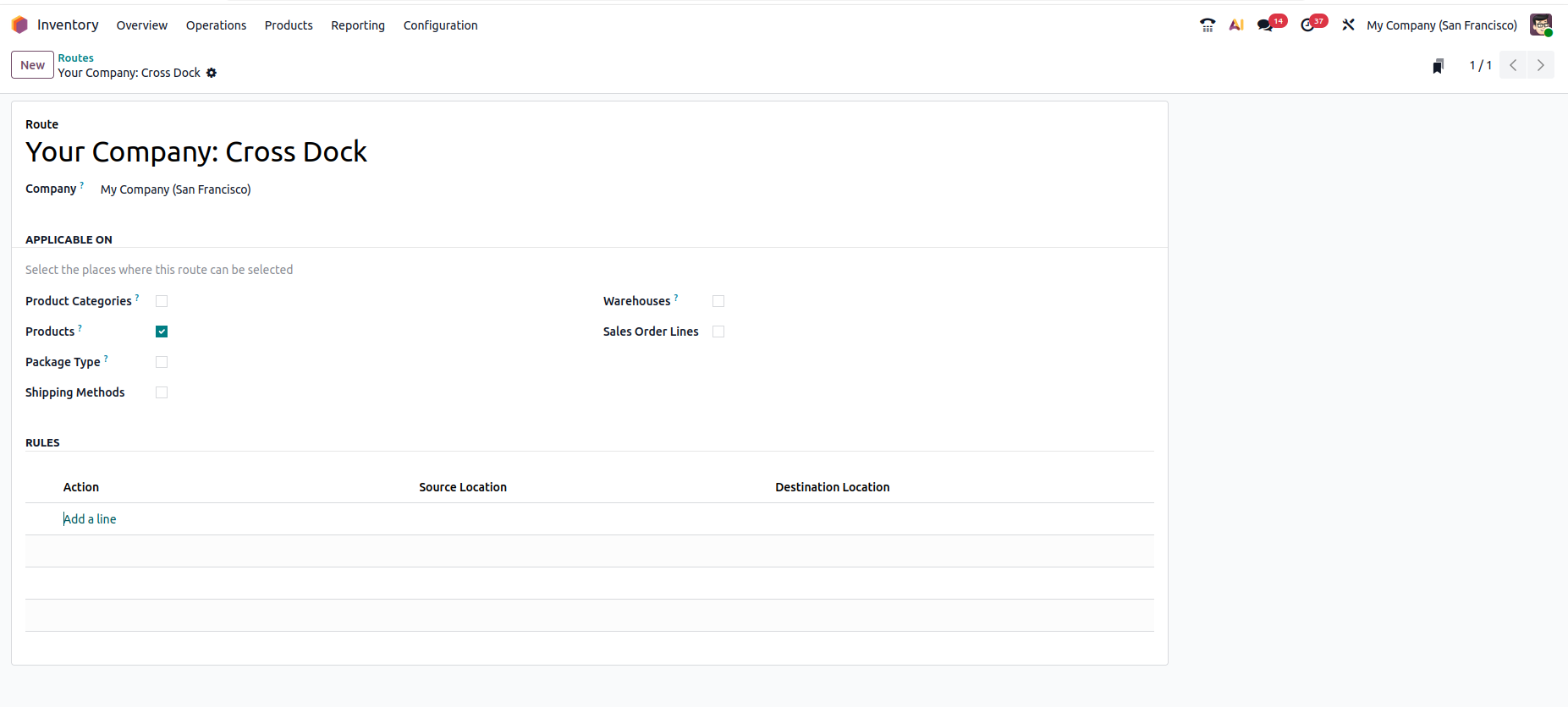
Go to Inventory → Configuration → Routes. You should now create a route named something like "Your Warehouse: Cross-Dock". This confirms the route is active and ready to assign to products.
Inventory → Configuration → Routes
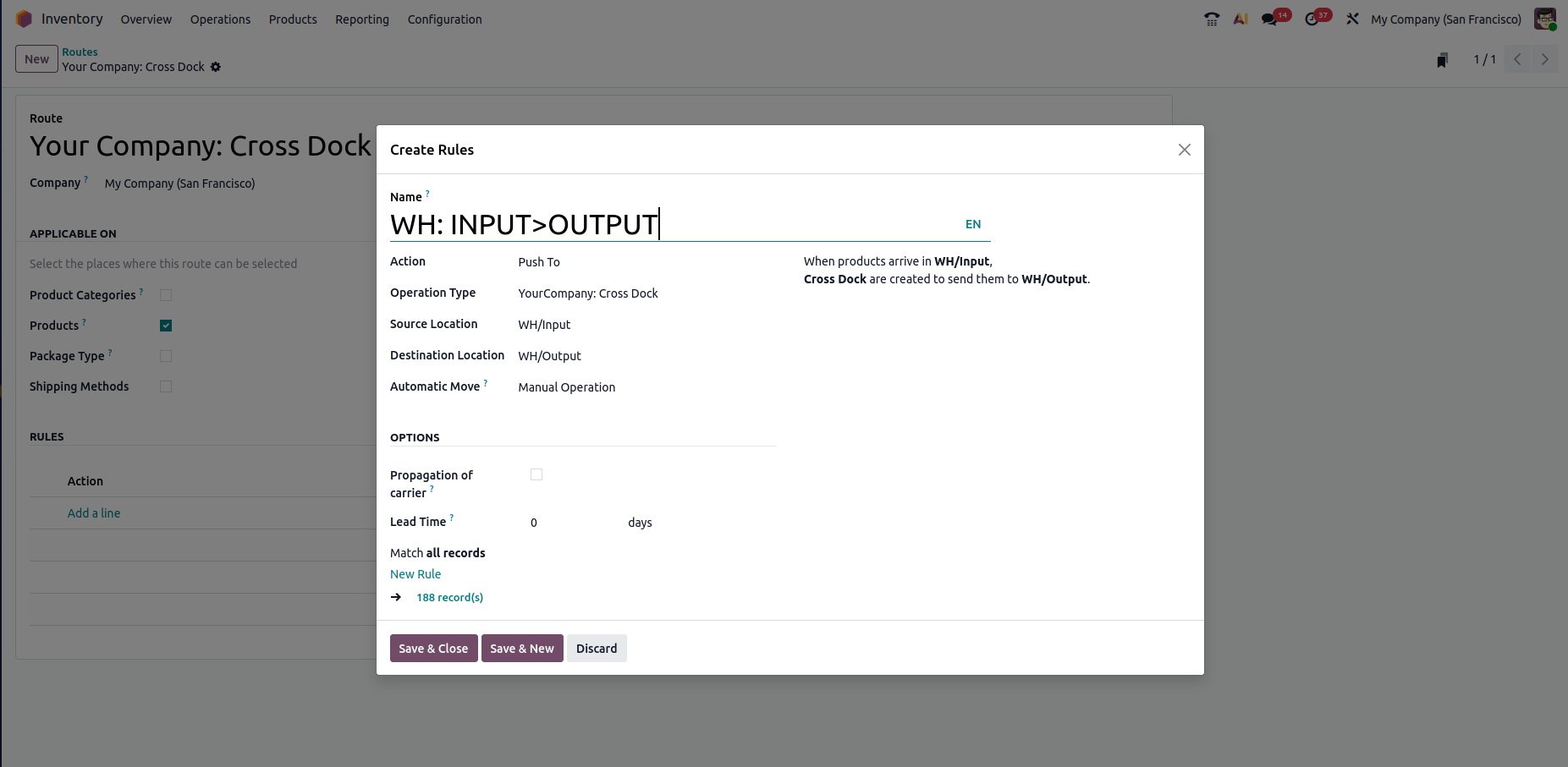
As per the rule created, As soon as items reach the WH/Input location, an automatic cross-docking transfer is triggered to send them directly to WH/Output.
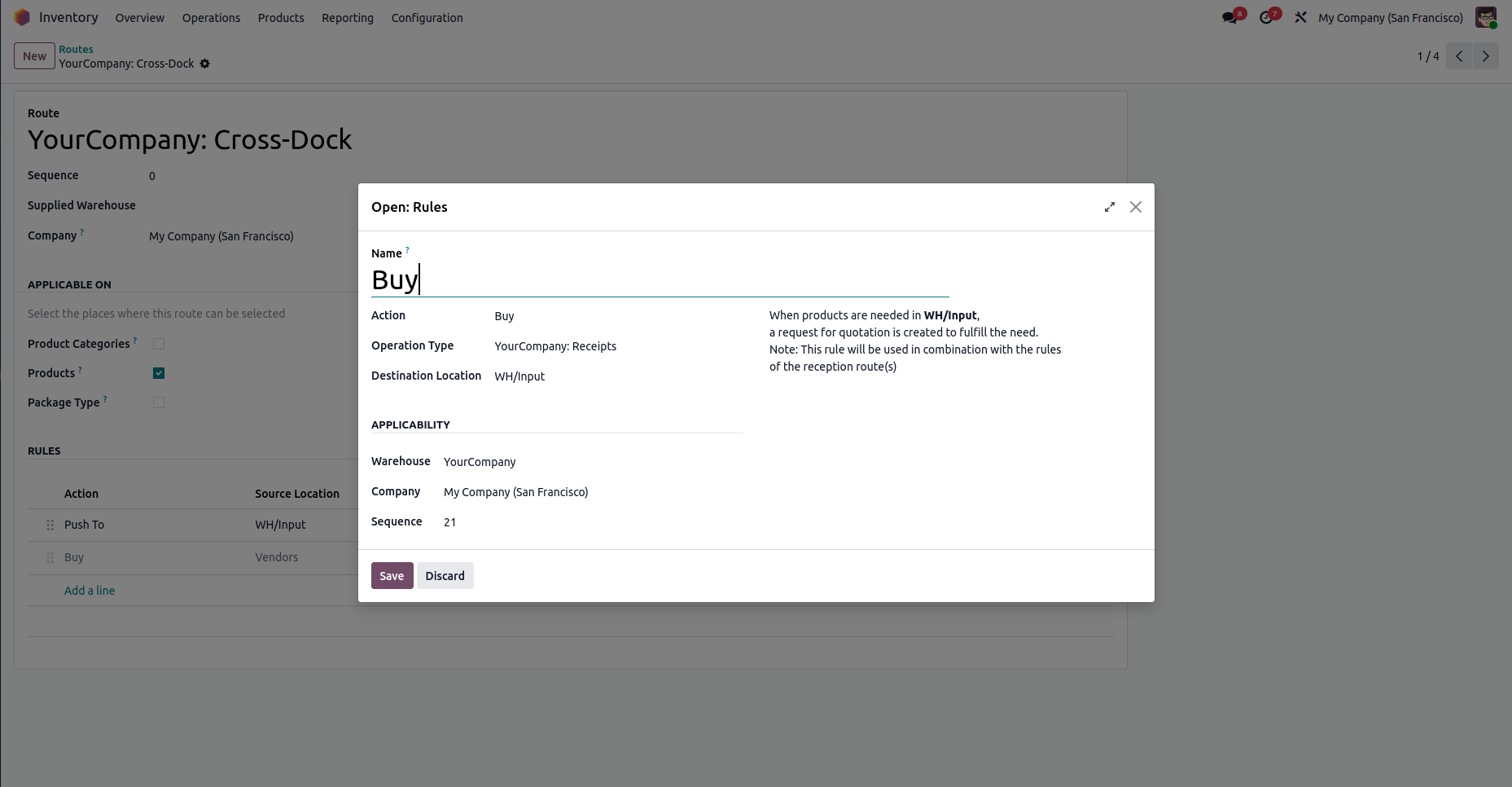
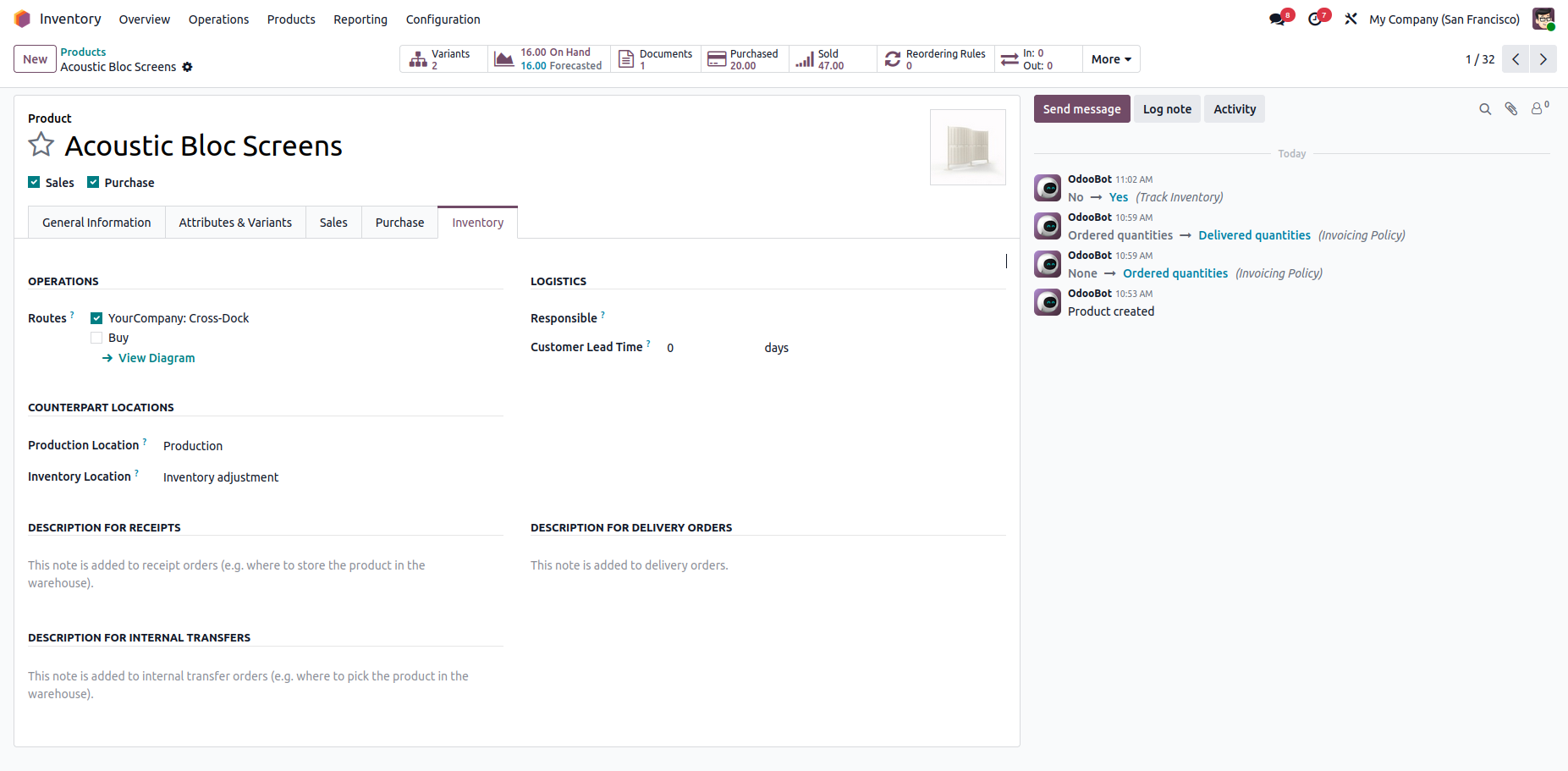
Open the product you want to cross-dock. In the Inventory tab, tick both the "Buy" route and the "Cross-Dock" route. Then go to the Purchase tab and specify at least one vendor with a price.
Product → Inventory tab → Routes: Cross-Dock
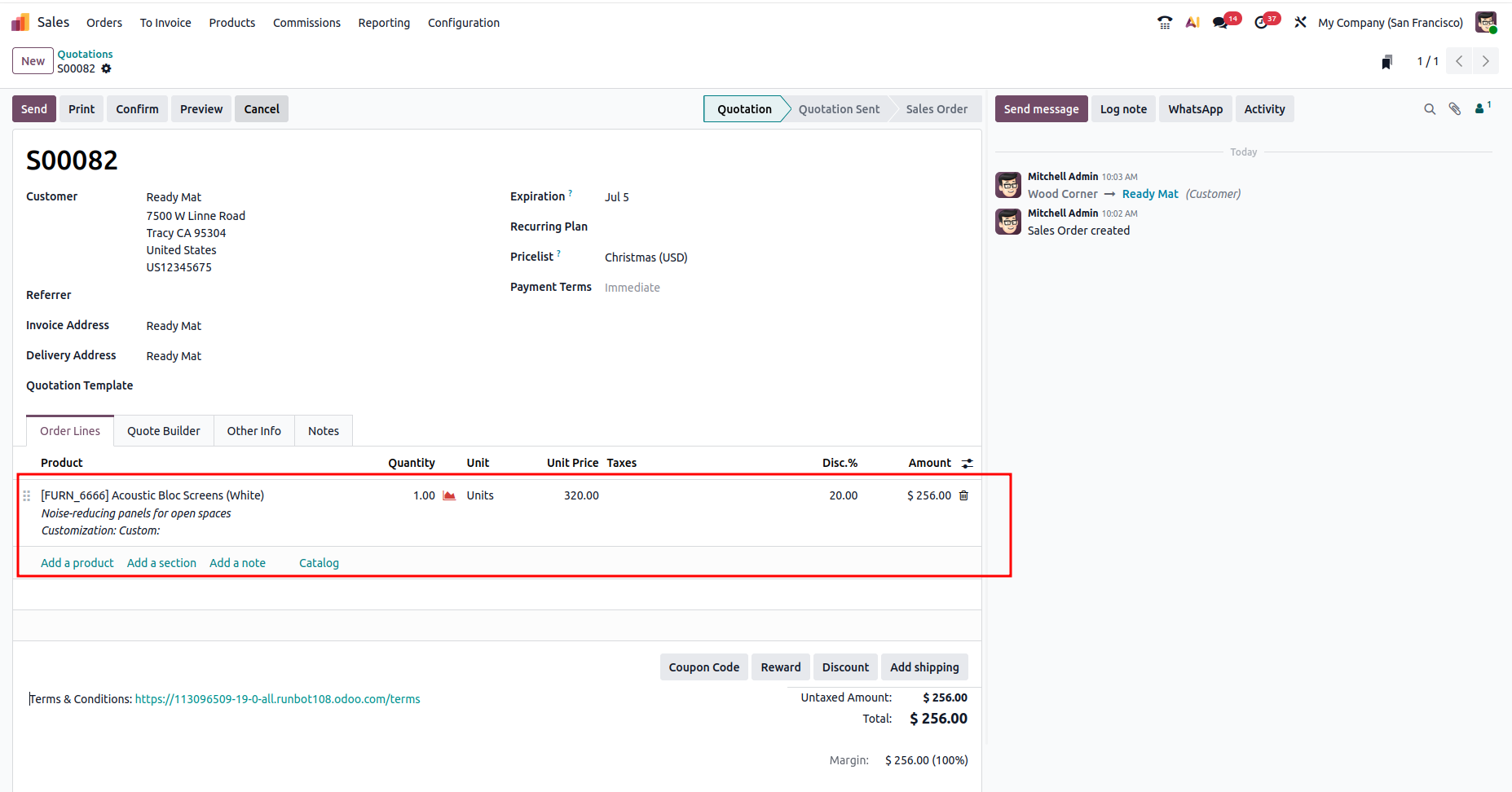
Create a sale order for the cross-dock product and confirm it.
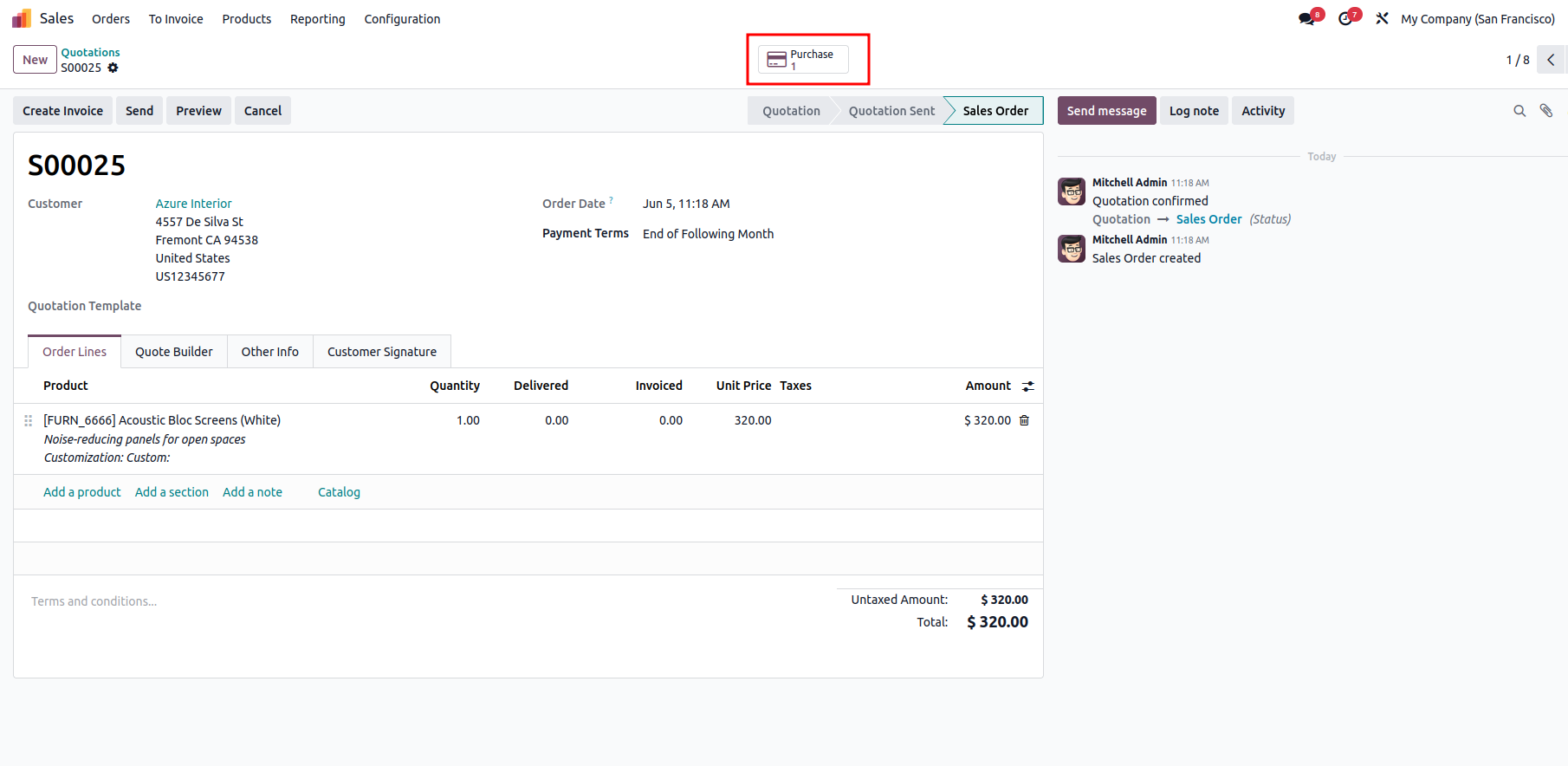
Upon confirming the Sales Order, a Purchase tab is automatically created.
Proceed by confirming the Purchase Order and validating the incoming receipt.
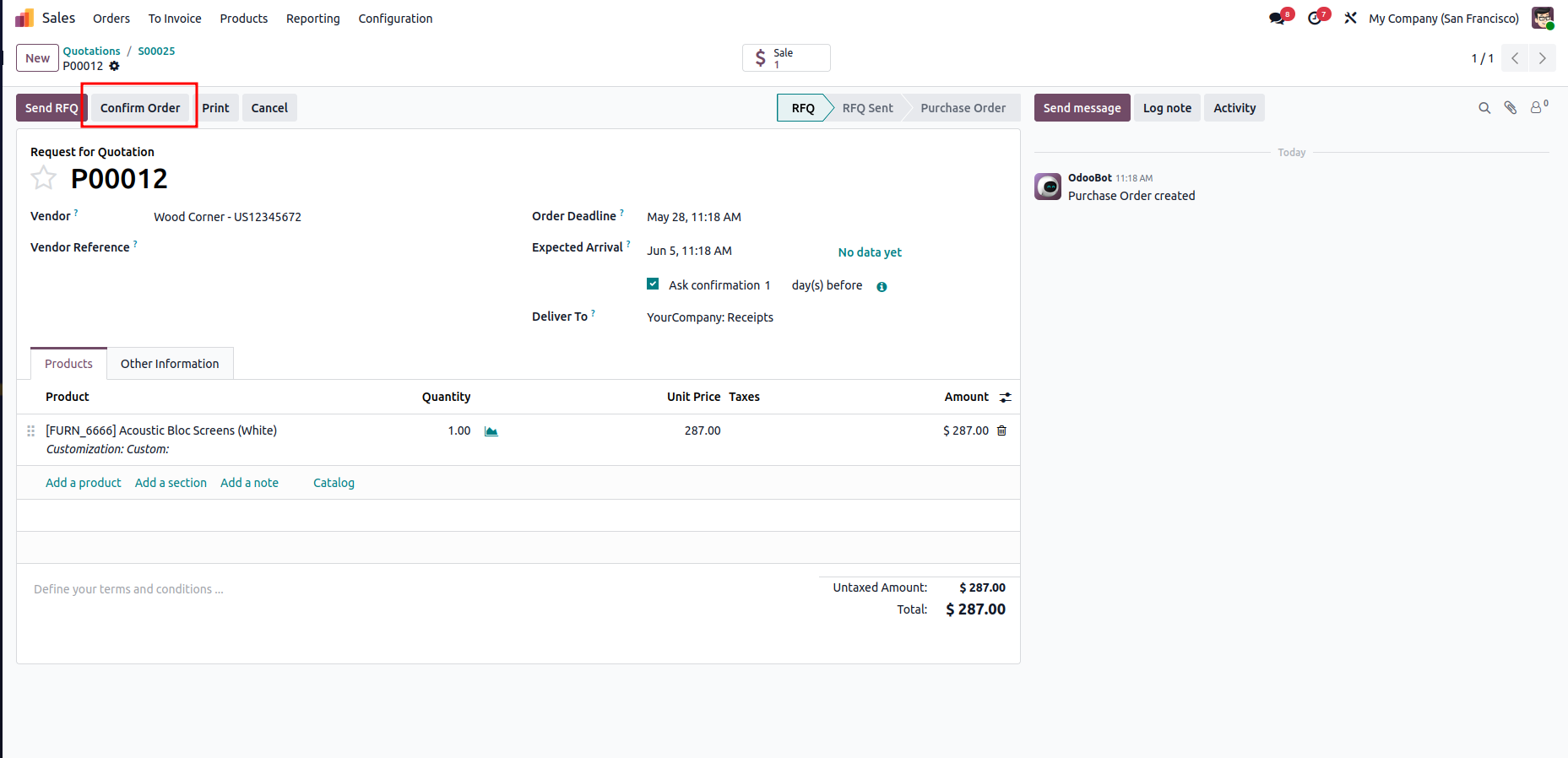
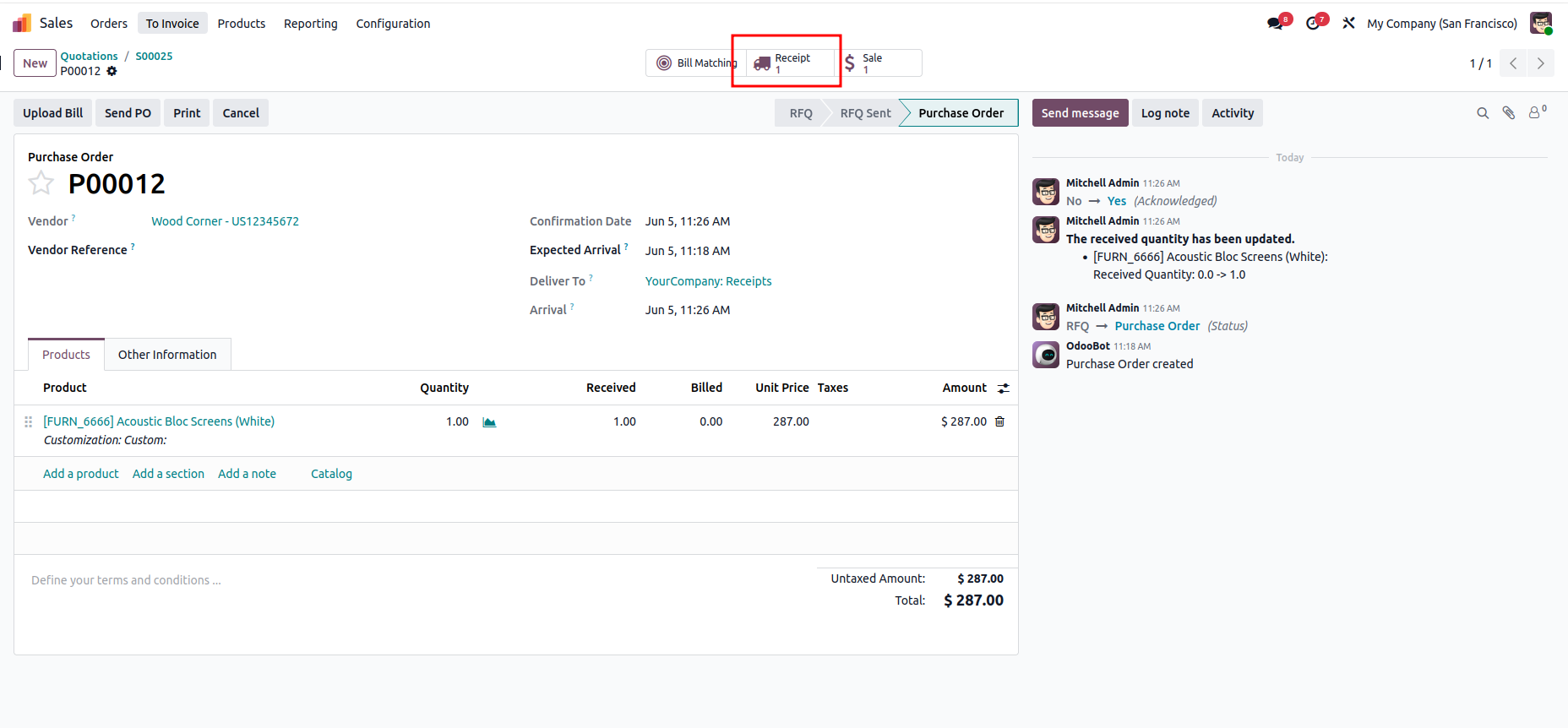
When the receipt is validated, the system confirms that the goods have been received from the vendor, Wood Corner, and places them in the WH/Input location. After completing the receipt, the user can select Next Transfer to continue the cross-docking process.
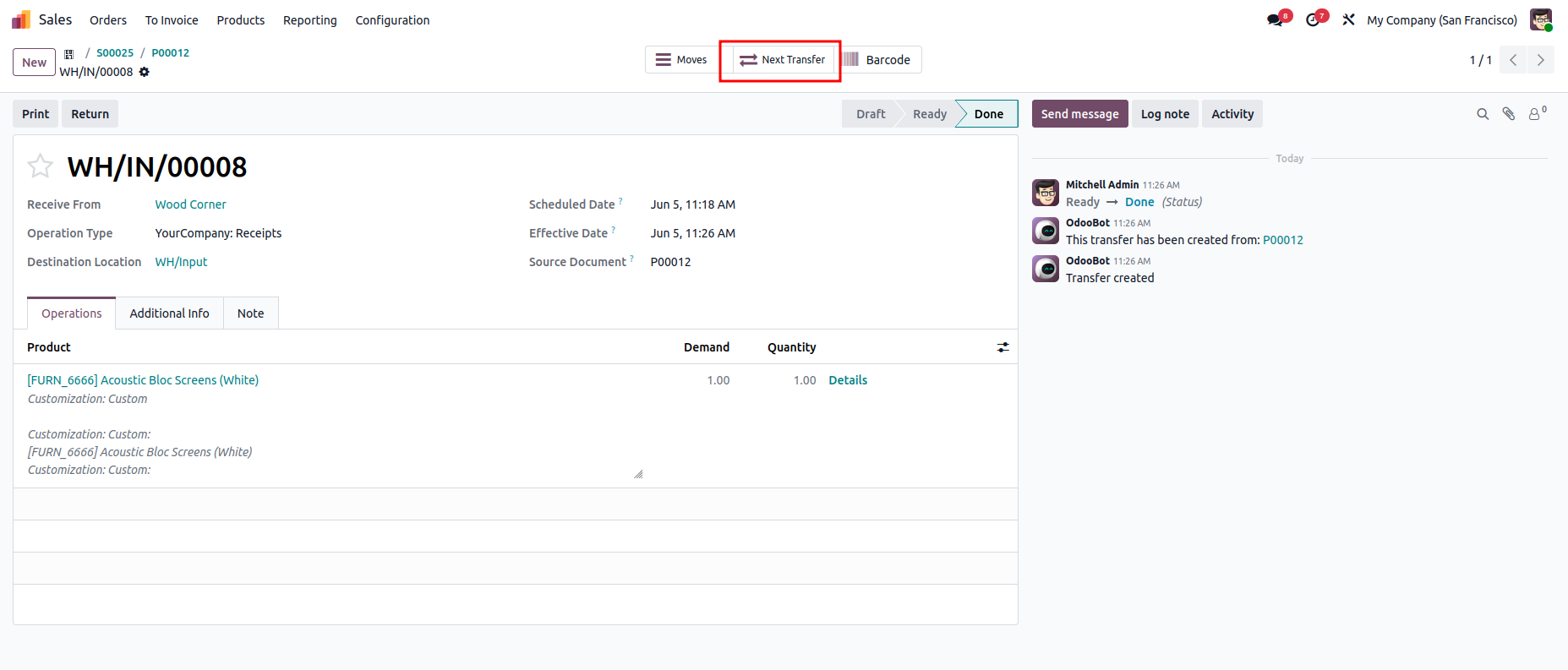
The subsequent transfer is an internal movement that transfers the products from WH/Input to WH/Output. By validating this transfer, the items are moved directly to the outbound area, bypassing the warehouse storage locations.
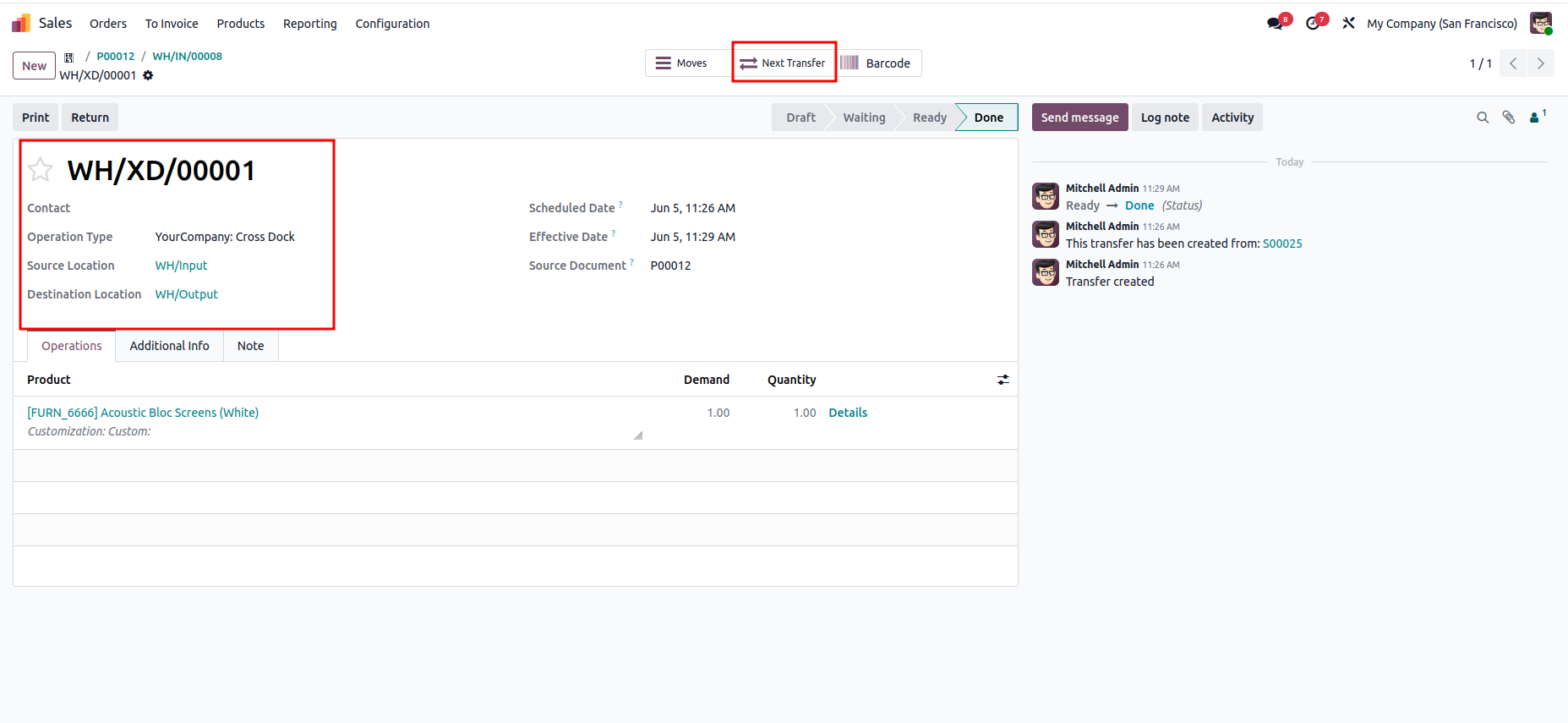
The last step is the Delivery Order, which moves the products from WH/Output to the Customer location. Once this transfer is validated, the cross-docking cycle is completed, and the products are dispatched directly to the customer without being stored in inventory.
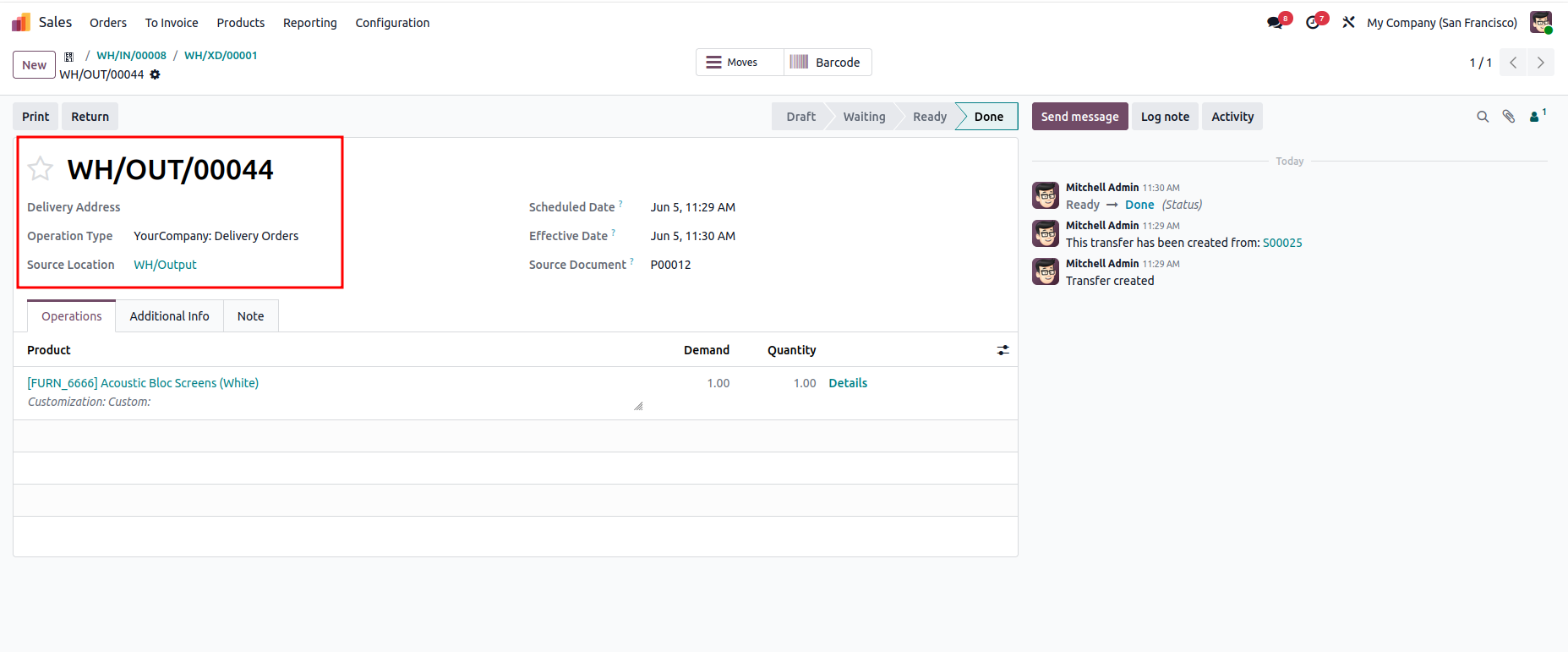
What makes this feature genuinely useful is not just the time it saves, but the clarity it brings to your warehouse operations. Every transfer is tracked, every movement is logged, and the chain from purchase to delivery is visible in one place. For businesses dealing with high-turnover products, perishable goods, or tight delivery windows, cross docking can make a real difference in how efficiently orders are fulfilled.





0