ArchanaApril 16, 2026
Managing multiple companies within a single Odoo database is common for organizations that operate different branches, subsidiaries, or business units. Odoo’s multi-company feature allows users to work across several companies simultaneously and generate reports that include data from more than one company when needed.
In Odoo 19, reports can display data from multiple companies depending on the companies selected and the user’s access rights. This functionality is especially useful for analyzing financial performance, comparing results across entities, and obtaining a consolidated view of business operations.
To begin, ensure that multiple companies are configured in your Odoo database.
Navigate to:
Settings → Users & Companies → Companies
Check whether multiple companies already exist.
If additional companies are required, click New to create them and configure the necessary details, including the company name, address, currency, and other relevant information.

Users must have permission to access more than one company.
Navigate to:
Settings → Users & Companies → Users
Open the desired user record.
Under the Access Rights tab, In the Allowed Companies field, select all companies the user should access.
In the Default Company field, choose the primary company the user will work with.
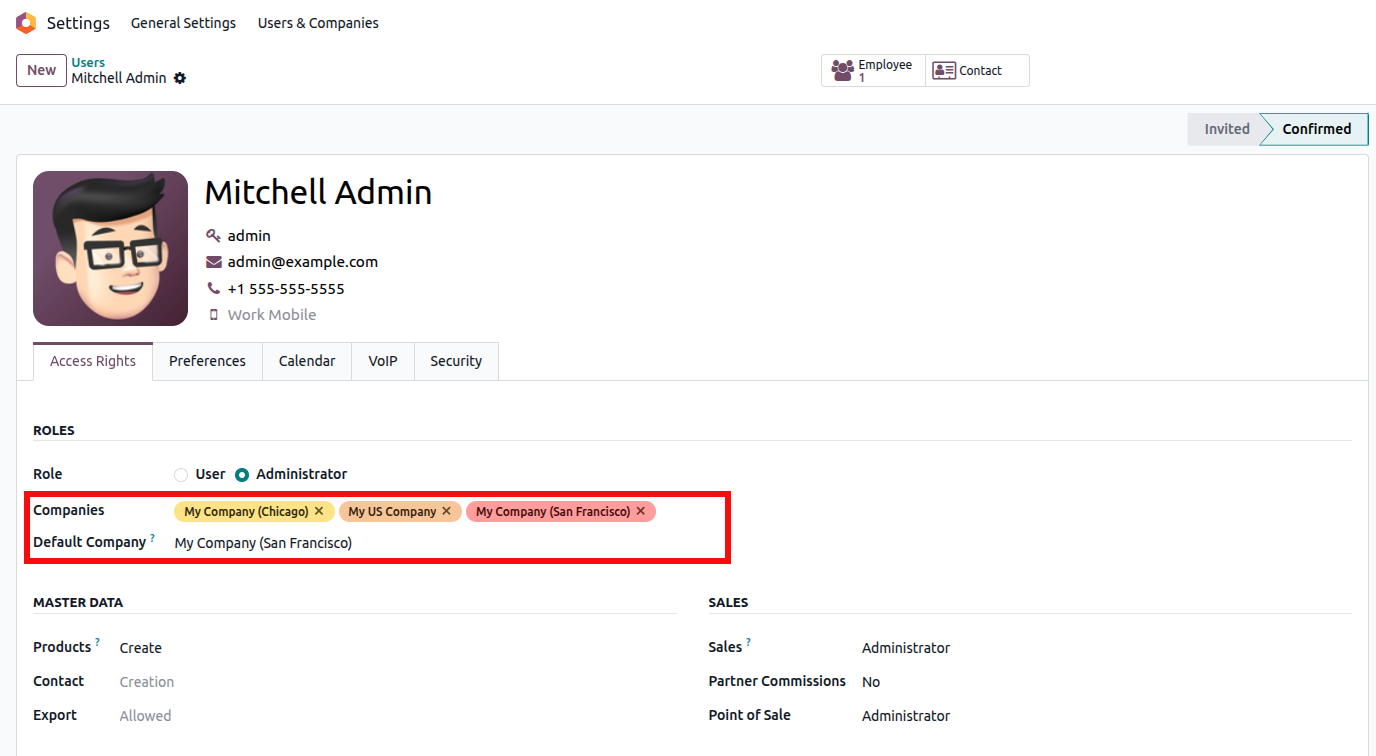
Save the changes.
This configuration ensures the user can switch between companies and include them in reports.
Odoo allows users to work with multiple companies at the same time using the company selector.
Locate the company name in the top-right corner of the screen.
Click the company name to open the company selection dropdown.A list of allowed companies will appear.Select multiple companies by checking the corresponding boxes.

Once multiple companies are selected, Odoo automatically works in multi-company mode, allowing reports to include data from all selected companies.
Multi-company functionality is commonly used in accounting reports.
Navigate to:
Accounting → Reporting → Financial Reports
Examples of financial reports include:
When only one company is selected in the company selector, the report displays data exclusively for that company.
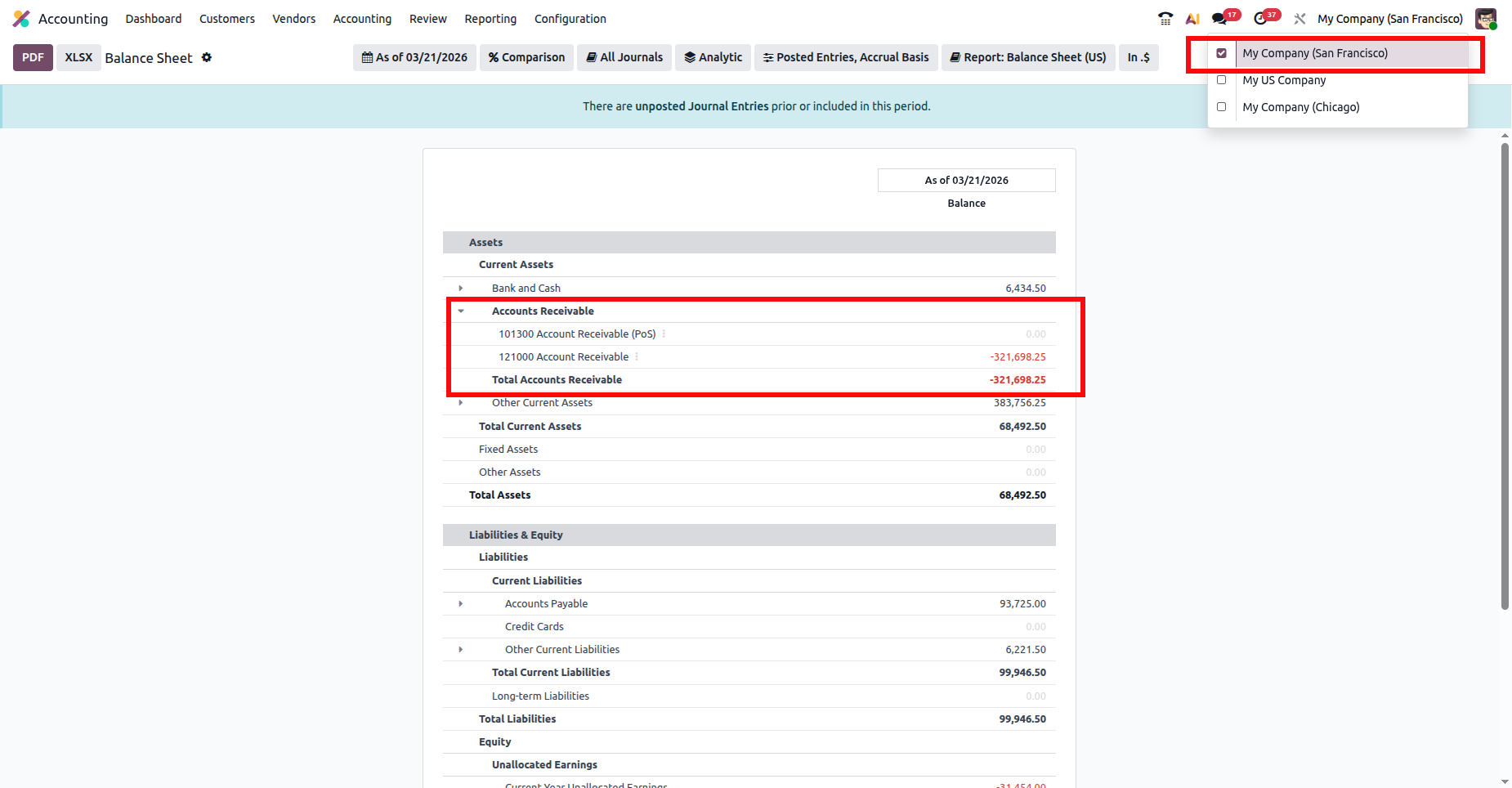
This screenshot displays the Balance Sheet for My Company (San Francisco) only, with Total Accounts Receivable showing -$321,698.25, indicating the financial data belongs solely to the San Francisco company.
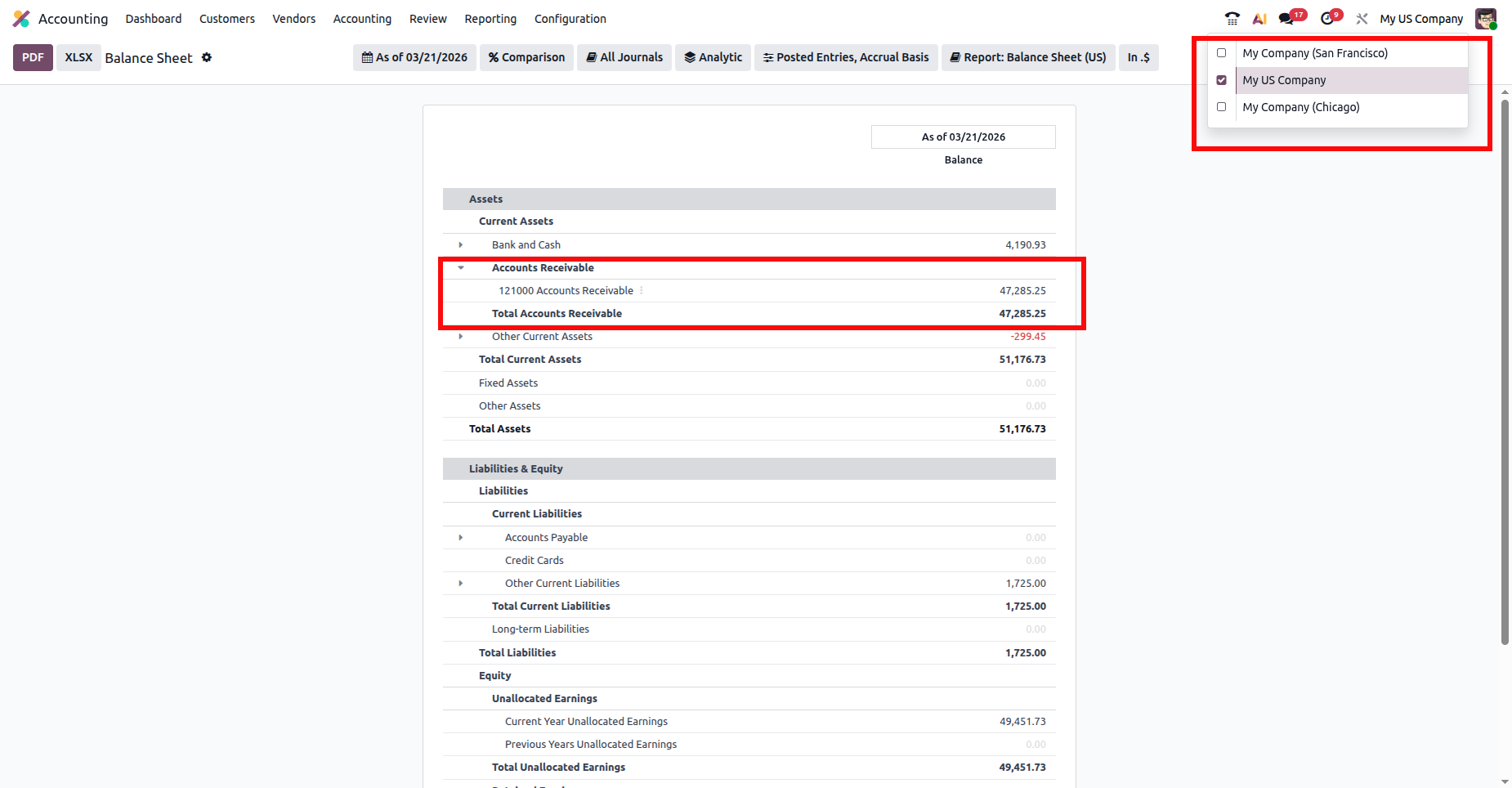
This screenshot shows the Balance Sheet for My US Company, where Total Accounts Receivable is $47,285.25, reflecting only this company’s financial data.
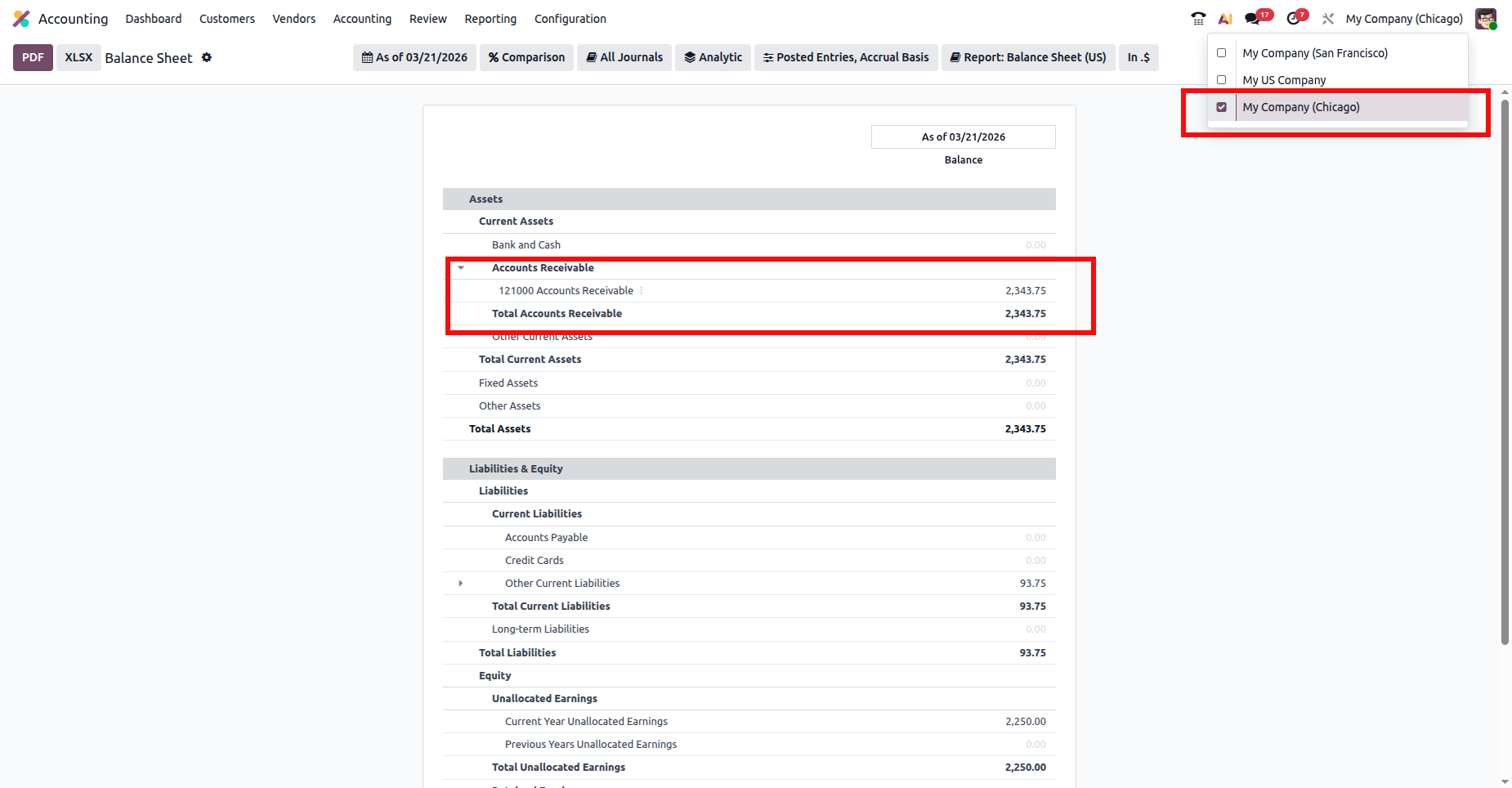
This view shows the Balance Sheet only for My Company (Chicago), where Accounts Receivable is $2,343.75, reflecting transactions recorded only for the Chicago company.
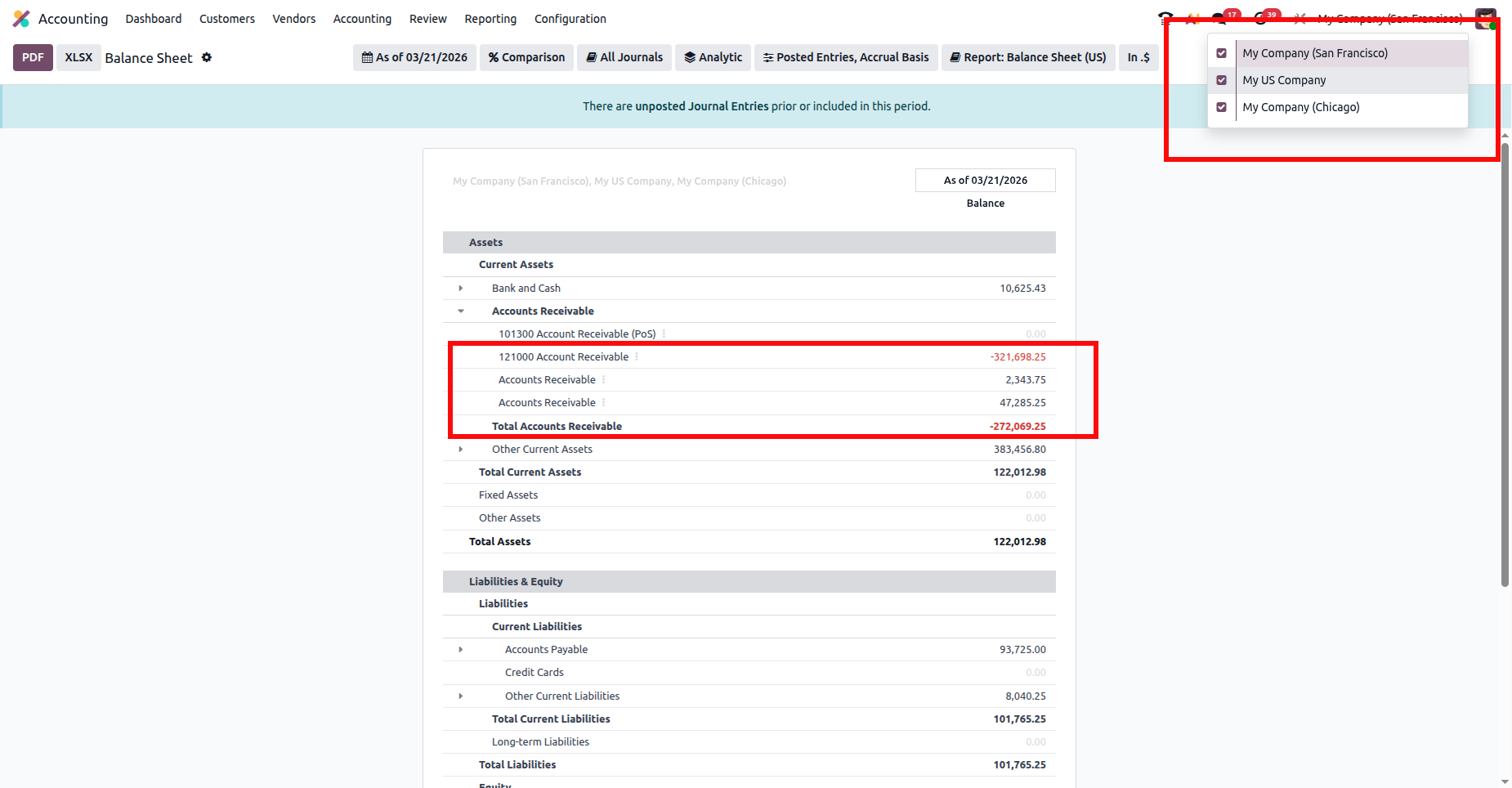
For instance, the Accounts Receivable balance in the Balance Sheet will show the total value calculated from all selected companies. Odoo aggregates the balances from each company and displays the combined result in the report. In this case, My Company (San Francisco), My US Company, and My Company (Chicago) are all checked, so the Balance Sheet displays consolidated values.
For example, under Accounts Receivable, Odoo adds the balances from each company: -$321,698.25 (San Francisco), $2,343.75 (Chicago), and $47,285.25 (My US Company), resulting in a Total Accounts Receivable of -$272,069.25 shown in the combined report.
This allows users to quickly view the overall financial position across multiple companies without manually merging data.
Multi-company reporting in Odoo 19 enables users to analyze financial data from multiple companies within a single report, eliminating the need to switch databases. By selecting the required companies from the company selector, users can easily compare performance or view consolidated results in reports such as the Balance Sheet, Profit and Loss, and General Ledger.
This feature provides better visibility into both individual company performance and the overall financial position of the organization, helping businesses make more informed decisions.






0