ShidilMarch 28, 2026
In many real-world applications, simply authenticating users is not enough. Different users often need different levels of access to specific resources. For example, a manager might be able to edit all records, while a regular employee can only view or edit the records assigned to them.
This is where Role-Based Access Control (RBAC) becomes important.
Django provides a built-in permission system, but it mainly supports model-level permissions. Sometimes we need more fine-grained control where permissions apply to specific objects instead of the entire model.
The django-guardian package extends Django’s permission system and allows developers to implement object-level permissions easily.
By default, Django permissions apply to an entire model. For example:
If a user has the change_document permission, they can modify all documents in the database.
However, in many applications we want more control. For example:
This is known as object-level permission, where access is granted to a specific object instance. The django-guardian library makes this possible by extending Django’s permission framework.
First, install the package:
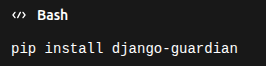
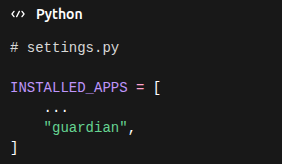
Add it to INSTALLED_APPS in your Django settings:
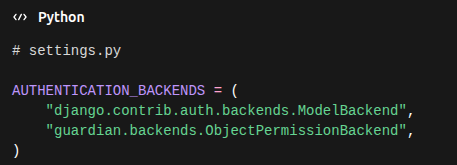
Next, configure the authentication backends:
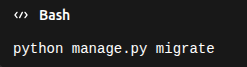
Finally, run migrations:
Once django-guardian is installed, you can assign permissions to a specific user for a specific object.
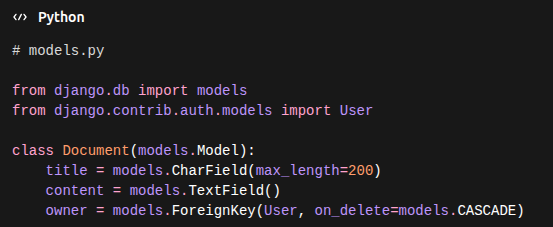
Now you can assign permissions to a user using assign_perm:
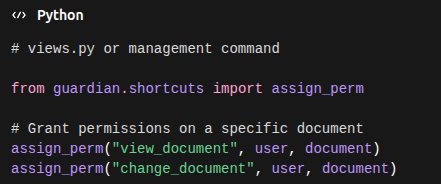
This means the user can only view or modify that particular document, not all documents in the system.
You can check whether a user has permission for a specific object using has_perm:
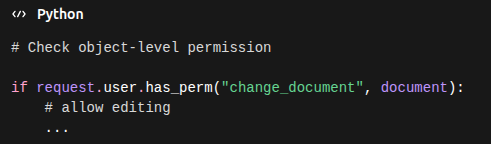
If the user does not have permission, the action should be restricted.
Object-level permissions can be used to protect views so that users can only access resources they are allowed to manage.
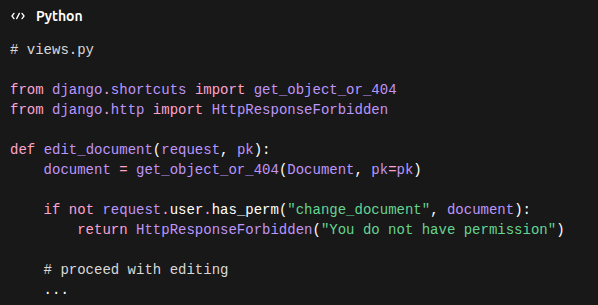
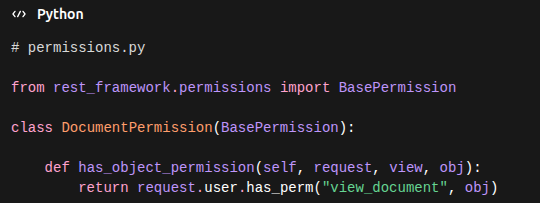
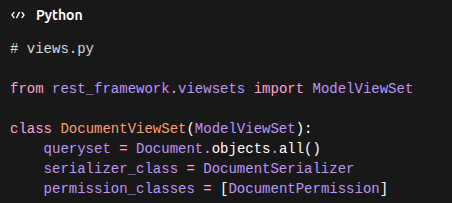
If you are using Django REST Framework, you can also enforce object-level permissions in APIs.
django-guardian also provides utilities to fetch only the objects a user has permission for:
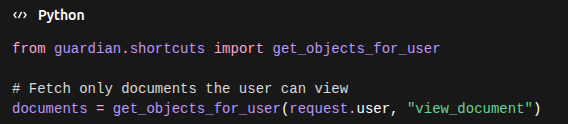
This is useful for list views and APIs, ensuring that users only see the data they are authorized to access.
Using django-guardian provides several advantages:
It is especially useful for systems like:
Implementing proper access control is essential for building secure applications. While Django’s default permission system handles many cases, it does not support object-level permissions out of the box.
With django-guardian, developers can easily assign permissions to specific users for specific objects, enabling more flexible and secure authorization systems.
By combining object-level permissions, per-user permission assignment, and secured APIs, you can build scalable applications with strong access control.





0