DevikaMay 12, 2026
Have you ever had a product reach your customer only for them to complain about a defect that should have been caught earlier? If so, you know how expensive that mistake can be — not just in money, but in trust.
Quality control is something most businesses know they need, but fewer actually have a clear system for. That is where Odoo 19 comes in. Its built-in Quality module gives you a structured way to catch problems at the right moment, before they become bigger issues.
Control points are the rules that tell Odoo when and where to trigger a quality check. You define them once, and the system automatically creates quality checks whenever the conditions are met.
For example, you might create a control point that says:
“Every time we receive Product A from Supplier X, run a measurement check.”
From that point on, every receipt of that product will automatically have a quality check attached to it.
Control points save you from manually creating checks every time. Once set up, they run quietly in the background and only surface when action is needed.
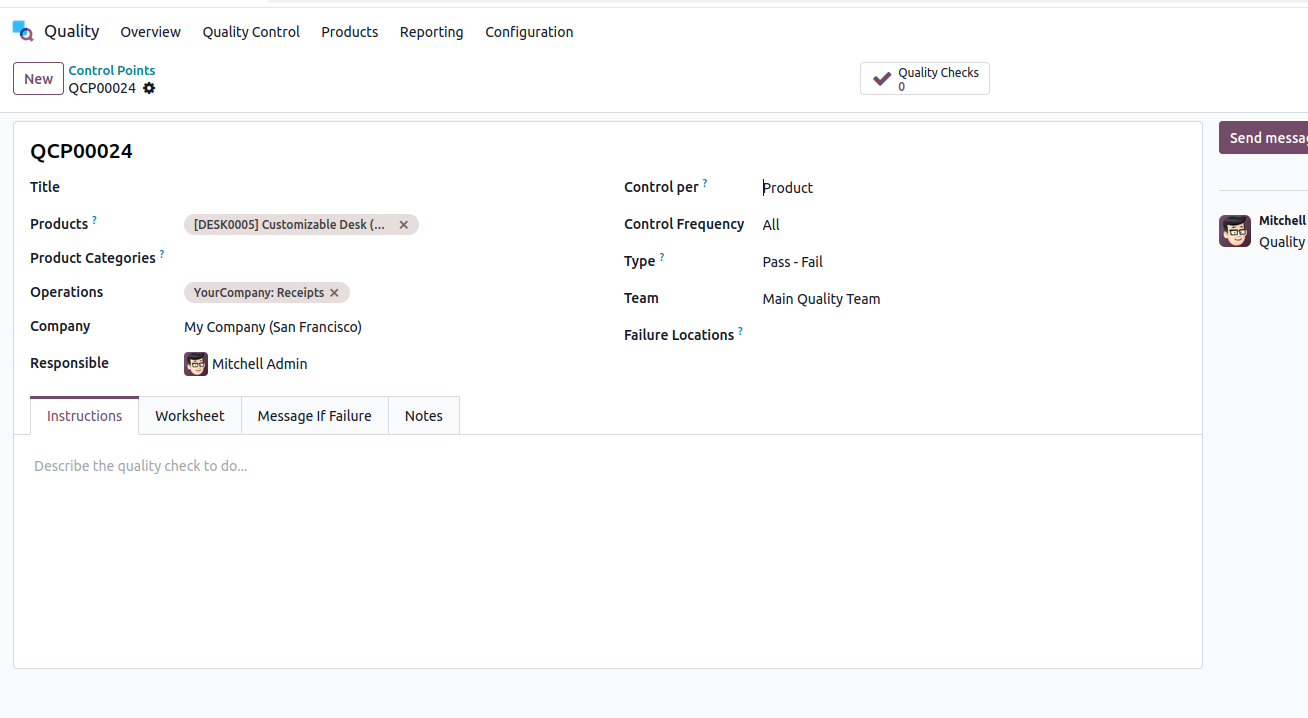
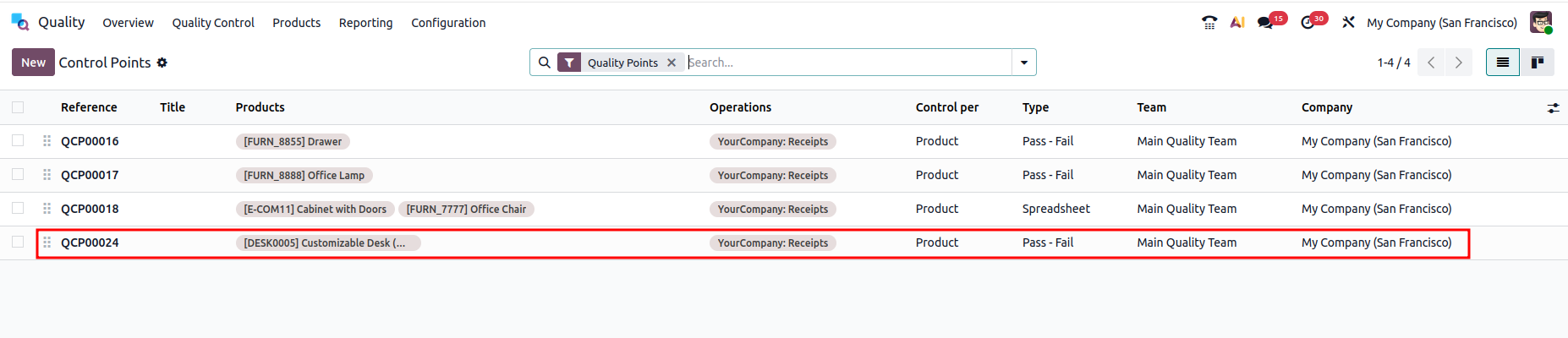
Employees doing the check will see it appear in their activity feed or directly on the relevant manufacturing order or transfer. They fill it in, and the result is logged instantly.
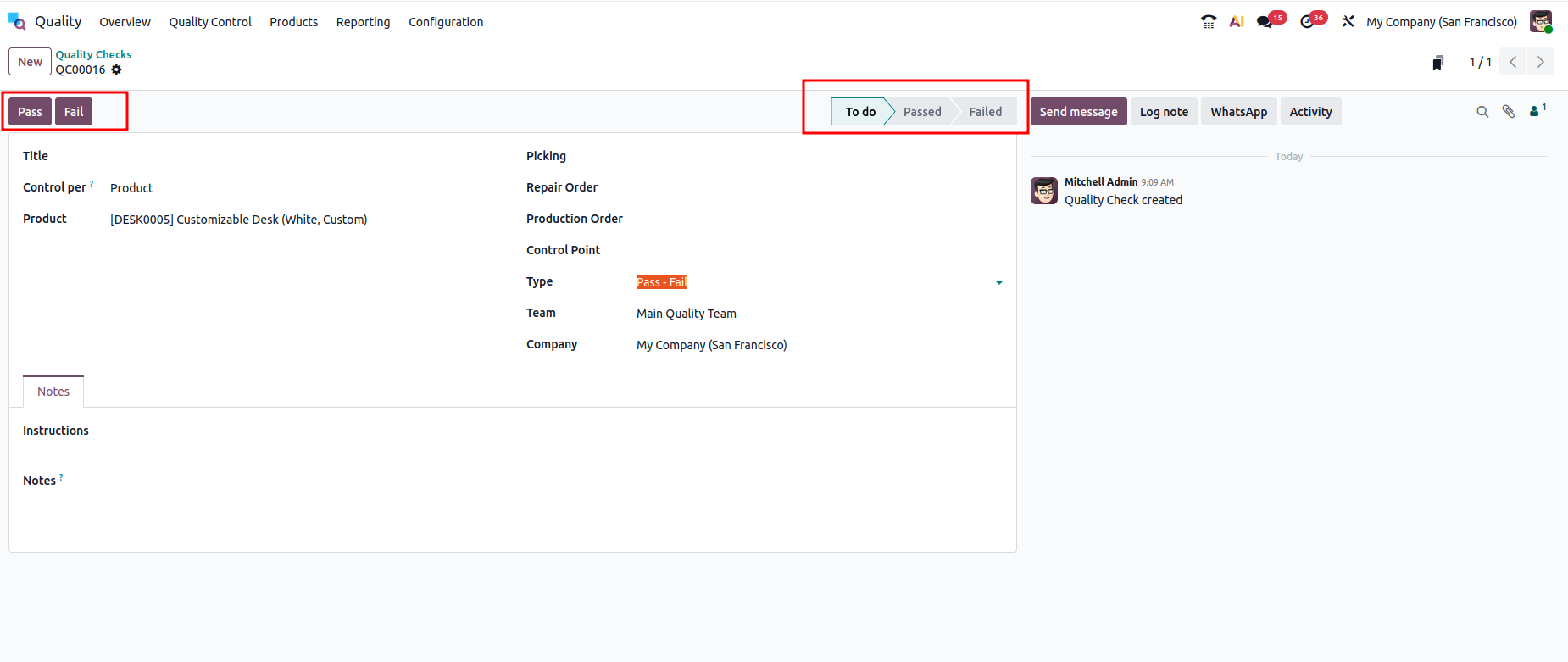
A quality check in Odoo 19 is basically a task assigned at a specific point in your operations — during manufacturing, inventory, or receipt of goods — that asks someone to verify whether a product or process meets a defined standard.
Think of it like a checklist item. An employee at a certain stage of production gets a prompt:
“Check this component before moving it forward.”
They pass or fail it. The system records the result. Simple as that.
Odoo 19 supports multiple check types: Pass/Fail, Measure (numeric), Take a Photo, and Instructions — so you can match the check to what actually needs to be verified.
Quality alerts are a step beyond basic checks. While a quality check is a quick pass/fail at a step, a quality alert is raised when something is actually wrong and needs to be tracked, investigated, or escalated.
Imagine an operator runs a quality check and discovers that 20% of a batch is scratched. They do not just mark it as “failed” and move on — they open a quality alert to document the issue, assign a root cause, and trigger corrective actions.
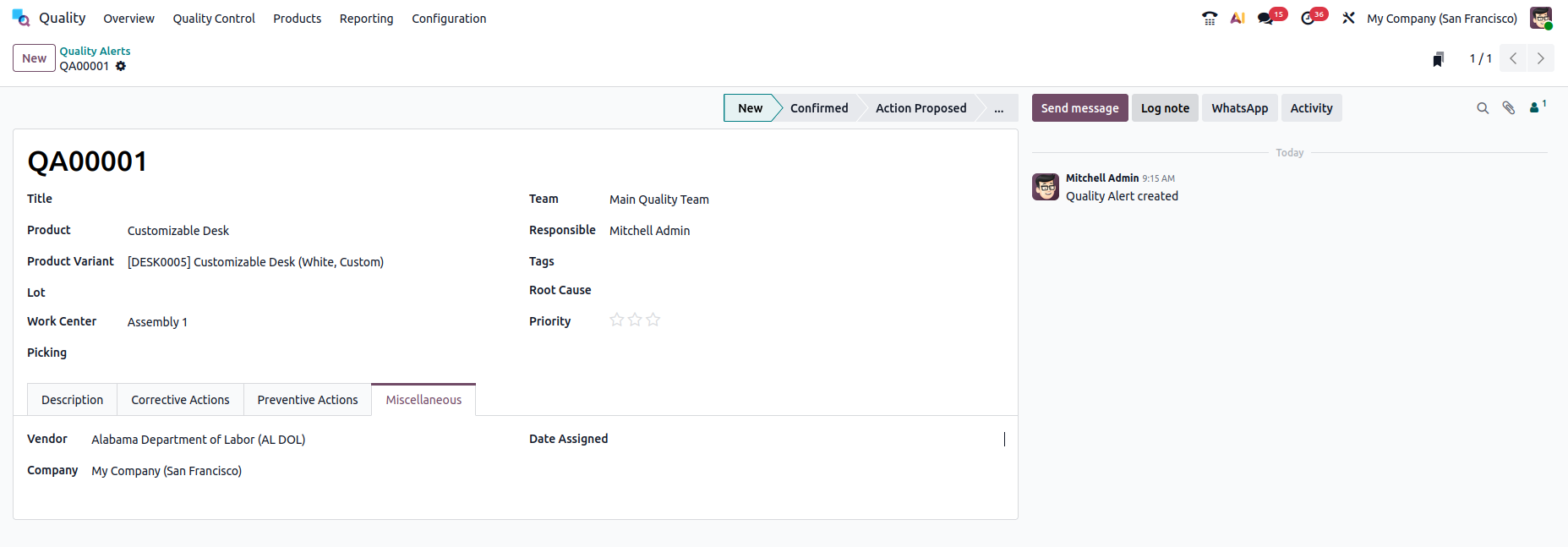
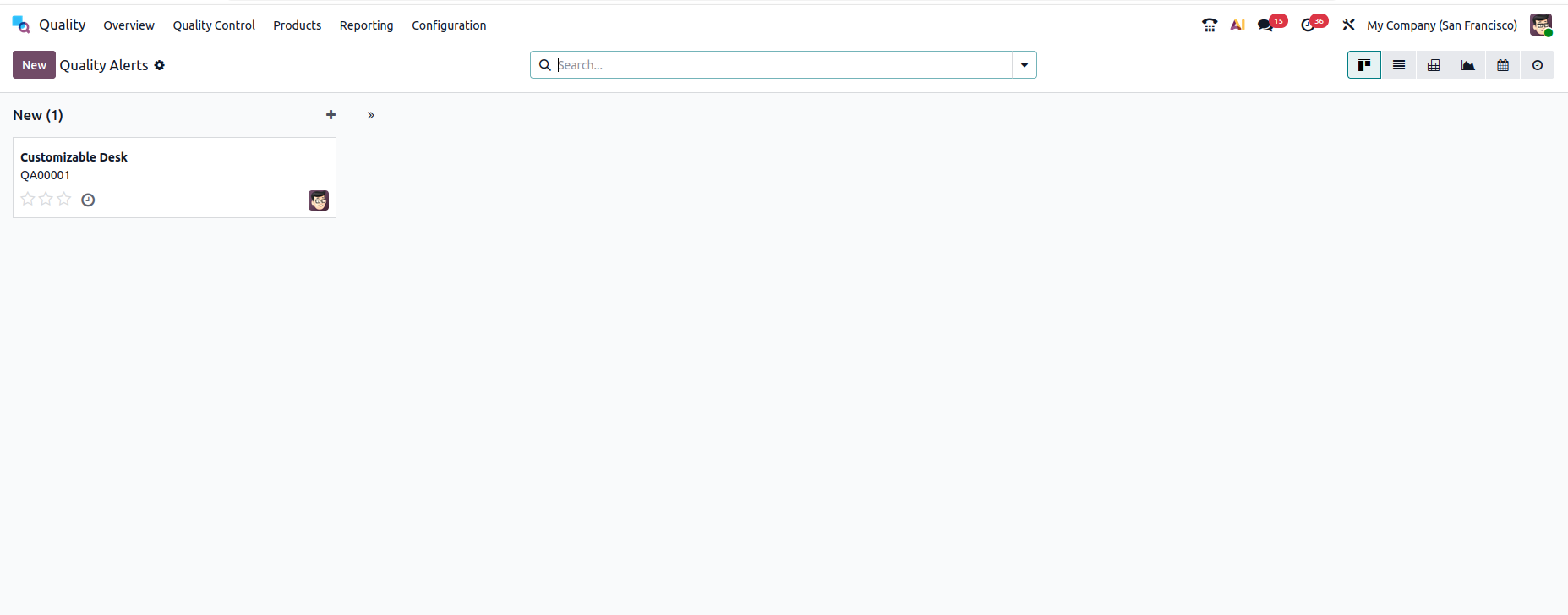
Quality alerts in Odoo 19 have their own Kanban board view, so quality managers can see open issues at a glance and track where each one stands in the resolution process.
It is easy to think of quality control as just a box-ticking exercise. But when it is built into your daily operations — tied to your receipts, your production orders, your deliveries — it becomes something more useful.
You stop relying on memory or spreadsheets. Instead, every check is recorded, every alert is traceable, and every failure is connected to a product, a batch, and a date. That kind of visibility is genuinely hard to build without a system like this.
For businesses that deal with suppliers, regulatory requirements, or high customer expectations around product quality, having this set up in Odoo 19 is not optional — it is just good practice.
Quality checks in Odoo 19 give you a real, working system for catching problems at the right moment. Control points handle the “when and where,” quality checks handle the “what to verify,” and quality alerts handle the “what to do when something goes wrong.” Together, they form a solid quality management loop.
If you have been putting off setting up quality control because it felt complicated, Odoo 19 makes it more approachable than you might expect. Start with one control point, run it for a week, and see what it surfaces.





0