ArchanaFeb. 24, 2026
In Odoo 19, the Quotation Validity feature gives businesses precise control over their sales quotations by allowing clearly defined expiration dates. This prevents customers from accepting outdated prices when market conditions change, helping protect margins and avoid unprofitable or conflicting deals.
Delayed approvals and prolonged negotiations often lead to missed opportunities and pricing inconsistencies. By enforcing a validity period, companies introduce natural urgency that encourages quicker client decisions and improves conversion rates.
Sales teams can apply these deadlines manually or automate them using quotation templates for consistent, policy-driven expiration rules. This combination of accuracy and automation accelerates the sales cycle, strengthens professional communication, and reduces financial risk
With Odoo 19, you can centrally control quotation lifetimes using the built-in Default Quotation Validity setting. This ensures customers cannot accept quotations beyond their validity period, maintaining pricing accuracy and preventing unexpected losses.
Configuration steps:
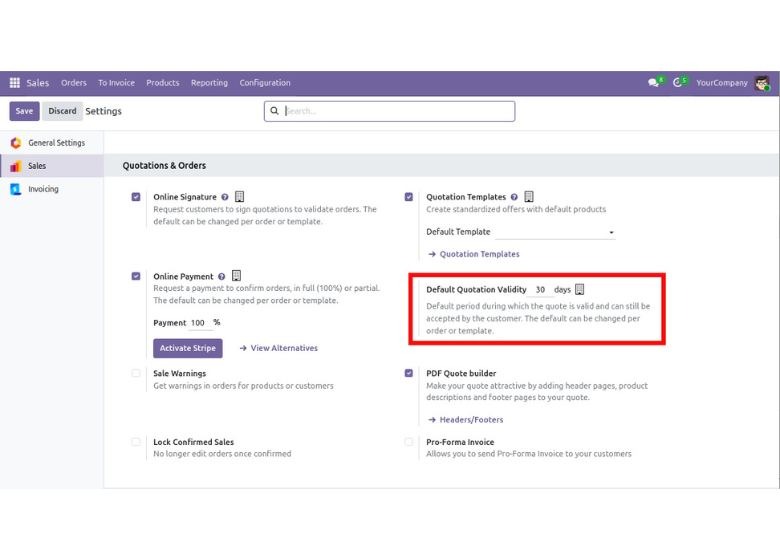
Enter a validity duration that matches your sales cycle. 30 days is common, but fully configurable. Once saved, Odoo automatically calculates the expiration date for every new quotation (creation date + validity days), eliminating manual follow-ups and tracking.
Go to Sales → Orders → Quotations, click New to start a fresh quotation.
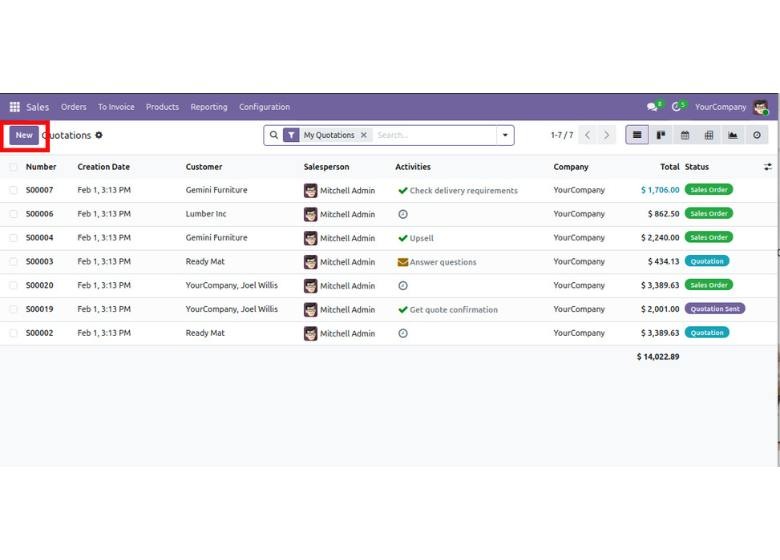
After configuring the default validity period, Odoo automatically assigns an expiration date to every new quotation.
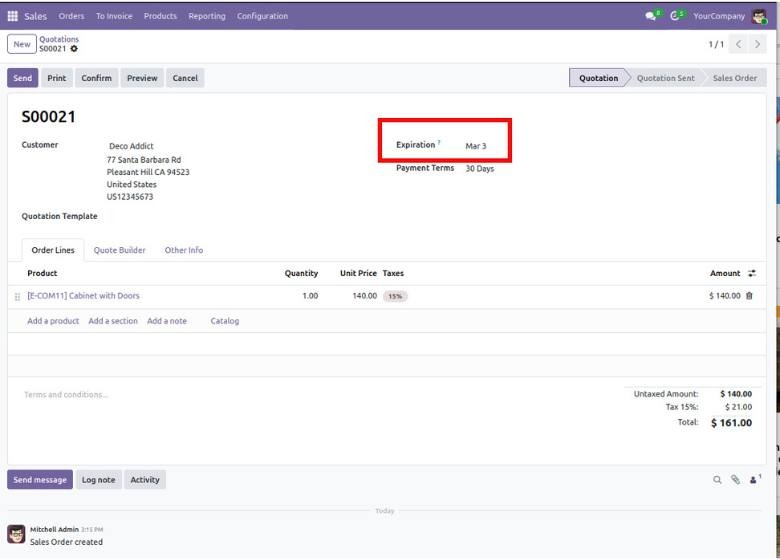
When you create a quotation, the Expiration Date is instantly calculated based on your configured validity period. Once confirmed, the quotation automatically expires after that date, ensuring outdated prices cannot be accepted.
Odoo 19 also allows you to define quotation validity at the template level, enabling different expiration rules for different deal types while keeping the process fully automated.
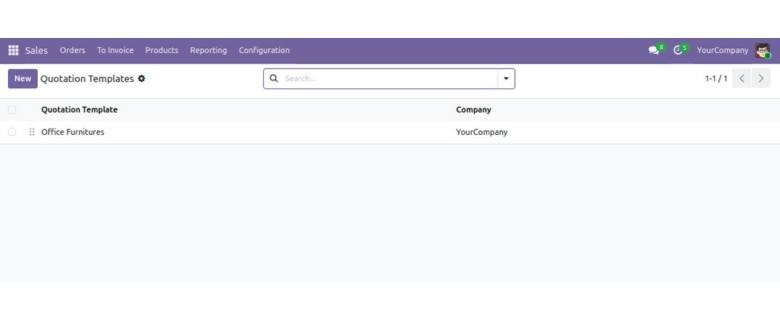
Navigate to Sales → Configuration → Quotation Templates.
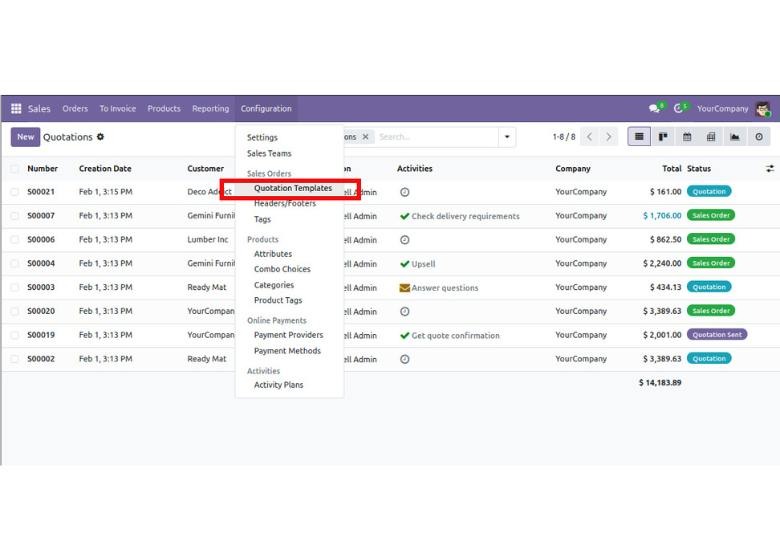
Open any existing template or create a new one.
In the template form, look for the Quotation Validity field (sometimes labeled Expires after). Enter the number of days you want quotations from this template to remain valid (e.g., 15, 30, 45). Set it to 0 if you prefer no automatic expiration for this template type.
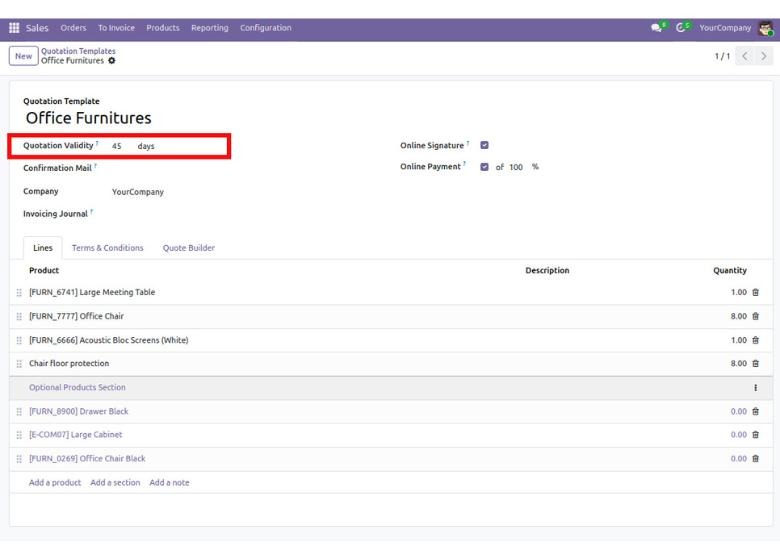
Save the changes. Now, whenever this template is applied to a quotation, Odoo instantly calculates and sets the Expiration Date using the template’s validity setting—giving you precise, repeatable control for different customer types, product categories, or sales scenarios while keeping your workflow fast and professional.
Go to Sales → Orders → Quotations and click New.
Fill in Customer, addresses, pricelist, and payment terms.
Select your pre-configured Quotation Template (e.g., “Office Furniture” with 45-day validity).
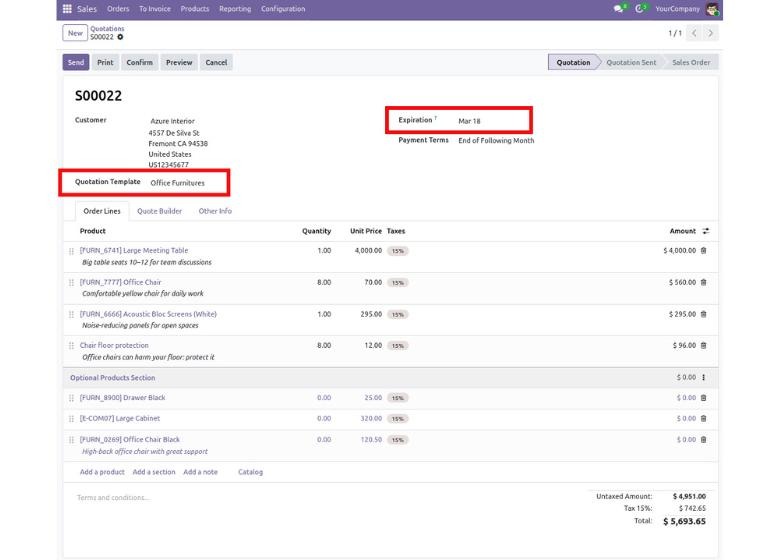
Review and adjust as needed, then save and confirm the quotation. The expiration date is clearly visible, ensuring consistent, time-bound quotations with minimal effort.
In conclusion, Odoo 19 turns quotation expiration into a strategic advantage, automatically safeguarding current pricing, eliminating outdated approvals, and introducing timely urgency that drives faster decisions. With consistent controls and minimal effort, sales teams gain a cleaner pipeline, stronger negotiations, protected margins, and higher conversion rates that help close deals more efficiently.






0