Rufaid ACJan. 19, 2026
If you’re using Odoo Accounting and working with historical data, migrations, or new fiscal years, you may have come across a setting called Invoicing Switch Threshold.
At first glance, it sounds technical and a bit intimidating. Many users enable it without fully understanding what it actually does — and that’s where confusion starts.
This feature exists to solve a very specific accounting problem: how to prevent old invoices and entries from affecting current financial reports, without deleting or altering historical data.
In this guide, we’ll explain what the invoicing switch threshold is, why businesses use it, how to configure it correctly, and what to watch out for based on real-world usage.
The invoicing switch threshold in Odoo 19 Accounting is a cut-off date that separates historical accounting data from active accounting operations.
Once a threshold date is set:
Important to understand:
Think of it as telling Odoo:
“Everything before this date is reference history. Everything after this date is my active accounting.”
This feature is not meant for everyday usage. It is typically used in specific accounting scenarios.
When moving to Odoo mid-year, businesses often import old invoices for reference but don’t want them interfering with current balances.
Some companies want clean reports from a specific date without removing historical records.
Old unpaid invoices or legacy entries can distort Profit & Loss or Aged reports if not handled properly.
This is especially useful when legacy data is incomplete or partially reconciled.
In short, the invoicing switch threshold helps control how accounting history influences current reporting.
Before proceeding, make sure you have Accounting access rights.
Go to Accounting → Configuration → Settings
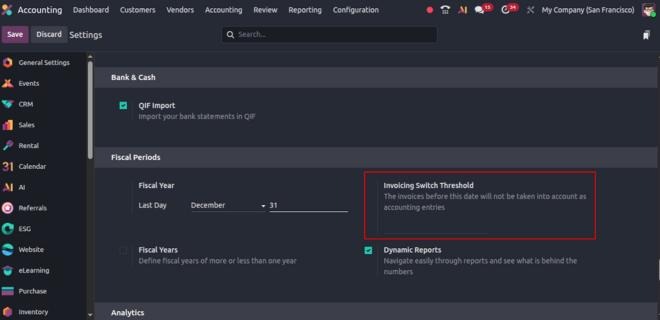
Scroll to the accounting configuration section until you find the invoicing switch threshold field.
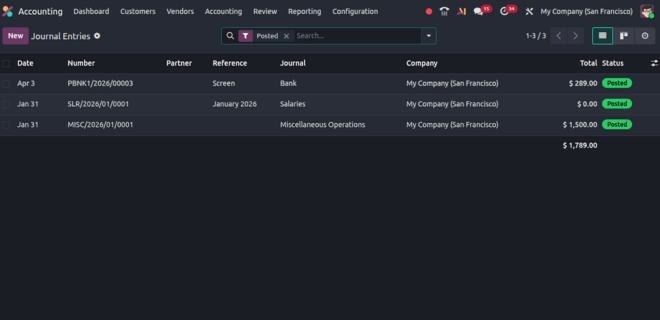
Select the date from which you want Odoo to treat invoices as active.
Important:
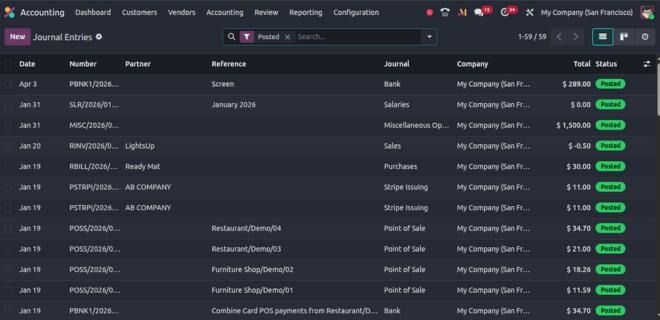
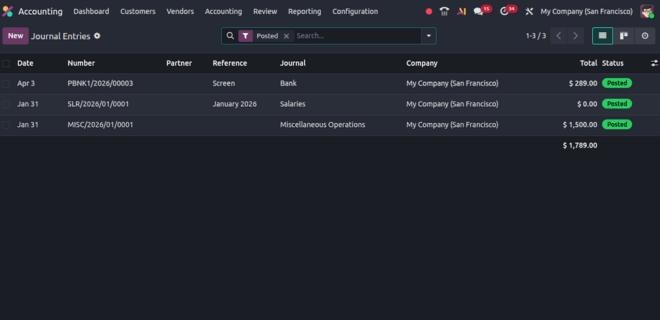
Once saved, the change applies immediately.
⚠️ This is not a cosmetic setting. It affects accounting behavior system-wide.
Understanding the impact is critical.
A common misunderstanding is thinking invoices “disappear.”
They don’t — they’re just excluded from active accounting calculations.
This is where most confusion happens.
If numbers suddenly look “lower” than expected, it’s usually because:
This feature is useful — but easy to misuse.
Selecting an incorrect date can hide important data from reports.
Fix:
Always align the date with your fiscal year or migration cut-off.
Users often panic when numbers change unexpectedly.
Fix:
Review reports immediately after applying the threshold to understand the effect.
Payments made after the threshold for invoices before it can cause confusion.
Fix:
Plan reconciliation carefully when transactions span both sides of the threshold.
This leads to unnecessary re-imports or manual work.
Fix:
Remember: the threshold only changes how data is treated, not whether it exists.
Technically, yes — but it should be done with caution.
Before changing the threshold:
This is not a setting to “experiment” with casually.
You don’t always need an invoicing switch threshold.
Avoid using it if:
In many cases, report filters are enough.
Treat it as a structural accounting decision, not a convenience toggle.
The invoicing switch threshold in Odoo 19 Accounting is a powerful feature when used for the right reasons.
It helps businesses manage historical data without deleting it, keeps reports clean, and supports smoother migrations.
However, it’s not something to enable blindly.
Understanding what it does, why it exists, and how it affects reports makes all the difference between clarity and confusion.
Used thoughtfully, it simplifies accounting. Used carelessly, it creates unnecessary doubt.





0