DevikaMarch 16, 2026
Managing supplier invoices accurately is critical for maintaining financial control within an organization. Errors in invoice processing can lead to overpayments, disputes with vendors, and inconsistencies in accounting records. To address this, Odoo 19 provides a built-in three-way matching mechanism that verifies vendor bills by cross-checking them with purchase orders and stock receipts.
This automated validation ensures that businesses pay only for goods that have been both ordered and received, helping finance teams prevent billing discrepancies and maintain accurate financial records.
To demonstrate how three-way matching works, consider a sample product called Dining Table.
Open the product form in Odoo and navigate to the Purchase tab. Here, you will find the Bill Control Policy setting.
When the policy is configured as Received Quantities, Odoo restricts vendor billing until the items are physically received into inventory. This configuration is essential for enabling the three-way matching validation process.
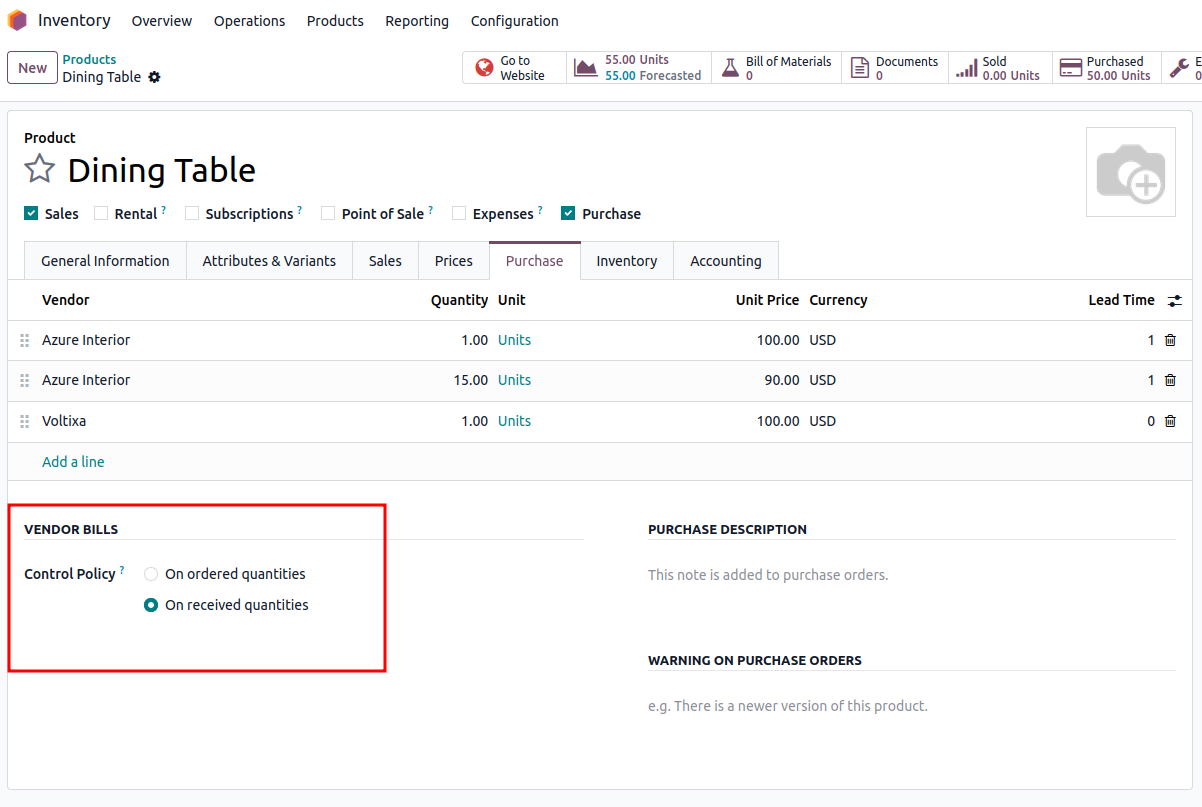
By using this setting, the system ensures that invoices are created only after the products have been delivered and recorded in stock.
Before using the feature, three-way matching must be enabled at the system level.
Navigate to:
Purchase → Configuration → Settings
Within the invoicing section, enable the 3-Way Matching option and save the configuration.
Once this feature is activated, Odoo automatically evaluates vendor bills by comparing:
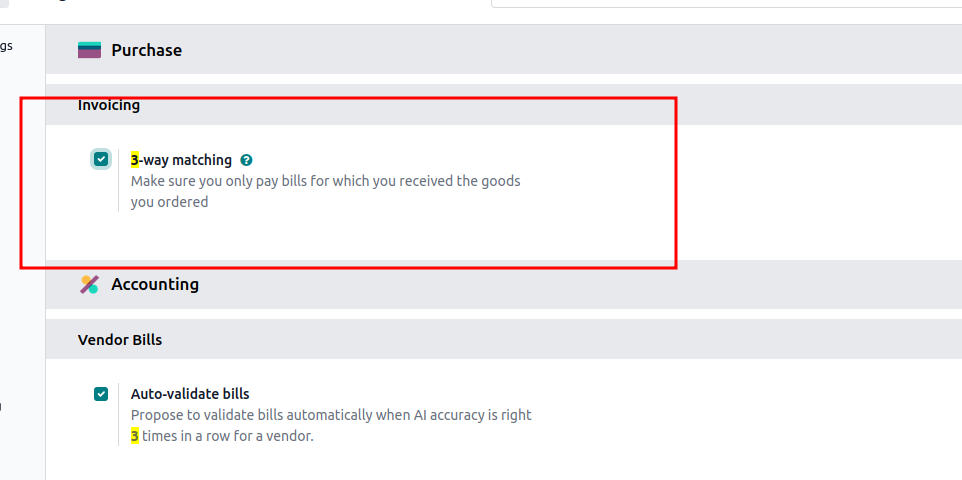
This automated comparison helps detect inconsistencies between purchasing, inventory, and accounting records.
After configuring the settings, the purchasing process can begin.
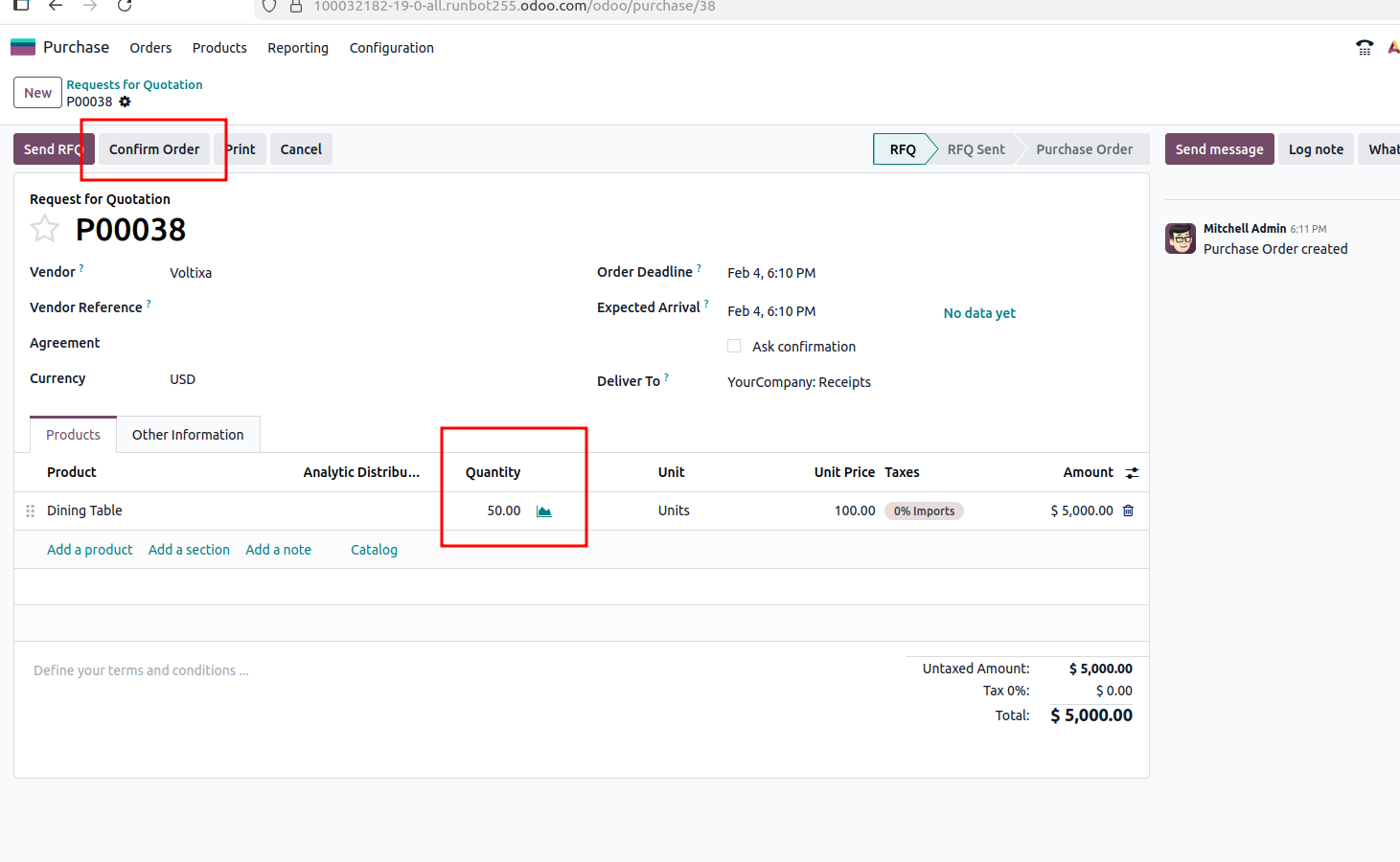
Create a Request for Quotation (RFQ) or Purchase Order using a product, for example Drawer.
In this example, a purchase order is issued to a vendor for 50 units of the product. The pricing and vendor details are entered, and the RFQ is confirmed to initiate the procurement process.
After confirming the purchase order, the supplier delivers the goods.
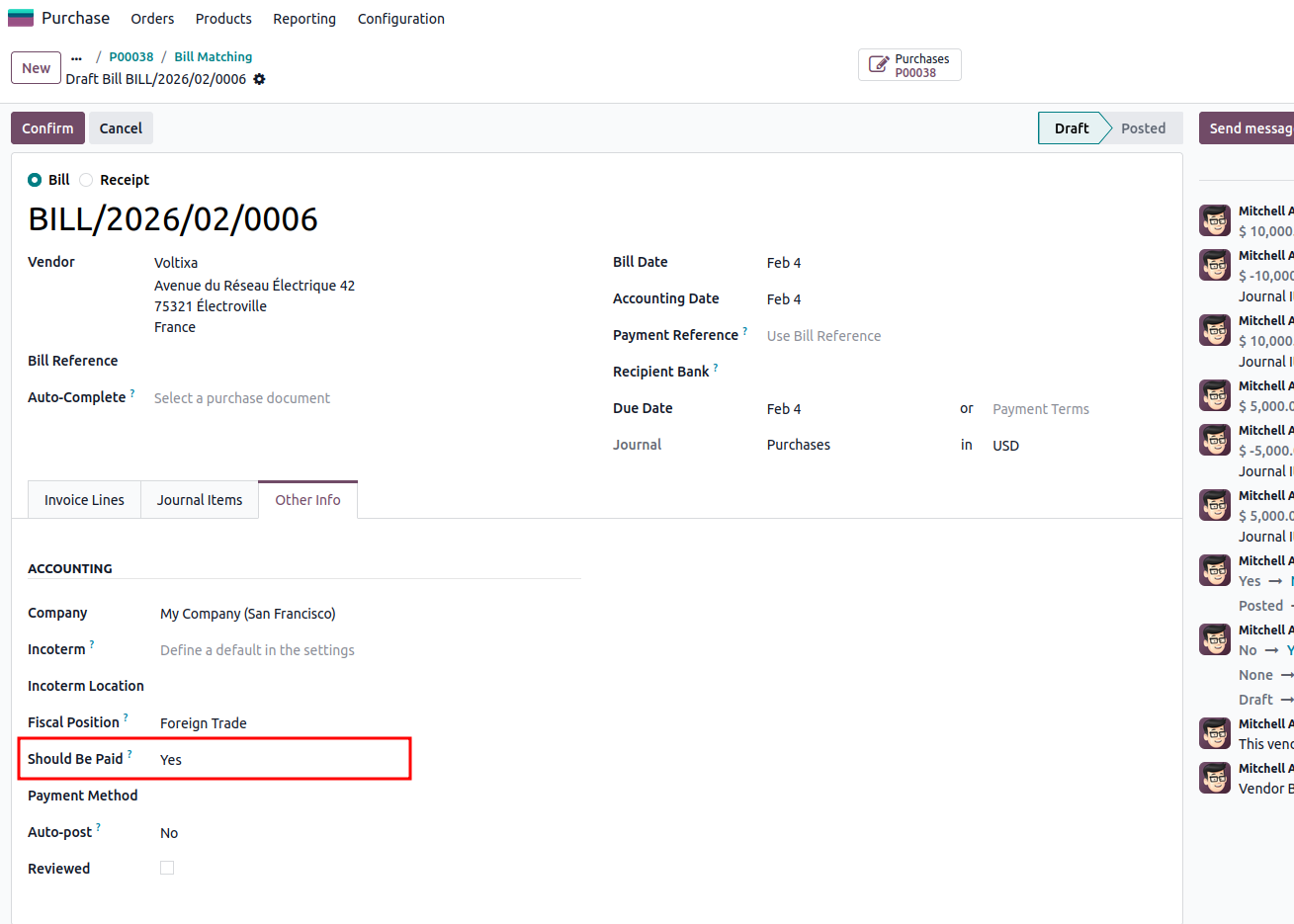
Once 50 units are received and the receipt is validated, Odoo allows the user to create the vendor bill.
Since the billed quantity matches the received quantity, the invoice passes the three-way validation.
In the Other Information section of the vendor bill, the “Should Be Paid” status is automatically set to Yes, confirming that the invoice is valid for payment.
If the vendor bill is modified to reflect 100 units, while only 50 units have actually been received, Odoo immediately detects the mismatch.
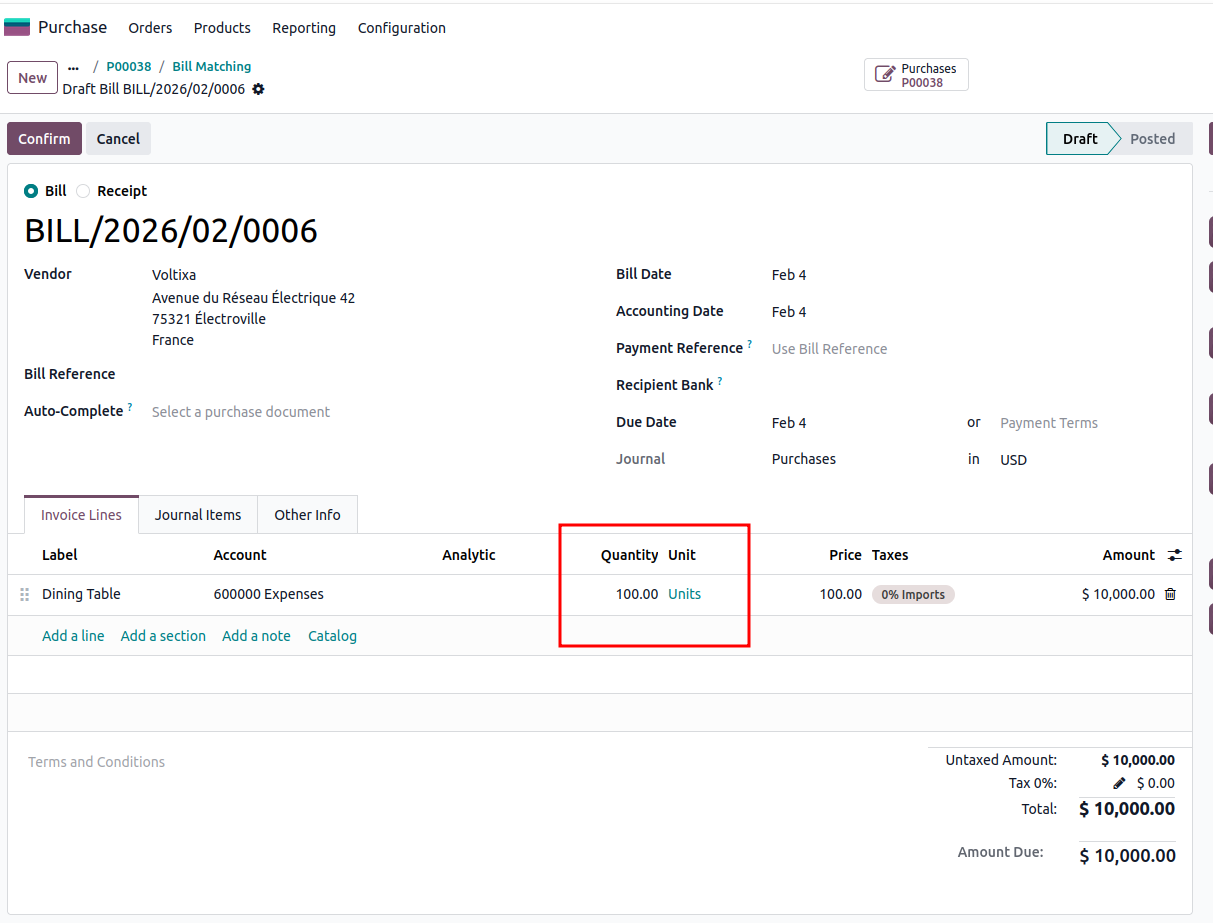
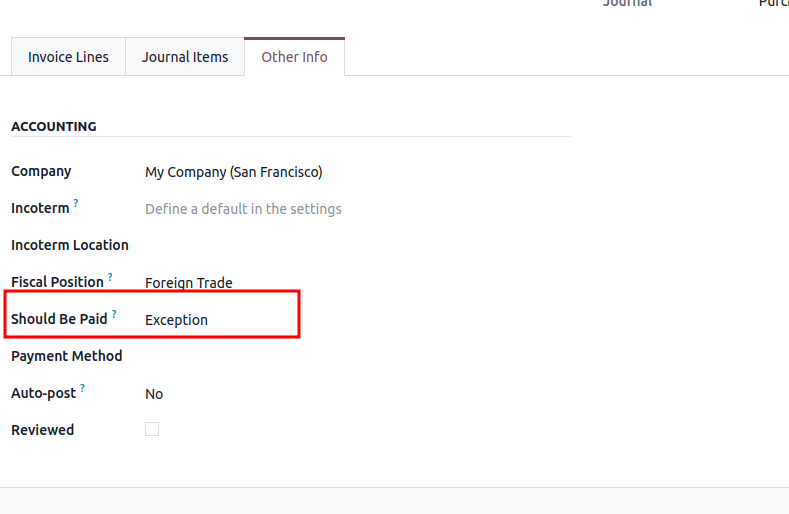
The “Should Be Paid” field automatically changes to Exception.
This status alerts the user that the billed quantity exceeds the received quantity, preventing accidental overpayments and prompting the finance team to review the invoice before processing payment.
In some situations, a vendor may bill for fewer units than what was delivered.
For example, if 50 units were received but the vendor bill includes only 10 units, Odoo still allows the invoice to be processed.
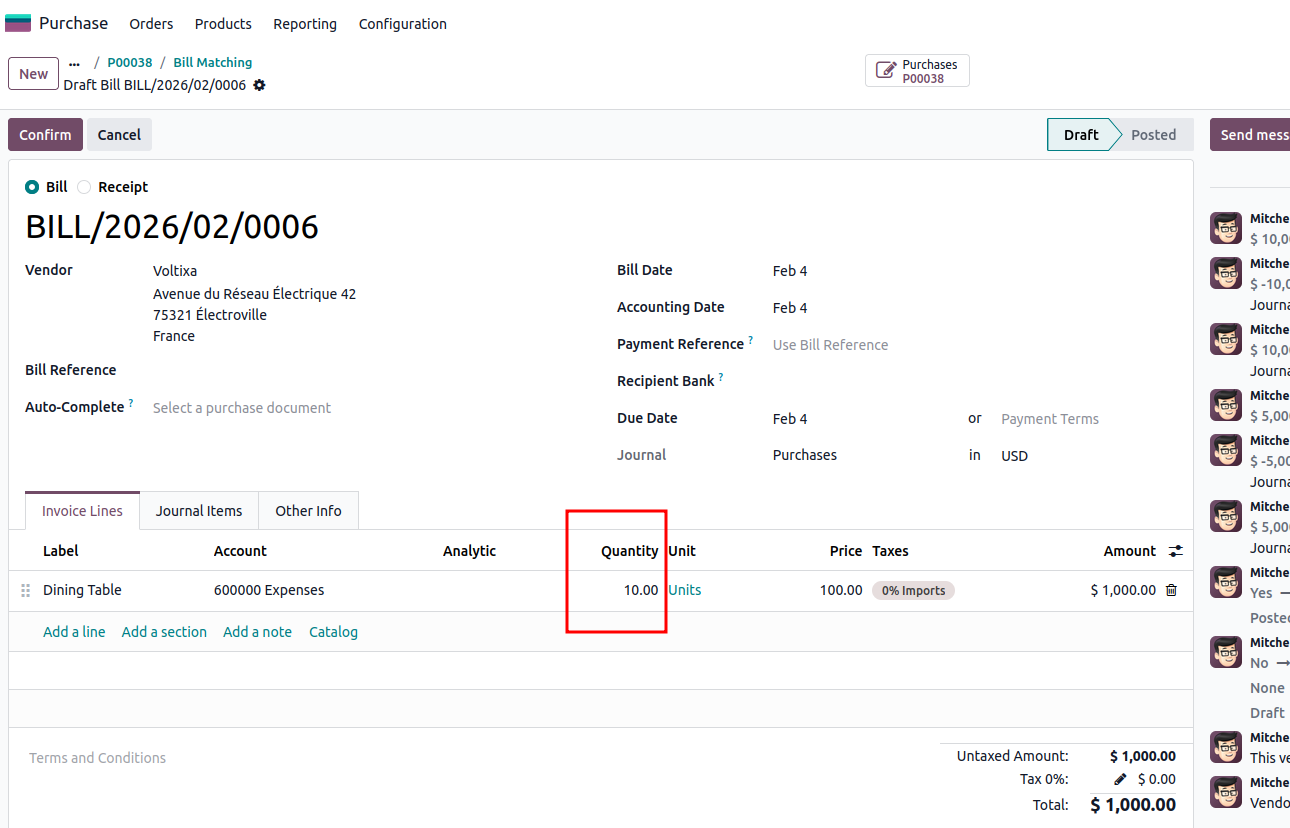
Because the billed quantity does not exceed the received quantity, the “Should Be Paid” field remains Yes, and the payment can proceed without issues.
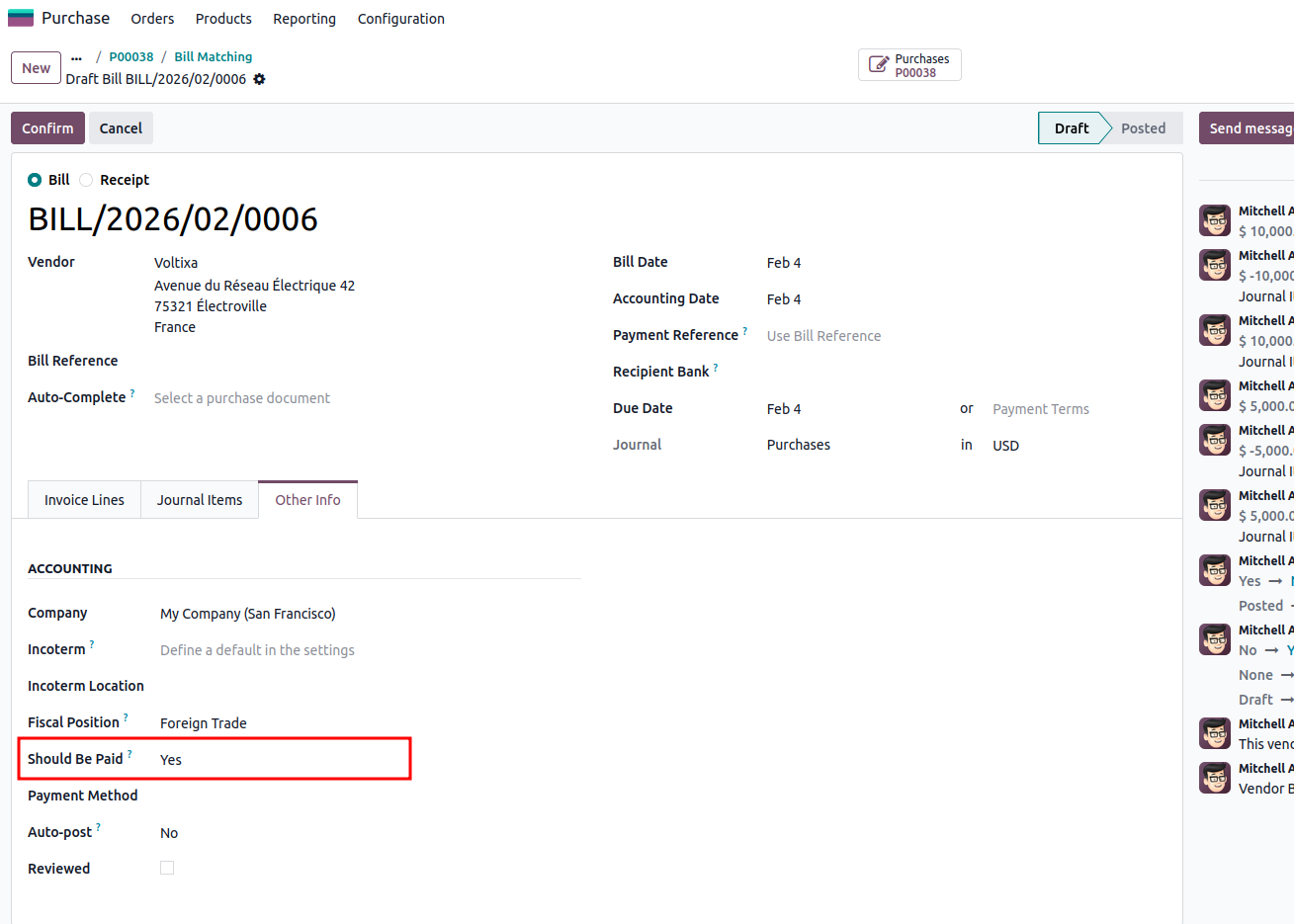
When a product is configured with the Received Quantities policy, vendor bills should only be issued after the goods are delivered.
If a vendor bill is created before the receipt is validated, Odoo automatically flags the invoice.
In the Other Information section, the “Should Be Paid” field is marked as No, indicating that payment should not proceed yet.
Once the receipt is validated and the products are recorded in inventory, the same invoice automatically updates its status to Yes, allowing the payment process to continue.
The “Should Be Paid” field in Odoo 19 provides a quick overview of invoice validation status during the three-way matching process.
There are three possible outcomes:
These indicators help finance and procurement teams quickly identify discrepancies between purchasing, inventory, and accounting data, reducing the risk of payment errors.
The 3-Way Matching feature in Odoo 19 is a powerful tool for improving financial accuracy and internal control in procurement processes. By automatically comparing purchase orders, goods receipts, and vendor invoices, Odoo ensures that businesses only pay for what they have actually ordered and received.
This mechanism not only prevents overpayments but also improves transparency and coordination between purchasing, inventory, and accounting teams, making invoice management more reliable and efficient.





0